Sales-Managed Subscriptions
Subscriptions purchased through the SmartBear sales team may not be modified using SmartBear Admin UI. Go to the Subscriptions tab, select the solution, and then click Contact Sales to reach out to your sales representative if you need assistance with your subscription. If a sales-managed subscription is not renewed, it will become an Expired Subscription when the subscription ends. See Expired Subscriptions.
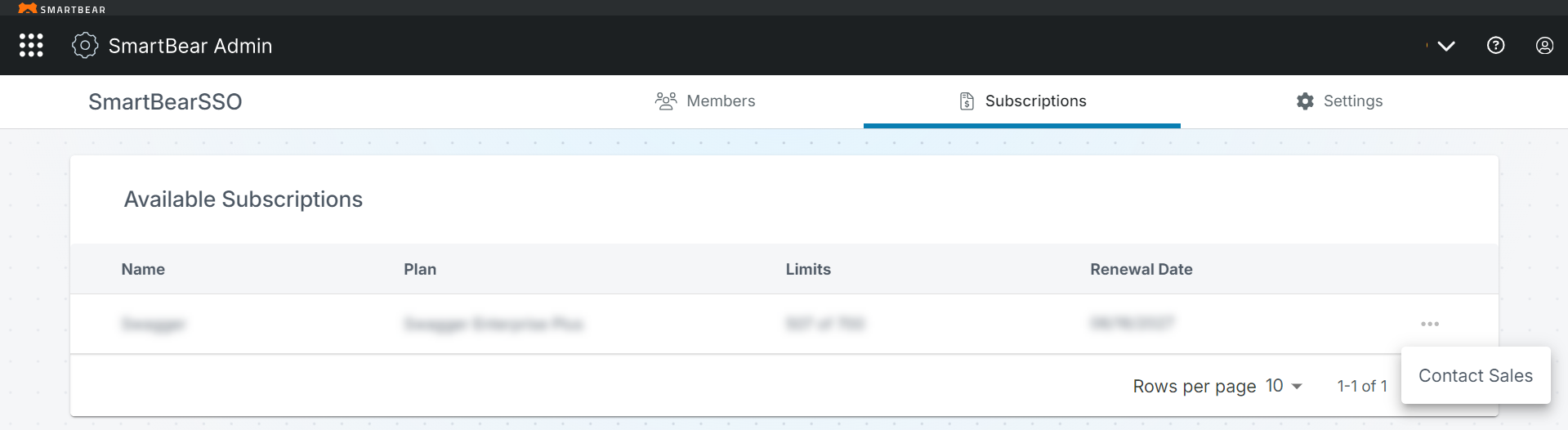
Modular Plan Sales Subscriptions
Sales-Managed Subscriptions for the modular plan are built around a direct sales subscription model in Swagger. These types of subscriptions are designed for flexibility and can be tailored to specific user requirements.
To preview details of your subscription plan, perform the following steps:
Click the Subscriptions tab on SmartBear Admin to view the subscription plan details.
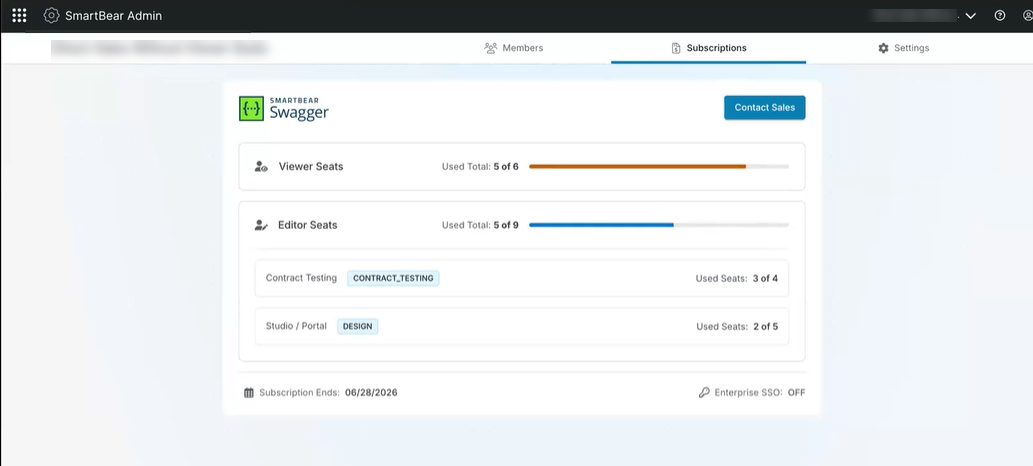
Review the following subscription details:
Viewer Seats - This section displays the total number of viewer seats purchased and how many are in use.
Note
By default, all Swagger products have Viewer access. When you select an Editor seat for one Swagger product, all other Swagger products automatically receive Viewer access.
Editor Seats - specifies the number of editor seats currently in use out of the total number available in the subscription. This section also details the seat usage in each Swagger product.
Note
Click Contact Sales to change your subscription or request additional seats.
Enterprise SSO - Indicates the Enterprise SSO add-on status, purchased or not purchased.
Subscription Ends - Displays the subscription end date.