
Test Case Reordering
Test Cases in the Test Repository and the Global Repository can be reordered to suit your testing needs and goals. Test case reordering is performed in a separate window to allow users the ability to preview all their test cases in the specific folder.
-
To reorder your test cases, go to the Test Repository or Global Test Repository.
-
Navigate through your folder structure to where you want to reorder your test cases.
-
Click on the folder and then click on the TC Reorder button located at the top menu of the test repository.
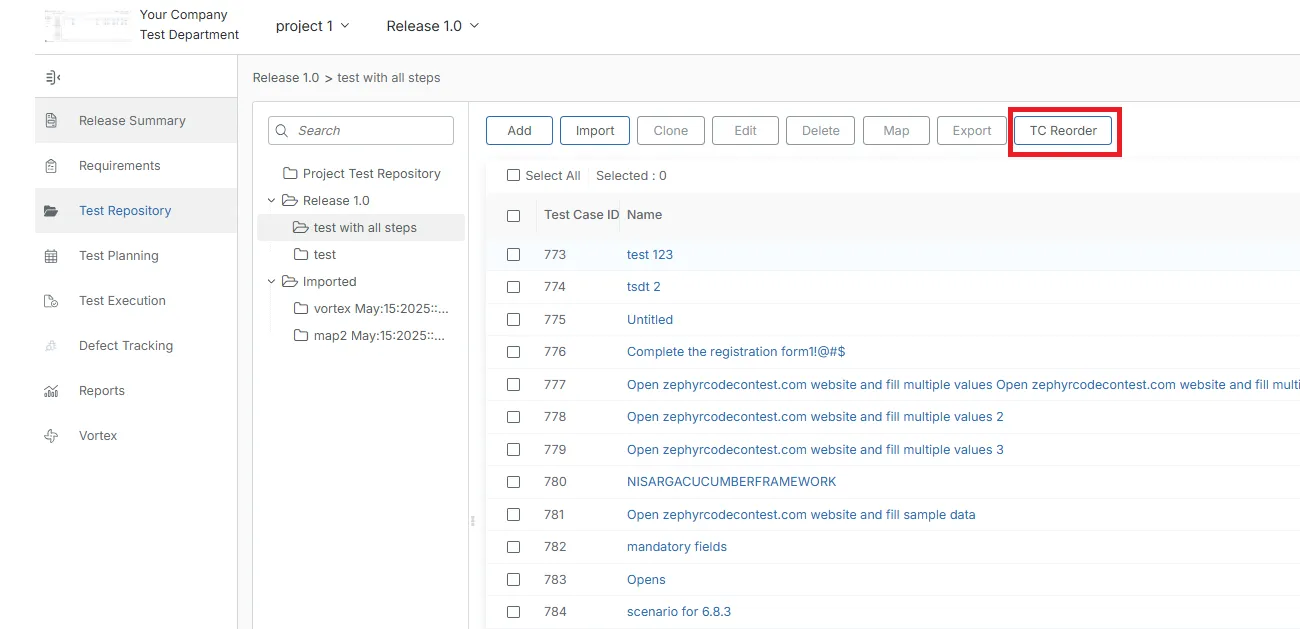
-
A module will pop-up with the option that allows users to reorder their test cases by utilizing the simplicity of Zephyr’s drag-and-drop feature.
- Simply click and drag which test case you want to reorder and move the selected test case to the desired location.