
Delete Disable Users
For our customers’ GDPR compliance, we now provide a method to completely delete inactive users with all PII (Personally Identifiable Information) from the database, and the user will be assigned as an Inactive deleted user.
-
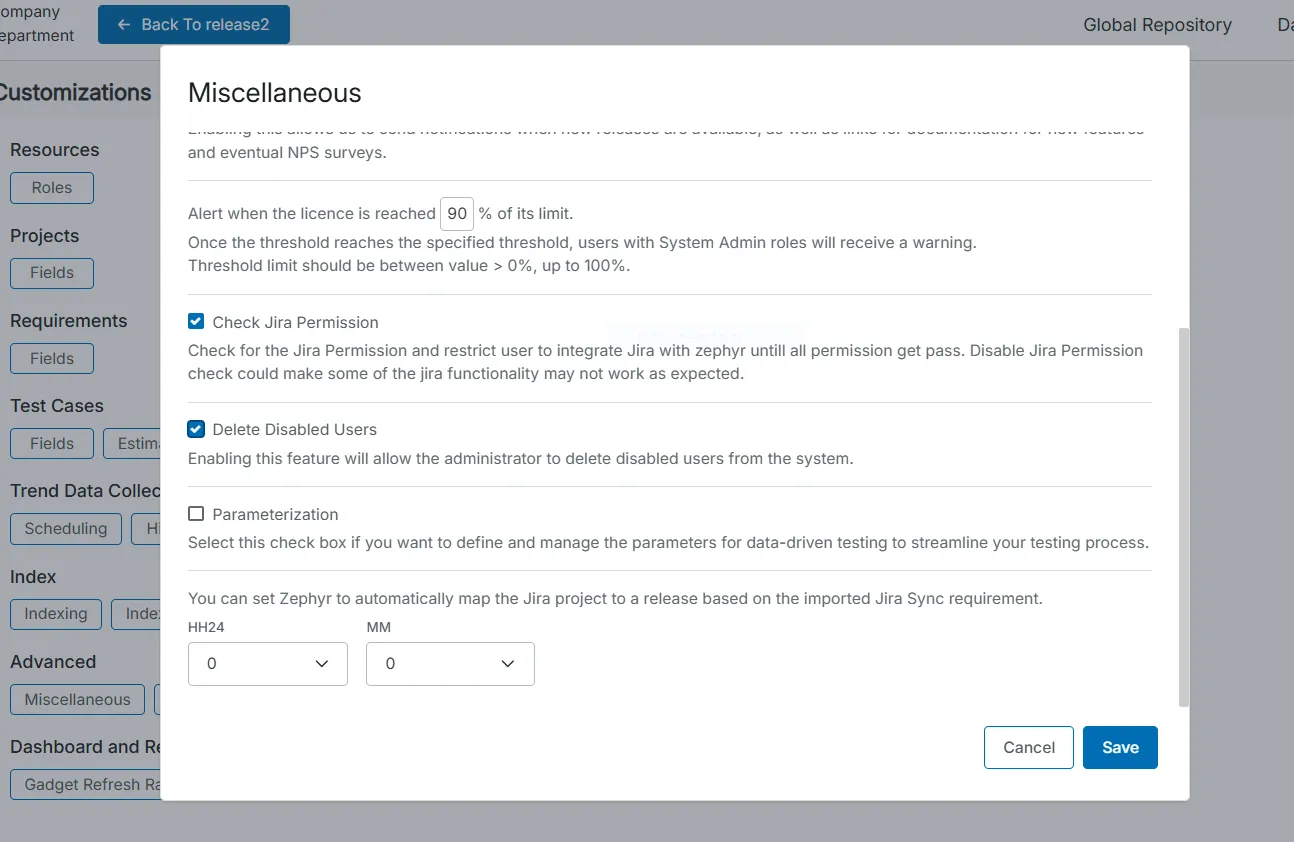
To Enable this feature, the user has to enable the Administration, select, Customizations .
-
In the Miscellaneous dialog box, and select Delete Disabled Users.
-
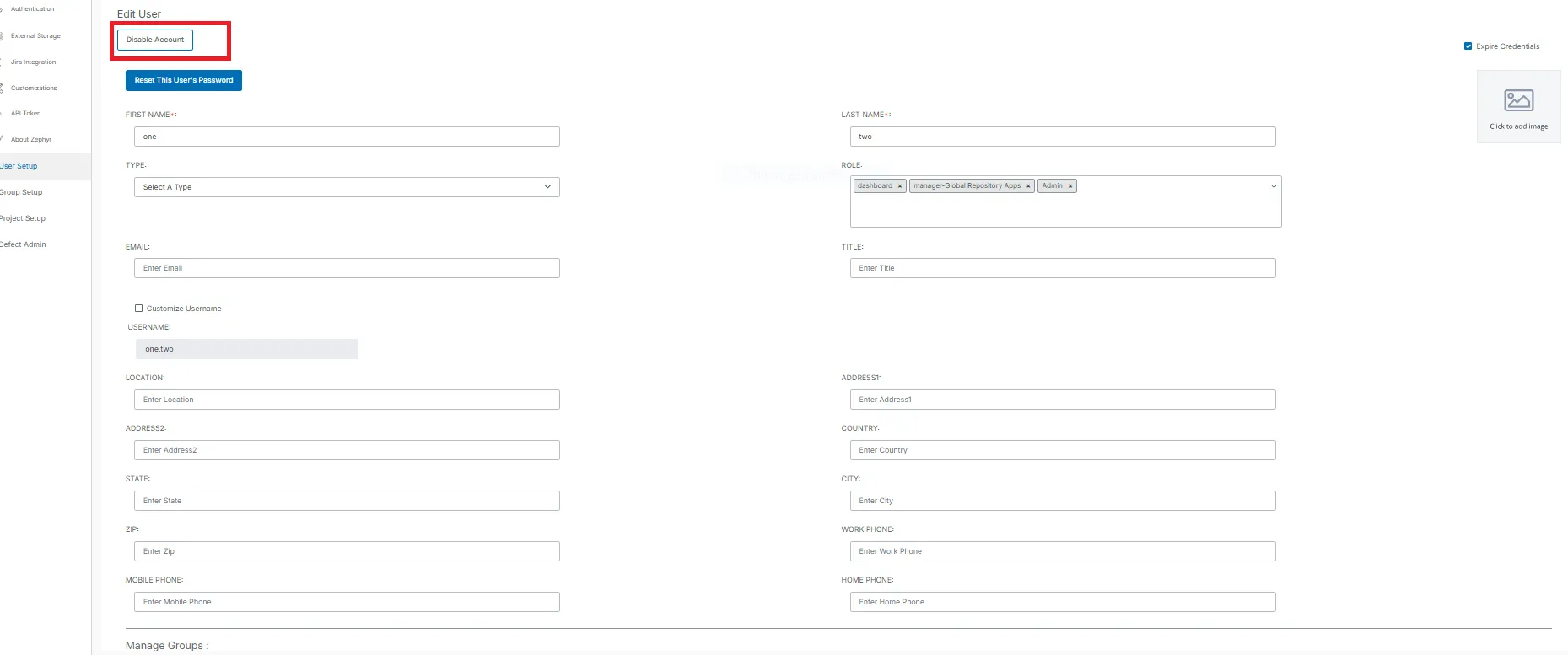
Once users enable this option, the Disable Account button appear.
-
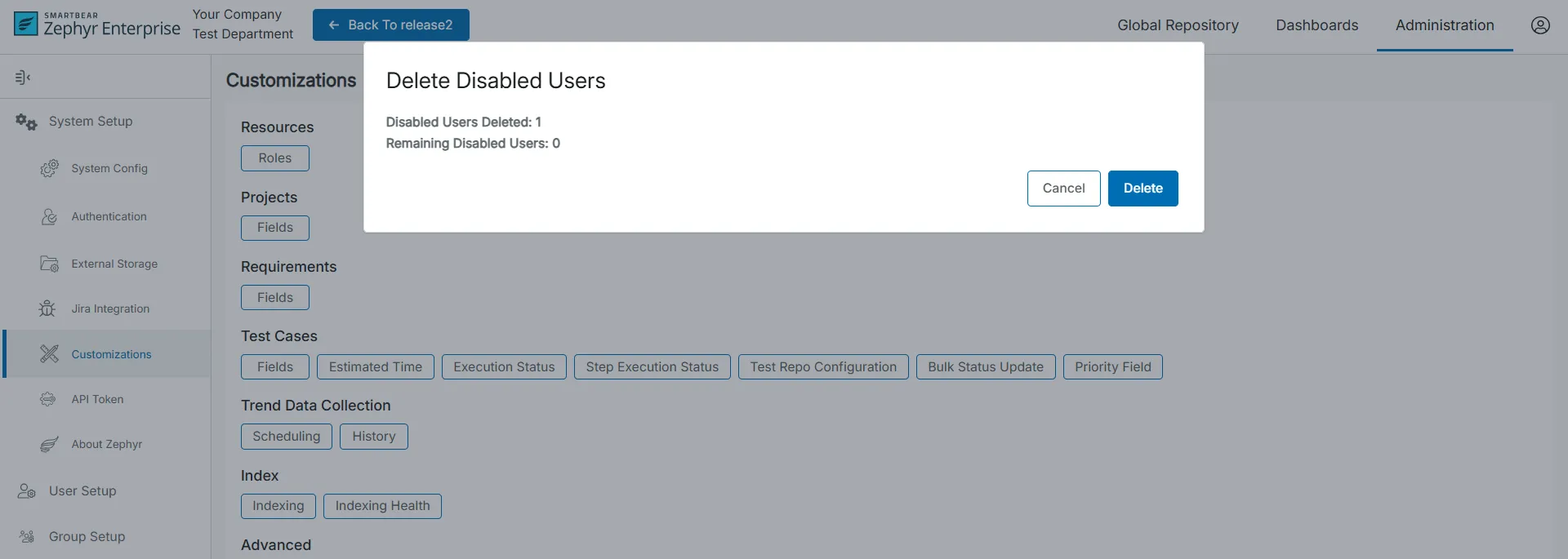
The Delete Inactive Users dialog box appears, click Delete.
-
In the Delete Inactive Users dialog box,
-
Total number of users to be deleted at a time:-
-
The value that at a time the number of users will be deleted. This can be configured in the Properties file in {ZephyrDIR}/tomcat/webapps/flex/WEB-INF/classes/gdpr.properties.
-
By default, the value is one
-
It can be configured by changing the value of zephyr.gdpr.delete.count
#zephyr gdpr delete count
zephyr.gdpr.delete.count=1
-
Once this value is changed System needs to be restarted to make the change value effective.
-
-
Total number of inactive users
- This is the total number of inactive users present in the system.
-
-
Click the Delete button users will start getting deleted one by one depending on how many users are to be deleted at a time depending on the value in the Total number of users to be deleted at a time.
Caution
This action is irreversible, make sure you want to delete the user as it will remove the complete trace of the User from the system.
-
Once Users are deleted, they will be replaced by the user called Inactive user.