
Deleting a Test Case
Deleting Test Cases from the Folder
-
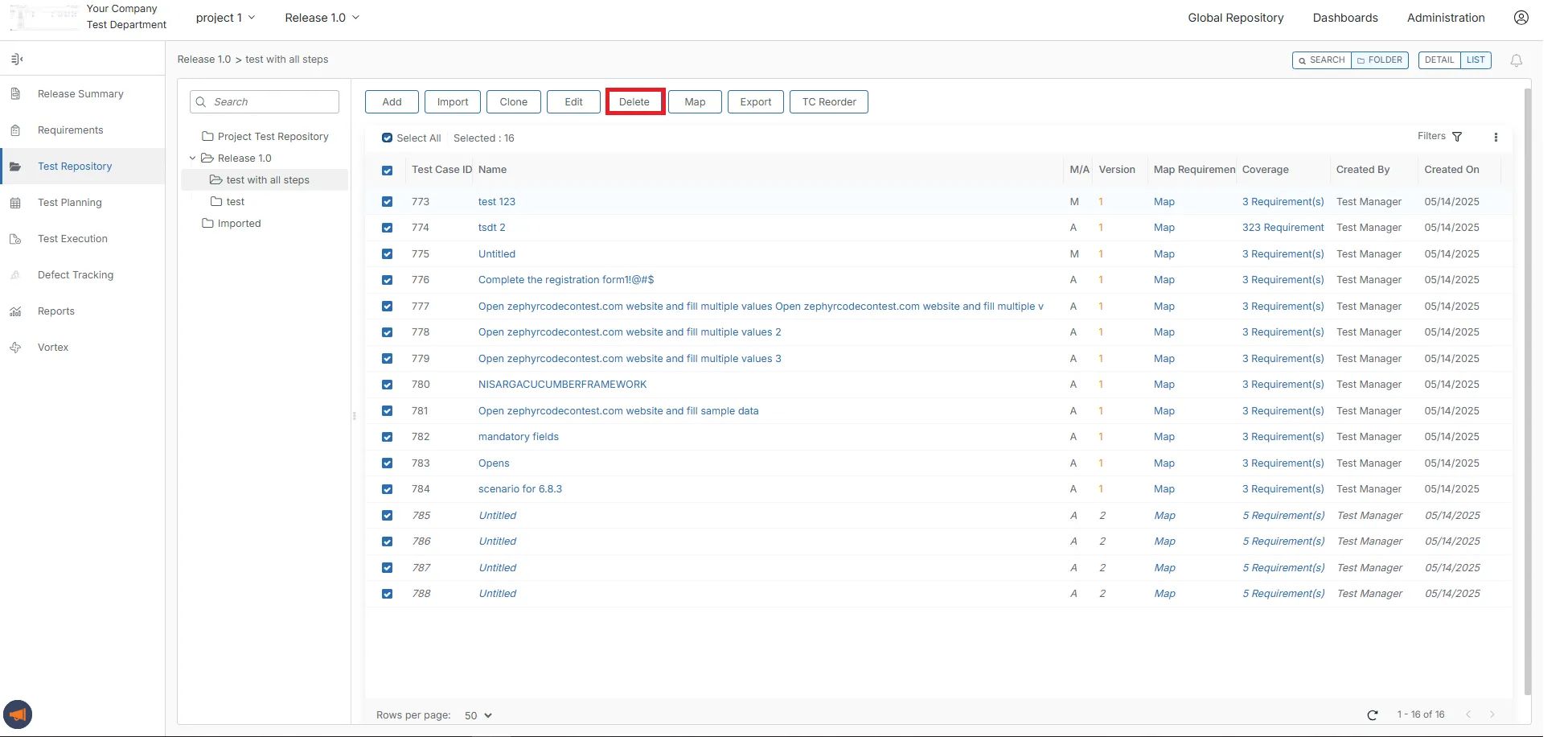
Select/check off any of the test cases that you want to delete on the left-hand side of the table.
-
Once you have your selected test cases to delete, you simply click the “Delete” button at the top of the table.
-
There will be a pop-up that asks the following:
“Continue with deleting testcases?”
-
Click Delete, and the test cases will be removed from the system.
Deleting Test Cases from Search
Users can bulk delete a test case from a search. They can search and perform bulk deleting, allowing them to delete one or more selected test cases during the bulk deleting.
-
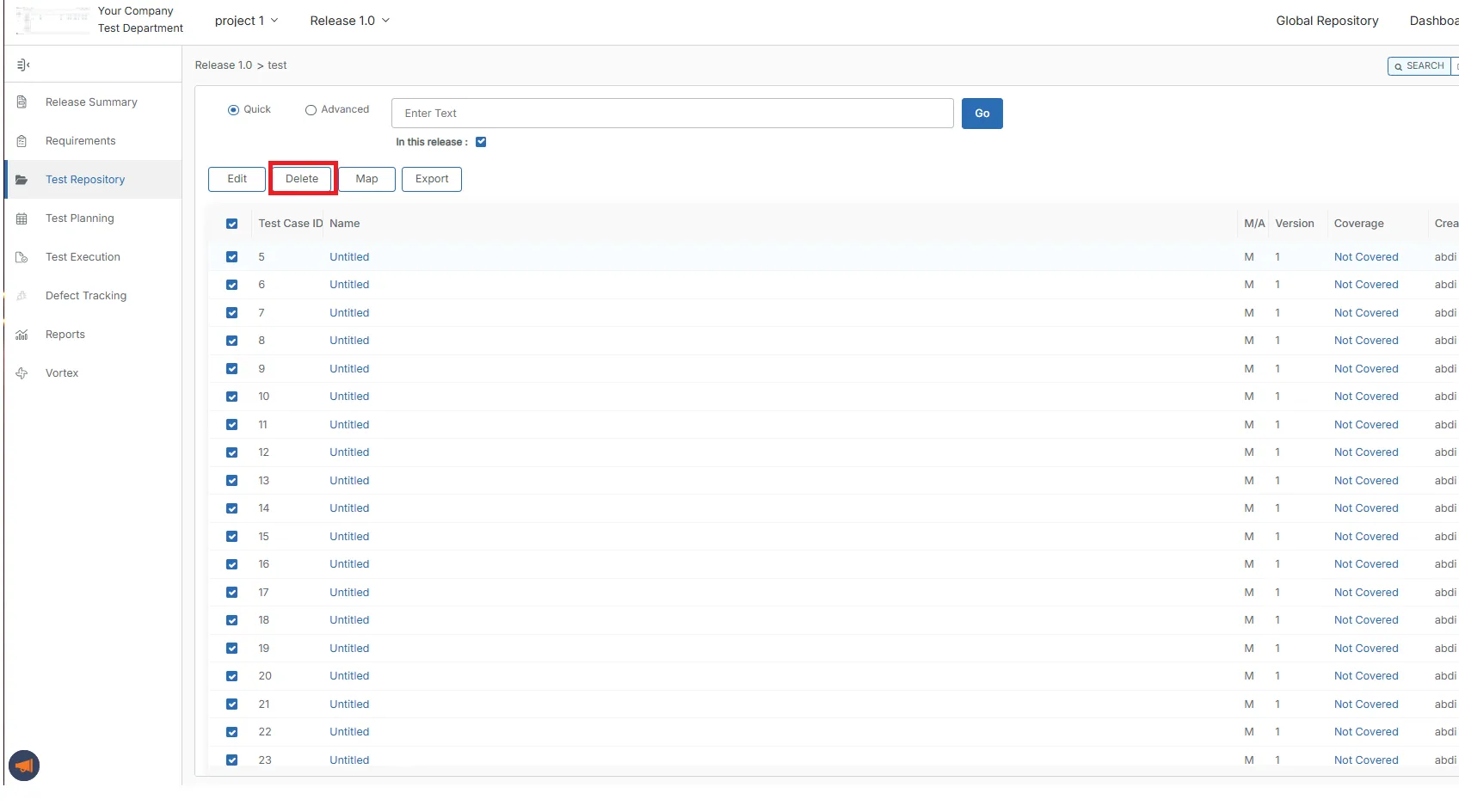
The Delete Button will be only visible if ‘In this release’ is checked.
-
A user can Delete a maximum of 100 testcases at a time.
-
Select/check off any of the test cases that you want to delete on the left-hand side of the table.
-
Once you have selected test case(s) to delete, you simply click the “Delete” button at the top of the table.
-
There will be a pop-up that asks the following:
- “Continue with deleting testcase(s)?
-
Click Delete button and the test cases will be removed from the system.