Upgrading from Version 8.0.1 and Below to the Latest Version
After you upgrade Zephyr Enterprise, update the Jira integration plugin for your Jira deployment:
-
Jira Server or Data Center - Update the Zephyr Enterprise Integration for Jira plugin to the latest version.
-
Jira Cloud - Update to the Forge-based Zephyr Enterprise Integration for Jira Cloud plugin. For more information, see Migrating Zephyr Enterprise Integration for Jira Plugin.
Perform the following post-upgrade steps after upgrading Zephyr Enterprise from version 8.0.1 and below to the latest version:
-
After the upgrade, Zephyr Enterprise end-users must clear their browser cache before accessing the Zephyr application to avoid issues with cached pages.
-
Log in as the Zephyr Enterprise Administrator and trigger the Full Reindex manually.
-
To update your ZBot, download the ZBot installation file from Zephyr by clicking the username, and then select the Download ZBot option.
-
Update the Jira configuration after the upgrade:
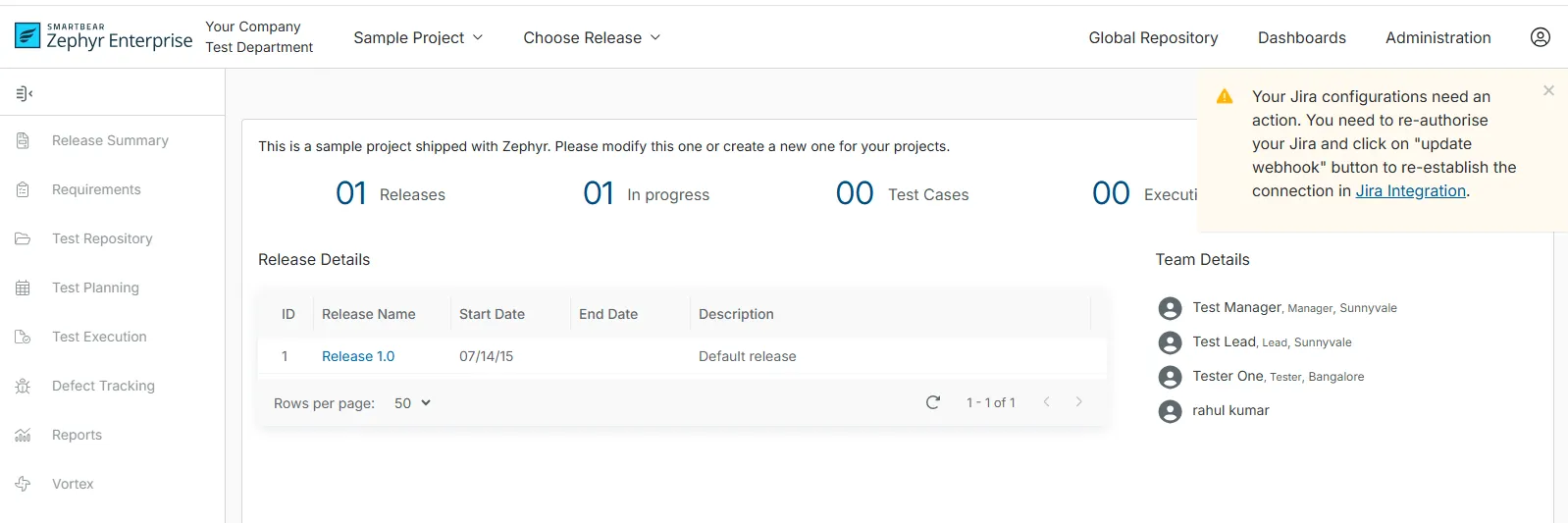
After you complete the upgrade, the following dialog box appears when you log in to Zephyr. This occurs if you integrated Jira before the upgrade.
-
-
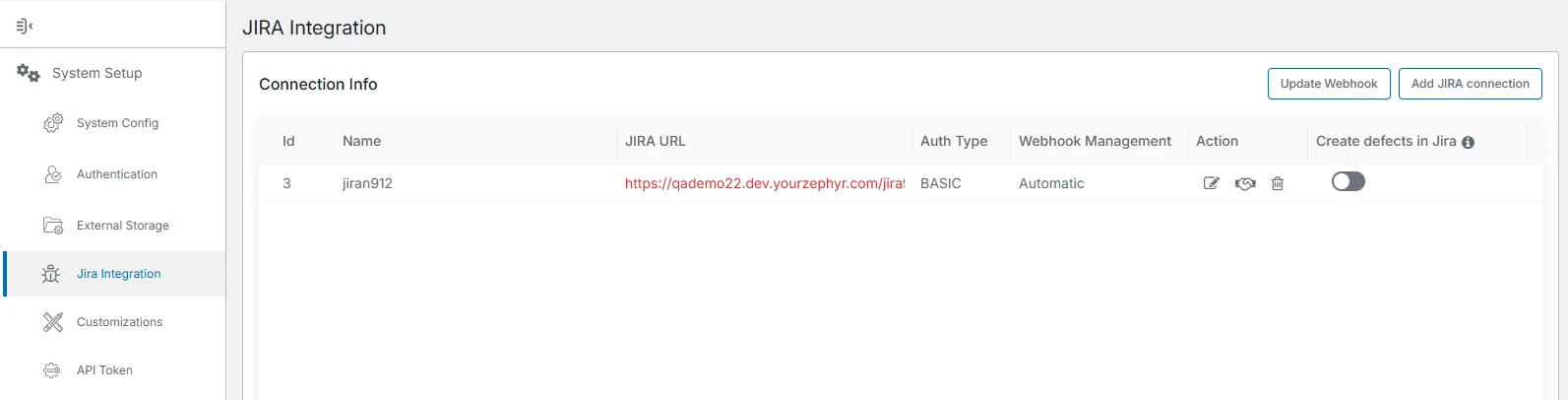
Once the user navigates to the Jira Integration page, the Jira connections will be highlighted in RED, as shown in the following screen:
-
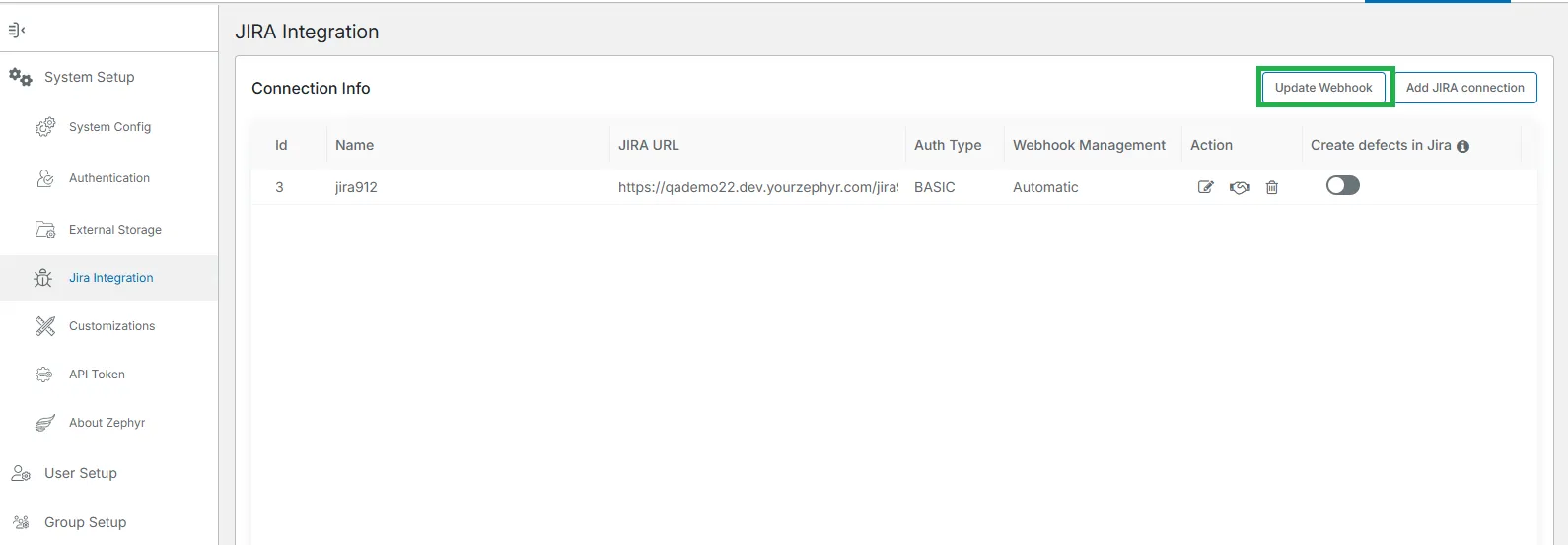
Once all services are up and running, For Automatic webhook management, click the Update Webhook button on the Jira Integration page.
-
In Jira, the webhook URL will be updated as per the new webhook URL:
The new webhook URL would be something like this: https://webhook.yourzephyr.com/v1/jira/webhooks/callback.
-
-
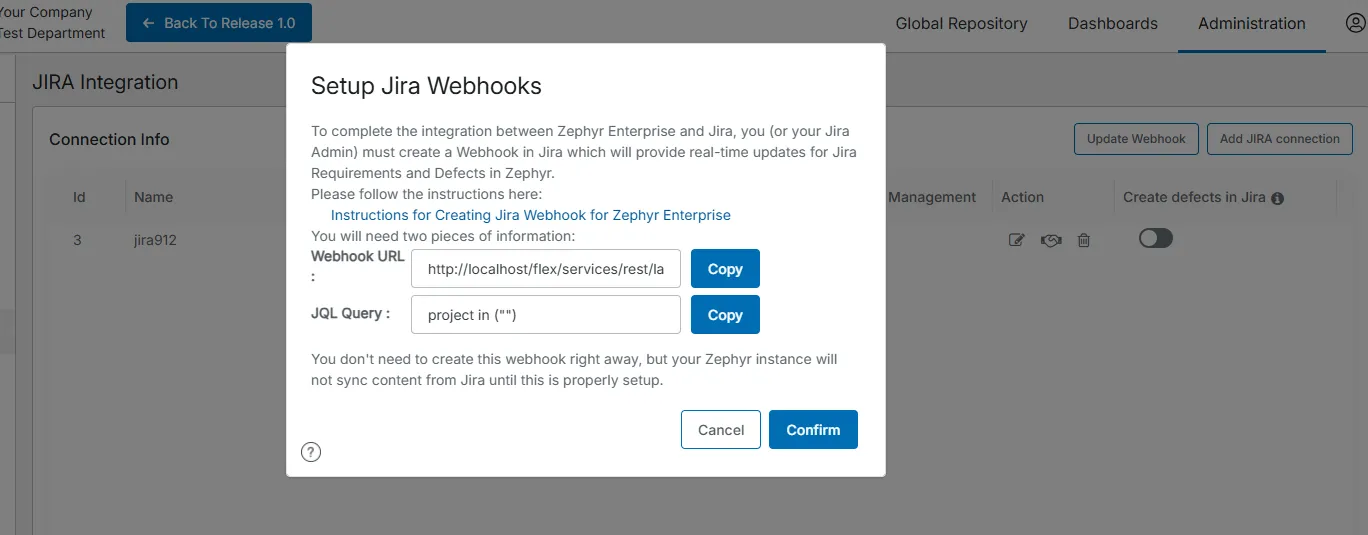
For manual webhook management, copy the URL from the Setup Jira Webhooks dialog box and go to Jira to create a webhook with the new URL. This dialog box appears when integrating a Zephyr project with a Jira project or in Jira Integration. Click the Edit icon under the Action column and save the Jira Integration again.