Publish Results to Zephyr
-
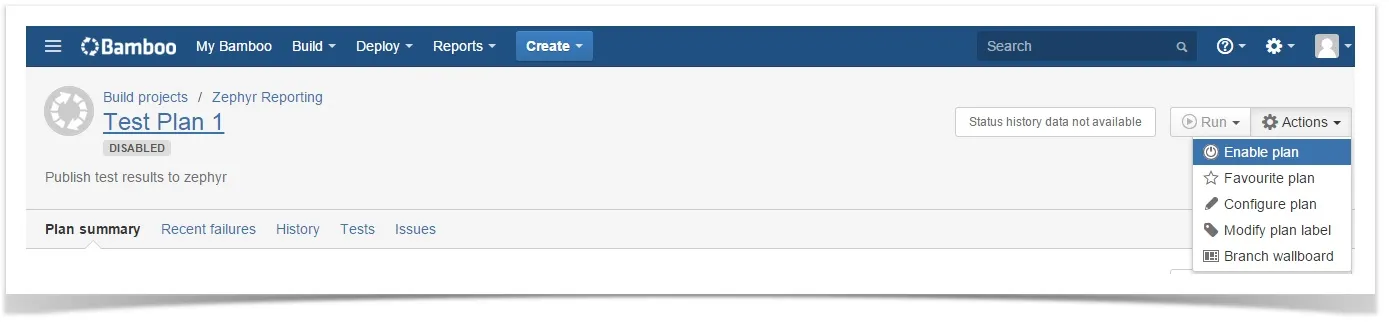
Click “Test Plan 1” from the breadcrumb or from the bamboo home page. Enable the plan from actions menu.
-
Run the plan by clicking “Run plan” button from actions menu.

-
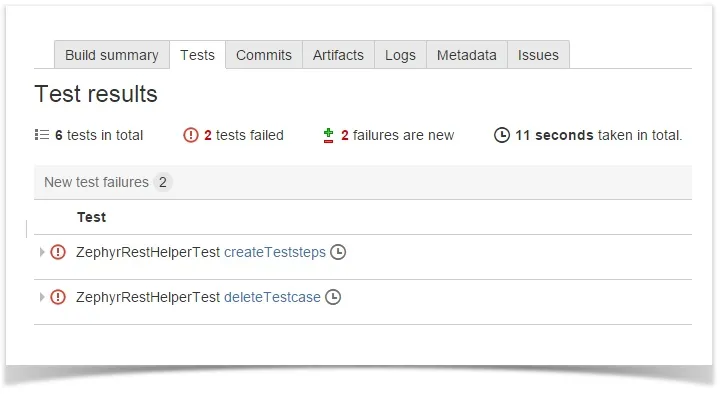
Test results are displayed once Bamboo is done running the plan.
-
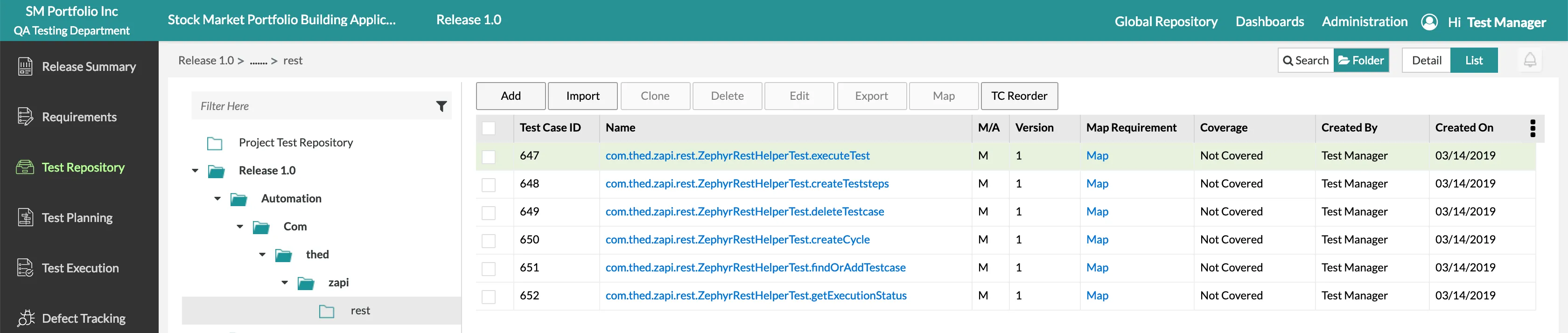
In Zephyr Enterprise, Bamboo creates the test cases. Go to Test Repository page for your project. A folder named “Automation” along with the package structure is created.
-
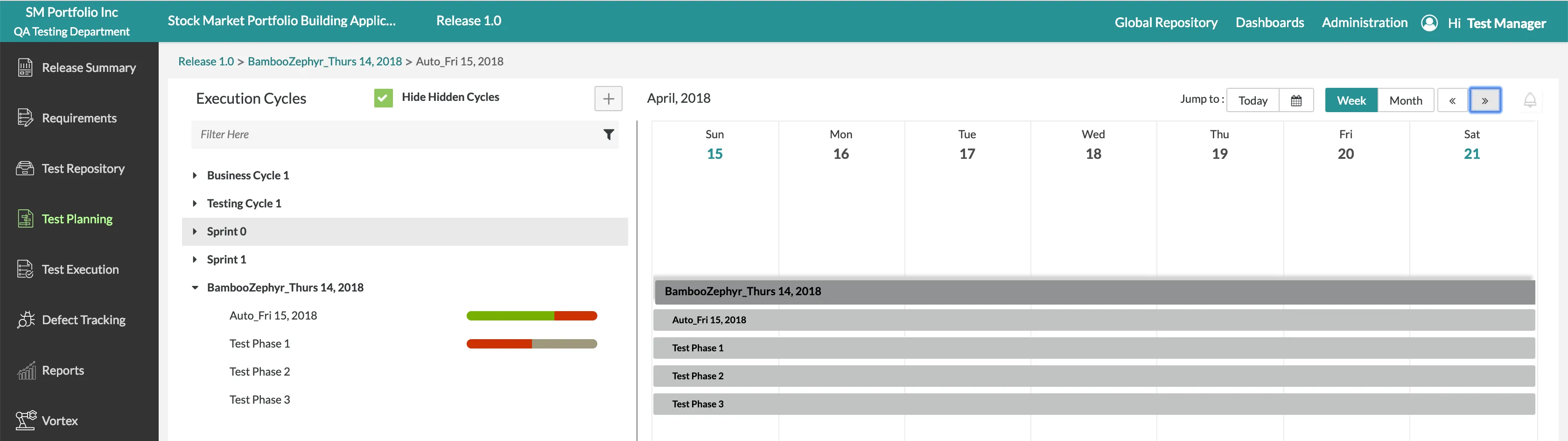
In the Test Planning page, a new cycle with the name “cycle name prefix” + “current datetime stamp” and the “automation” phase would have been created.
-
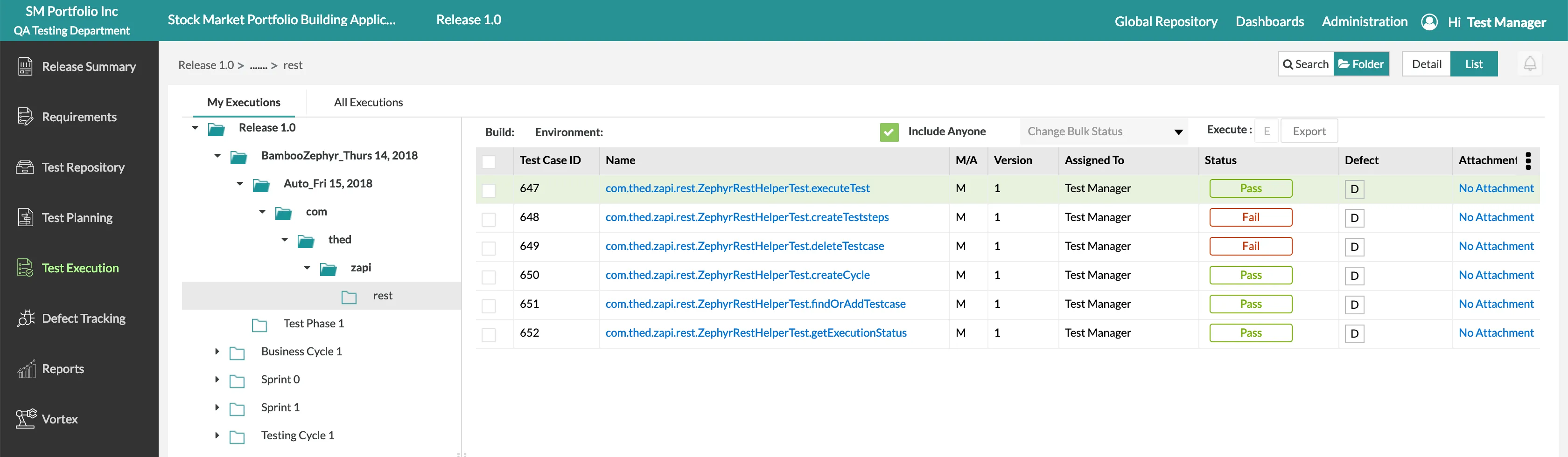
In the Test Execution page, all the test cases and their execution results will be published.
-
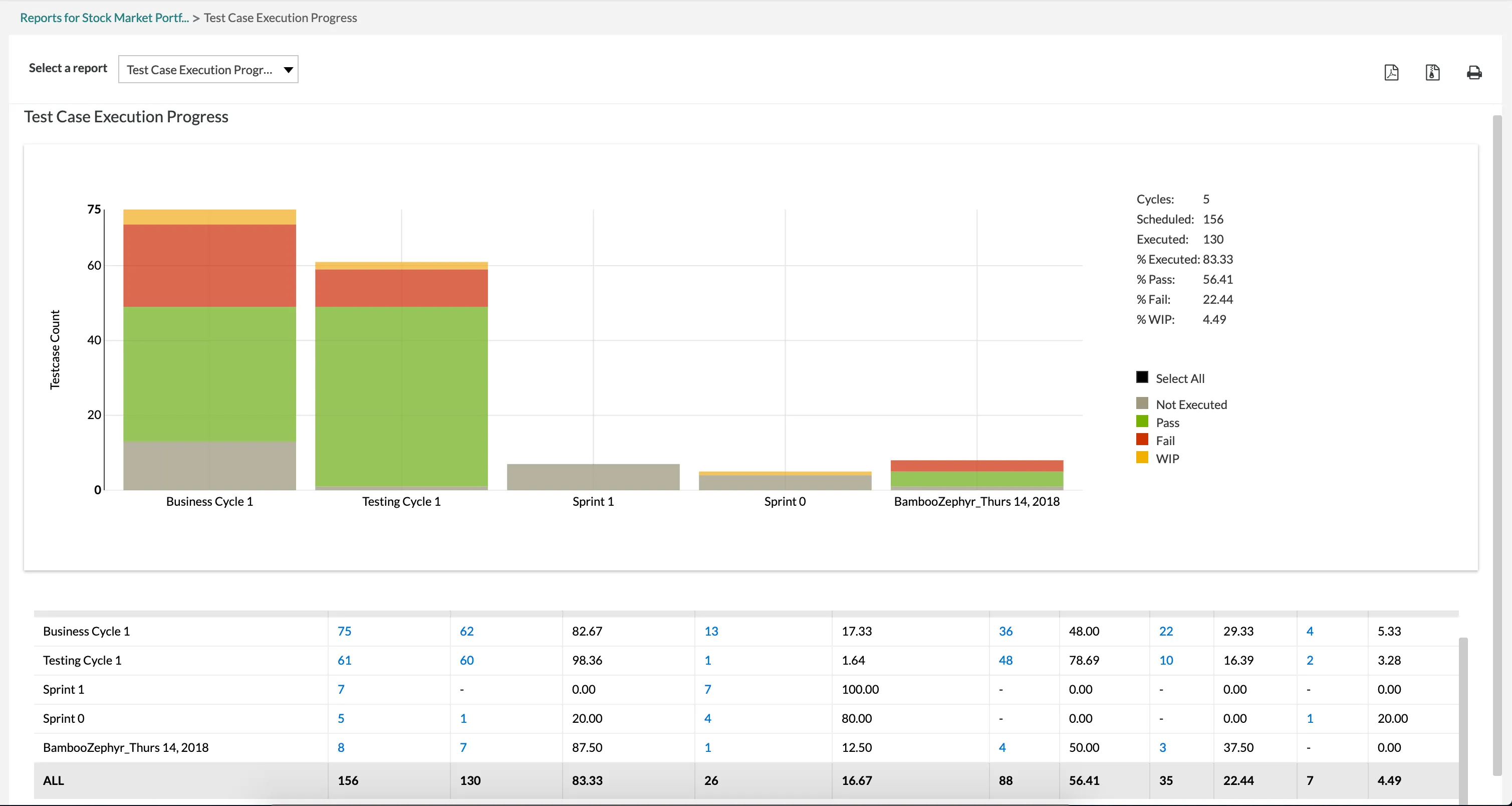
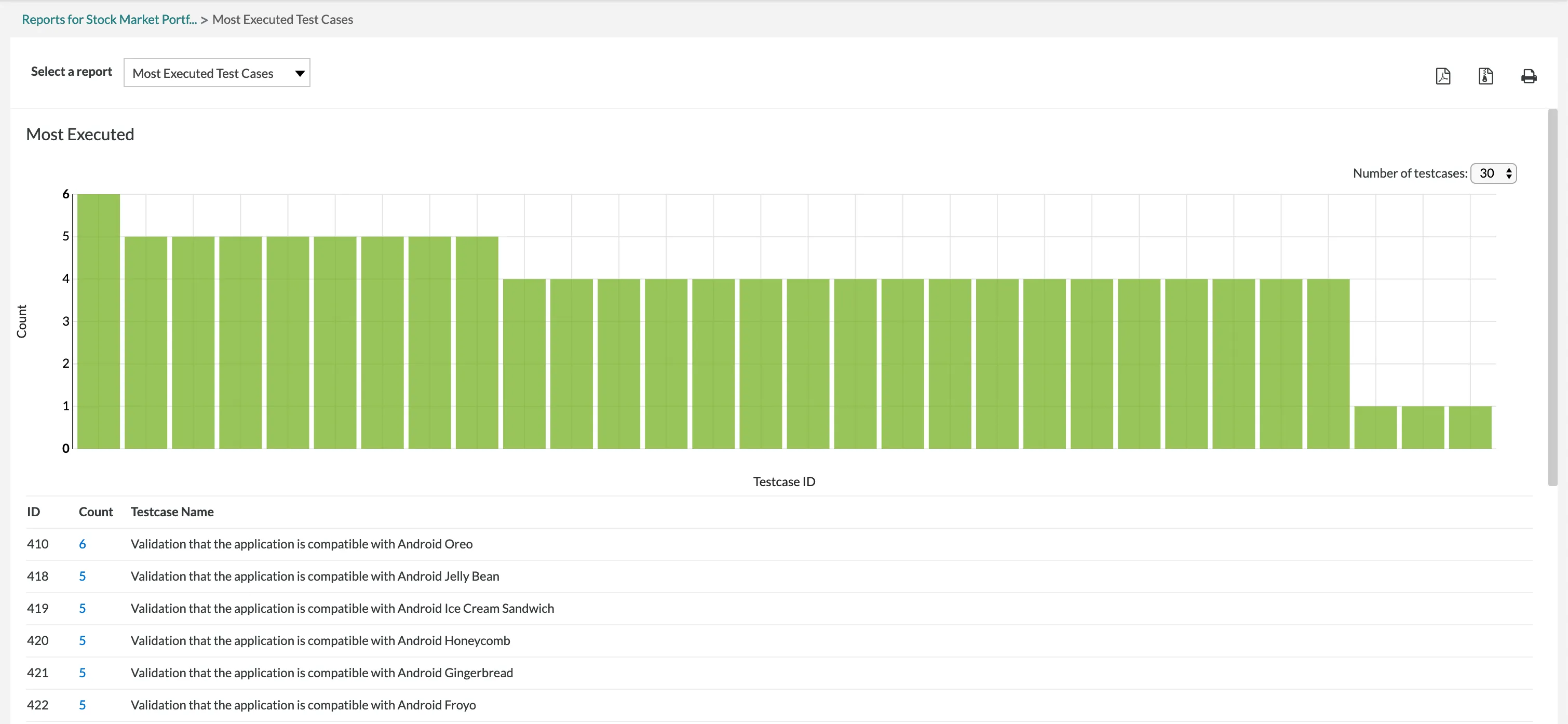
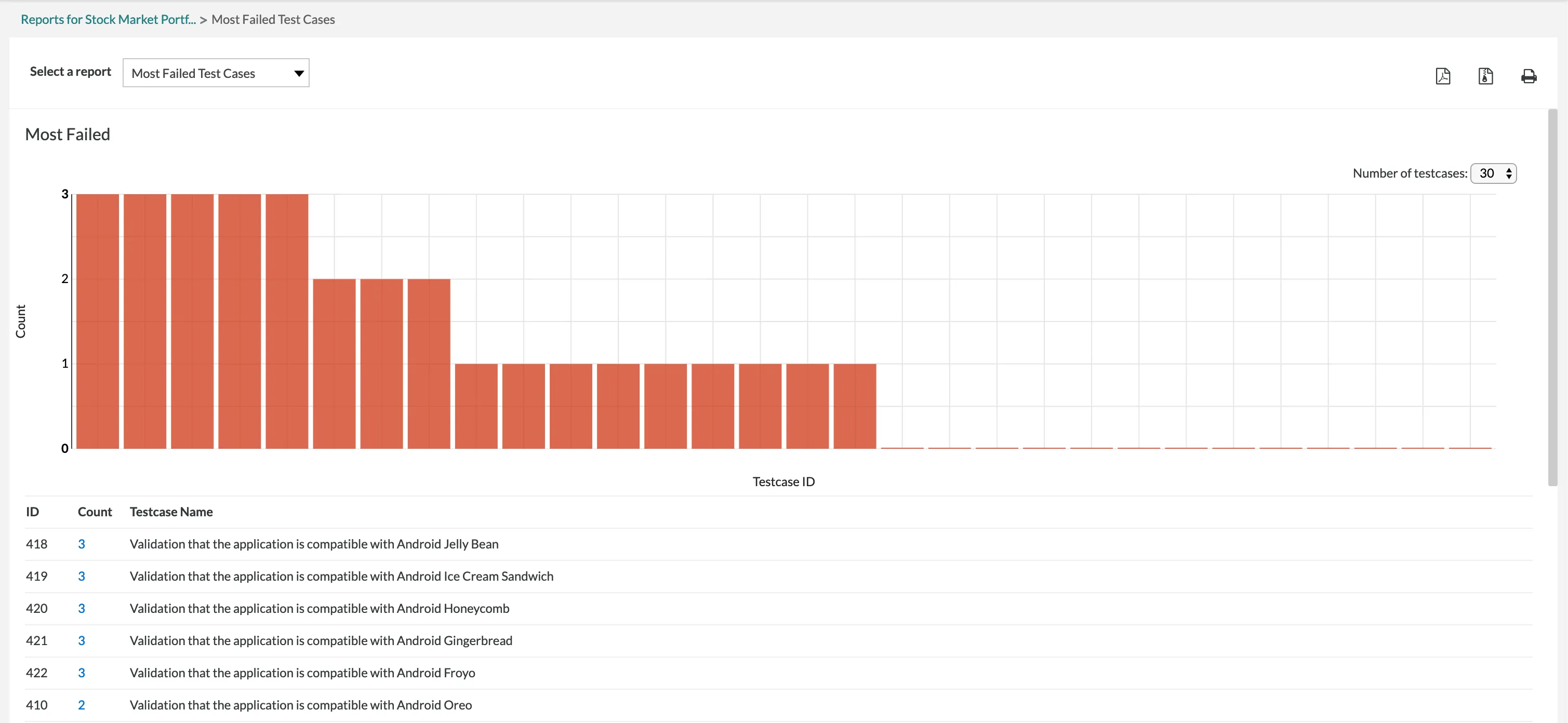
Metrics & Reports will reflect the results published.