Enabling Jira sync for a Closed Release
By default, Jira sync is disabled for all closed releases and those without an end date. If a Jira sync needs to be re-enabled, perform the following steps:
On doing Manual Jira Update on Jira Sync Folder:
-
It will bring the requirement that satisfies the JQL or Filter.
-
It will remove the requirement if any requirement does not satisfy the JQL or Filter.
-
It will Update the requirement if any changes are made to the Requirement.
-
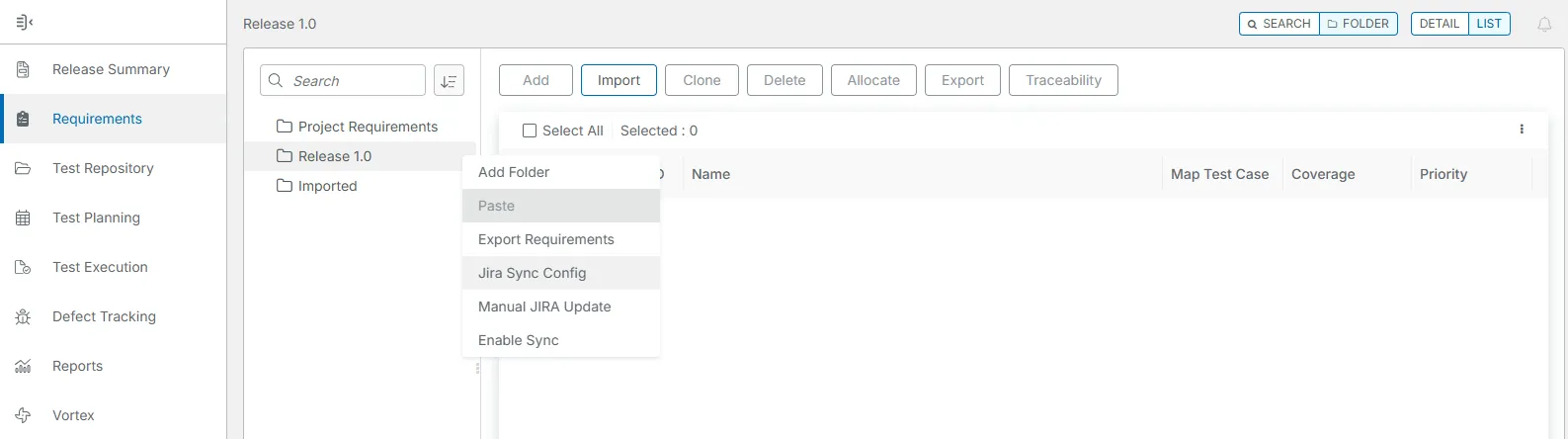
Click on the button with three dots next to the Release on the left-hand side.
-
Click on “Enable Sync”.
-
Run the Manual Jira Update to get the latest change.
Users can manually sync the Jira Sync Requirement using the Manual Jira Update. This can be useful when a Jira sync has been re-enabled or a webhook callback that has not been updated to the latest changes.
-
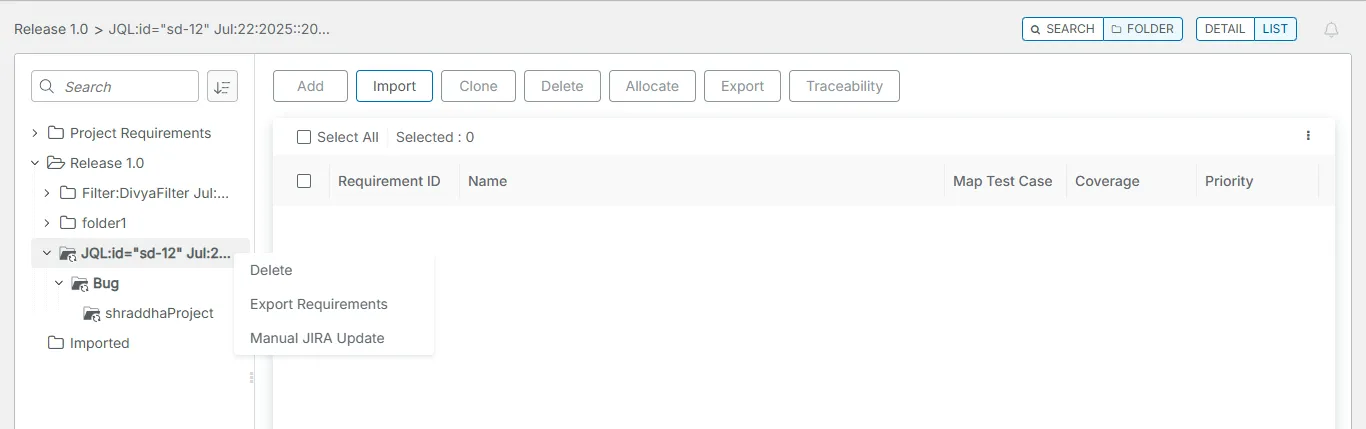
On the left pane, right-click on the Jira sync folder.
-
Click Manual Jira Update.
-
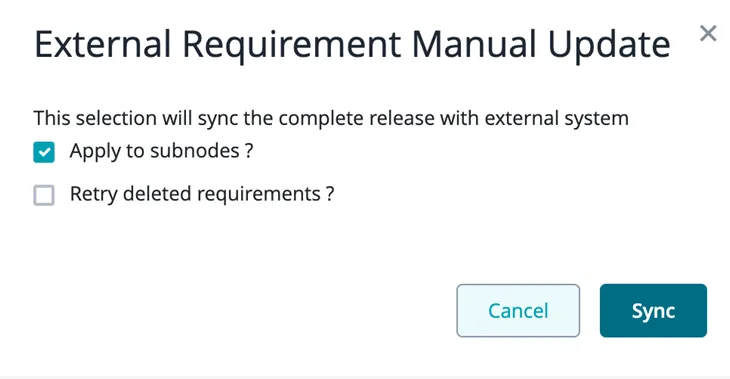
On the External Requirement Manual Update pop-up, click Sync.
-
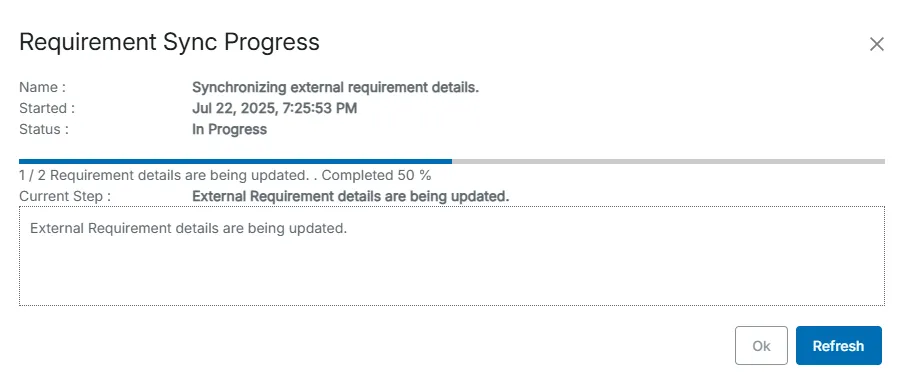
The Requirement Sync for the job begins.