
Creating a Test
Getting started creating your first test is fast and intuitive. Create a new issue and select the Zephyr “Test” issue type. All the tests you create will be of the Test issue type, and you can continue to use versions, components, and labels in order to organize these test cases within your Jira instance.
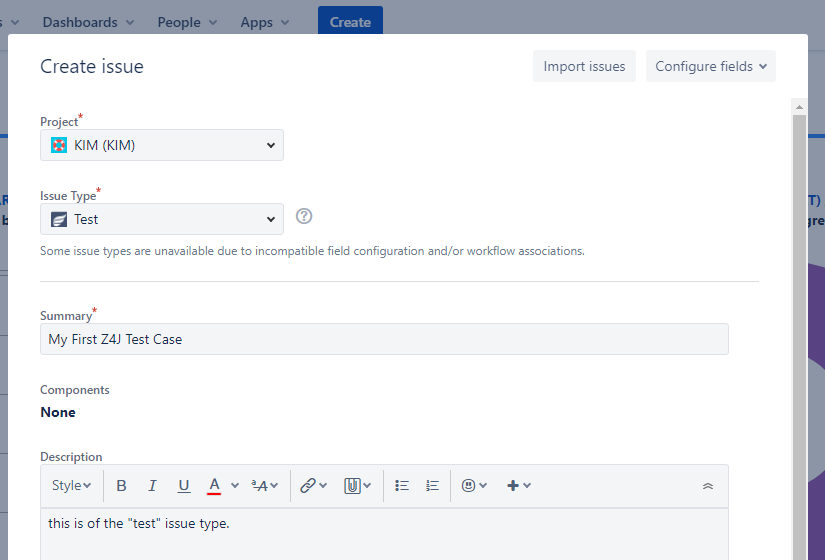
Note that only the Fix Version/s field is used for tests. All tests that have a Fix Version populated will be organized accordingly. If that field is left blank, then they will belong to an “Unscheduled” version.