Automated Testing Vortex
Automated Testing – Vortex
The majority of the native automation integrations available inside of Zephyr Enterprise will happen within the Vortex application of the system. Within the Vortex panel, you will see two panels called “automation” and “folder watcher”. These are designed for different purposes to support any number of jobs configured.
Both types of jobs work in conjunction with the ZBots. These are software agents that reside on target automation systems and link the Zephyr Server and the automation tool being used on the target automation system. Simply put, the ZBots are going to be your secure job agents and results parsers. You can think of downloading one on any local or remote machine where the automation jobs will take place.
When a user runs an automated test case through the Vortex, the Zephyr Server connects to the target ZBot, sends execution information to it to run one or multiple test scripts, and then retrieves test results to parse and send them to Zephyr. To illustrate this point:

These ZBots can be downloaded underneath each username panel, and they are free with Zephyr Enterprise (so you can download as many as you’d like). The ZBots also come preconfigured, so you just need to give it a unique name at the initial download pop up window, such that you or other users can identify it later.
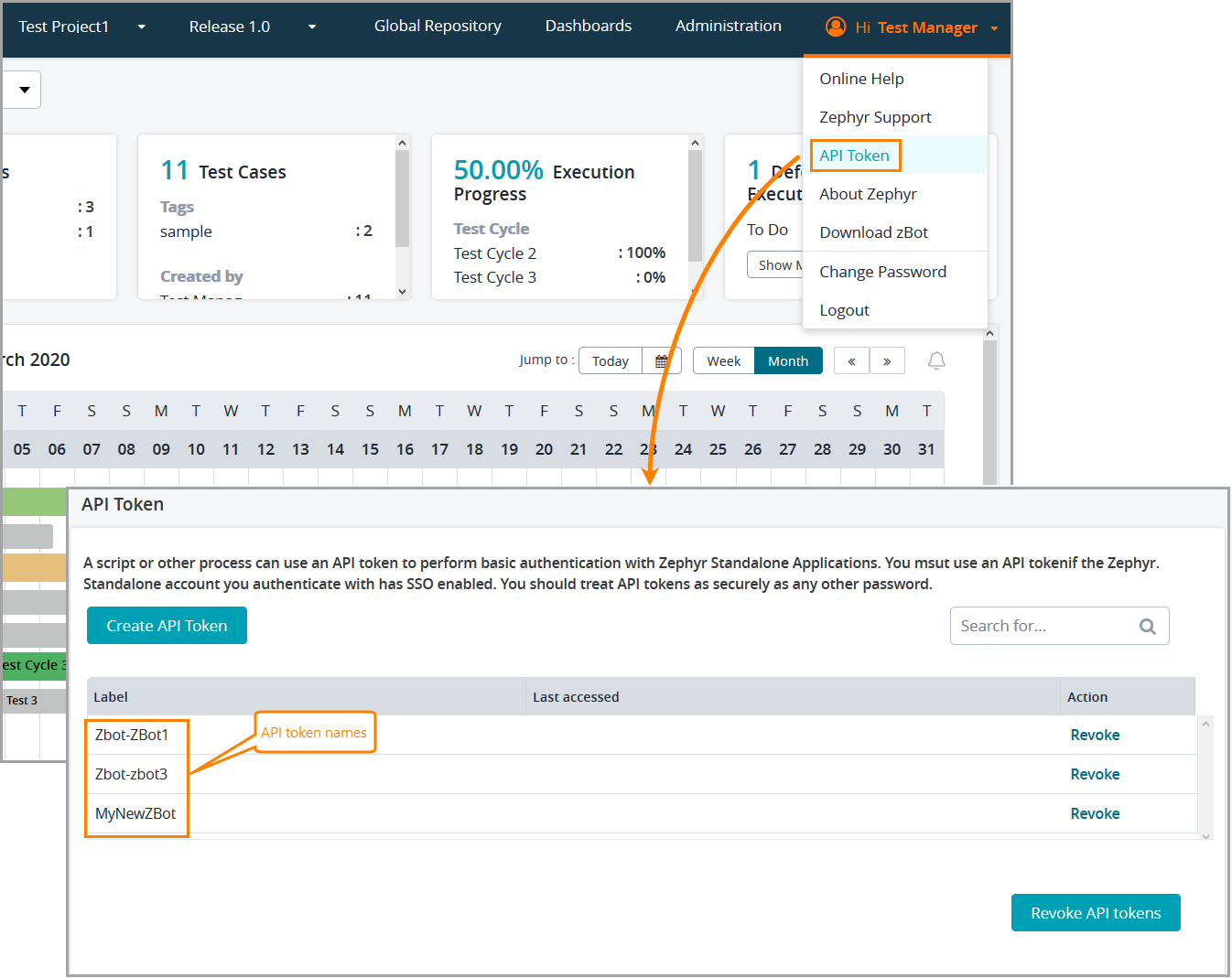
Furthermore, Downloading ZBot also creates a Zephyr API token (a token is generated automatically based on the ZBot name) and adds it to the ZBot properties file within the conf folder. You can then use this token to control your ZBot via API. These tokens can also be used to make REST API calls (Basic Auth is also supported); they are “bearer tokens” types. To view the API tokens you have created or to create a new one, click your username in the top-right corner and select API Token from the menu: