
Create, Clone, View Test Cycles
A new test cycle can be created for a selected version by clicking on either the ‘create new test cycle’ or the ellipses in the context menu. Once a cycle has been created underneath the relevant version, users may add sub folders within a cycle to fit their organizational needs. For example, you may divide up a cycle into more granular sub areas of testing by accessing the menu options using the ellipses. You may also clone a cycle using this menu option.
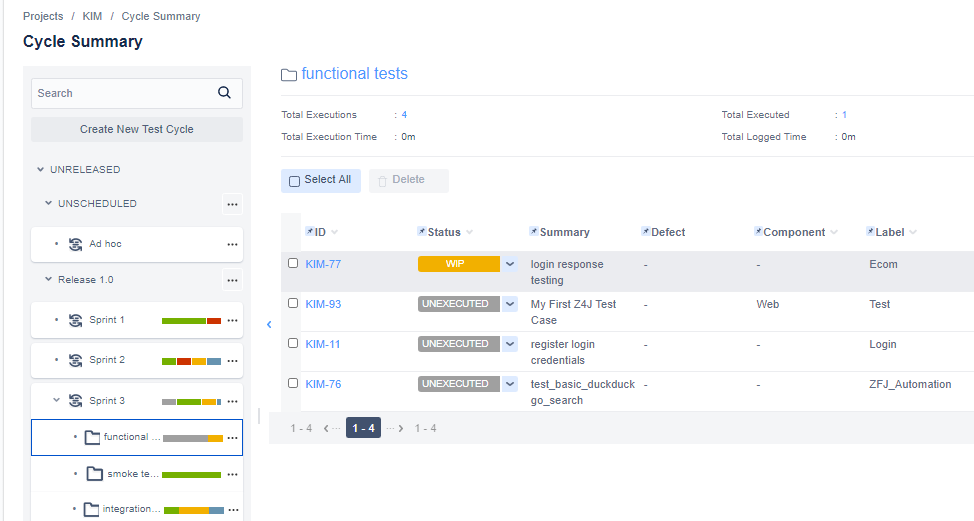
Clicking on any test cycle displays a list of tests for that cycle that can then be executed or viewed.
NOTE: The Fixed Versions field of a test does not automatically bring it into a test cycle for that version. It still must be explicitly added to a test cycle for execution.