
Creating a Vortex Job Folder Watcher
Creating a Vortex Job – Folder Watcher
The Folder Watcher jobs were designed for a slightly different purpose, which is to integrate with just about any CI/CD frameworks that might currently be employed within your organization. This time, you will be using the ZBots as a literal “folder watcher”. That is, if you already have pipeline jobs built out, what you would need to do is amend the build step such that it generates a JUnit XML report at a target location that a ZBot has visibility over.
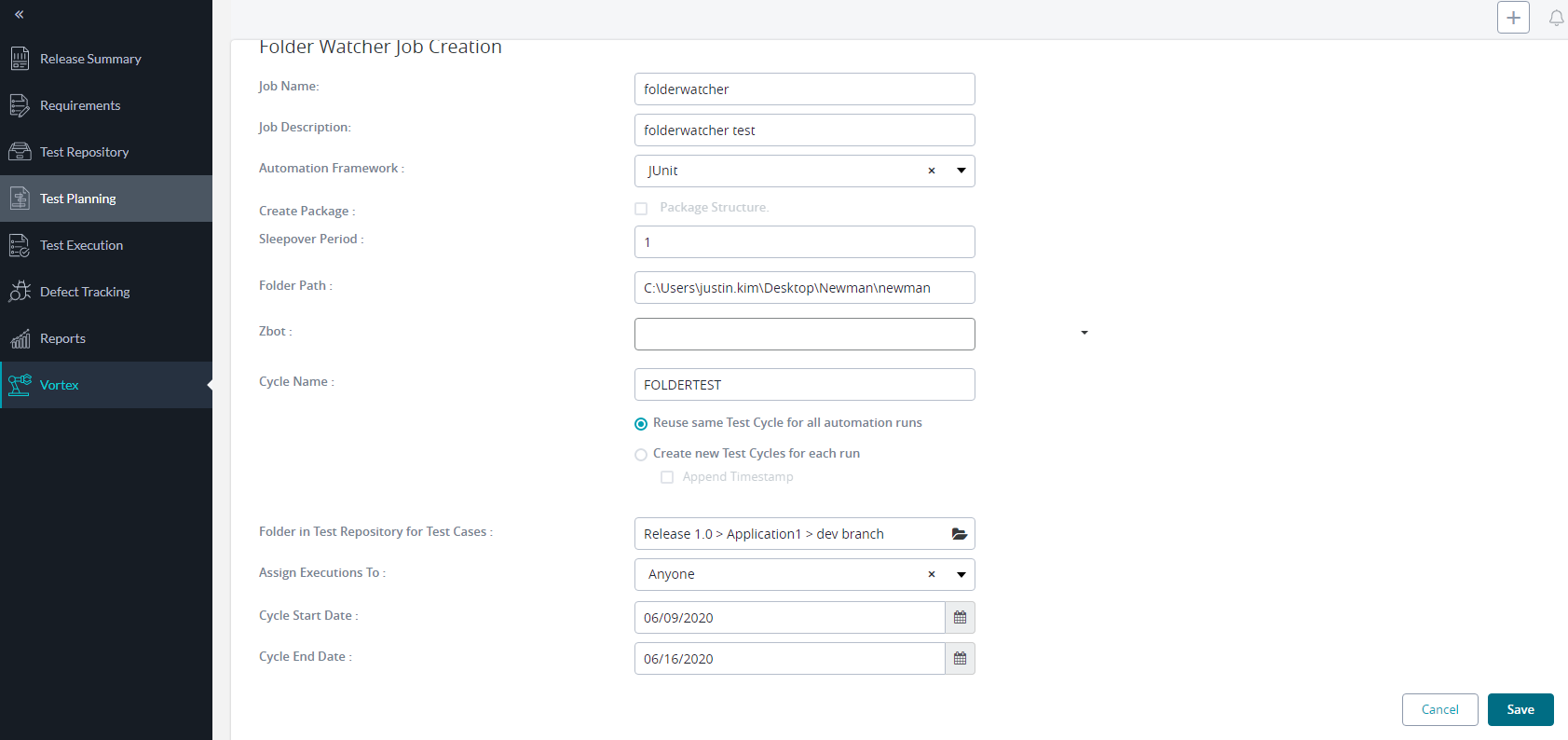
Within the configurations shown above, you’ll see that you are only defining the folder path. You also define a refresh rate (in the picture above its set at 1 minute), define the parser template (automation framework), and provide the ZBot. Finally, designate a cycle name and the test repository folder where the results of your CI/CD runs can be auto injected back into Zephyr Enterprise. As long as the ZBot is online, it will continuously watch over the target folder and update Zephyr Enterprise with the most recent, updated execution results of your CI/CD pipeline jobs.