User Setup
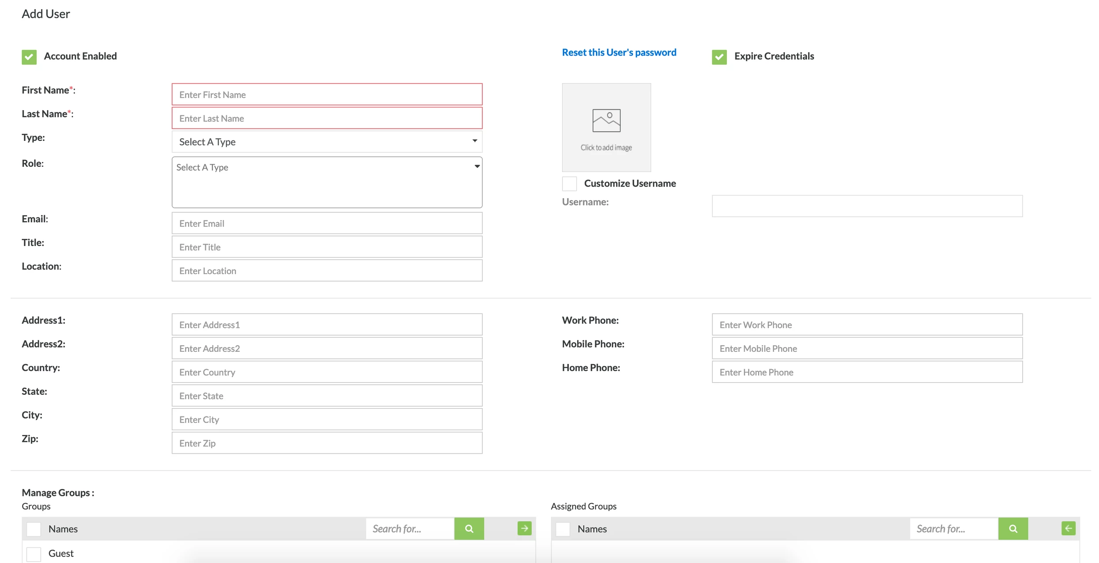
In the User Setup section you’ll be able to add, edit, and enable users. Zephyr comes with four default Roles that can be assigned to a user, Test Manager, Test Lead, Tester, and Defect User. From there you’ll be able to assign a user to a project and add them to a group.
Zephyr also utilizes some automatic User Setup behaviors when either LDAP or SSO is enabled. If LDAP is enabled and the Admin wants to import groups/users, the users will automatically be created. Likewise, if SSO is enabled, then Zephyr offers auto-provisioning which automatically creates users by mapping First Name/Last Name/Email from the SSO provider.
If you need, you can also create custom roles which can then be added in the User Setup page. Remember to add a correct email address if you want to utilize the Email Notifications feature.