
Test Planning
In Zephyr, test cases are planned for execution into collections called Cycles and Phases. A Test Cycle is the highest organization of execution, which tells you the date range when a certain level of testing is going on. Each cycle can contain multiple phases, where these phases are the groupings of test cases that have been planned for execution during this time period. Typically, you would expect phases to be organized by feature sets, wherein the test cases are grouped together to test a sub area of your application. In short, cycles are for ‘when’ and phases are for ‘what’. Users can add in cycles in the test planning section of Zephyr, which helps to provide and define the series of tests to be executed and run.
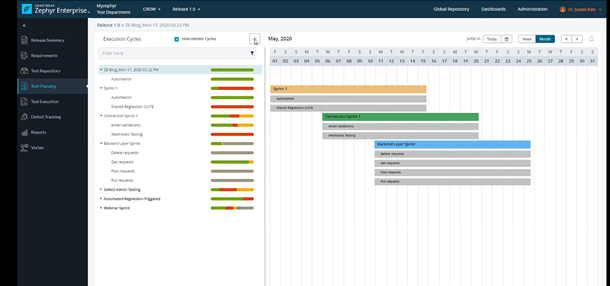
Managing Cycles, Phases, Assigning Test Cases to Users
A calendar based on month and week views is shown and can be toggled between these two views. The “<” and “>” buttons allow months and weeks on either side of the currently displayed view to be shown. Clicking on “Today” brings the view back to the present time and selecting the calendar icon and picking a specific date brings the view to that appropriate day.
Zephyr also provides the execution progress bar summary for both the test phase and test cycle when highlighting the mouse over the execution progress bar for a test phase and cycle.
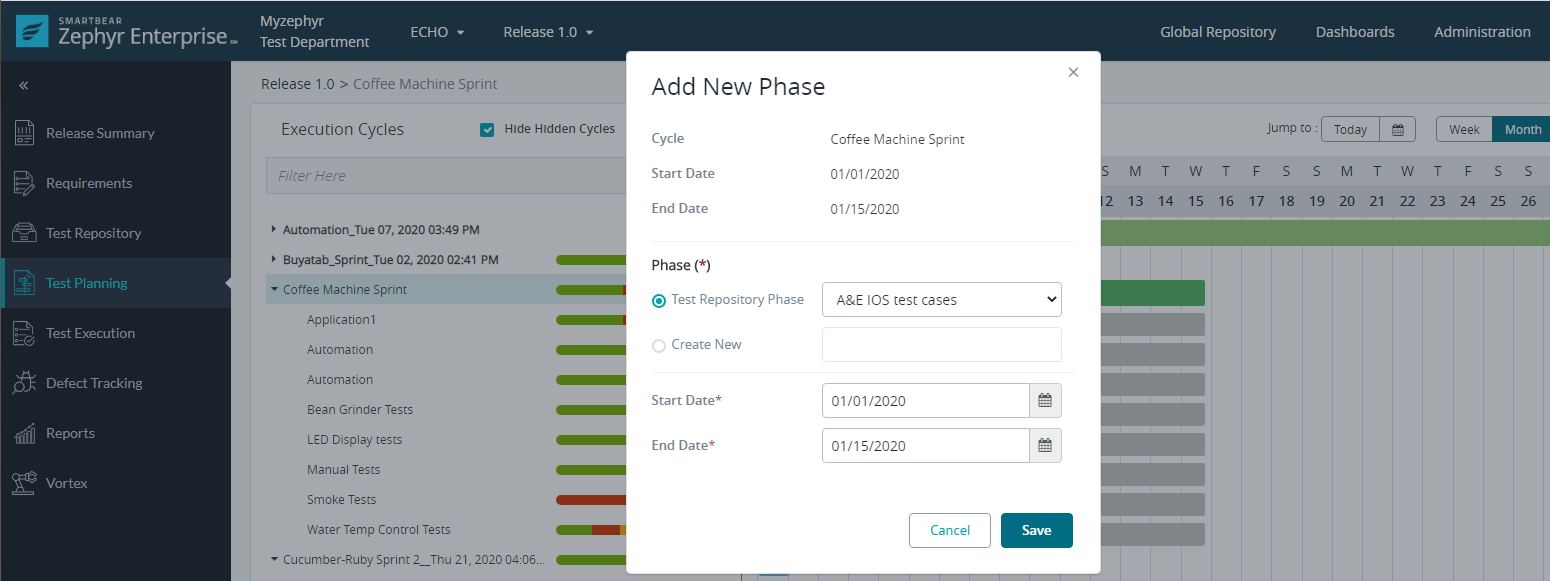
Adding in Phases
There are two options on adding in a phase. If you’ve been organizing the test cases within your release level repository by folders, you can select whichever folder, such that a new phase gets created with all the test cases from that folder planned for execution.
A second option is to create a new “blank” phase, where you will get to name it whatever you want. Within this new blank phase, you can select the Run and use the add test cases button in order to plan the test cases you wish to execute during this phase.
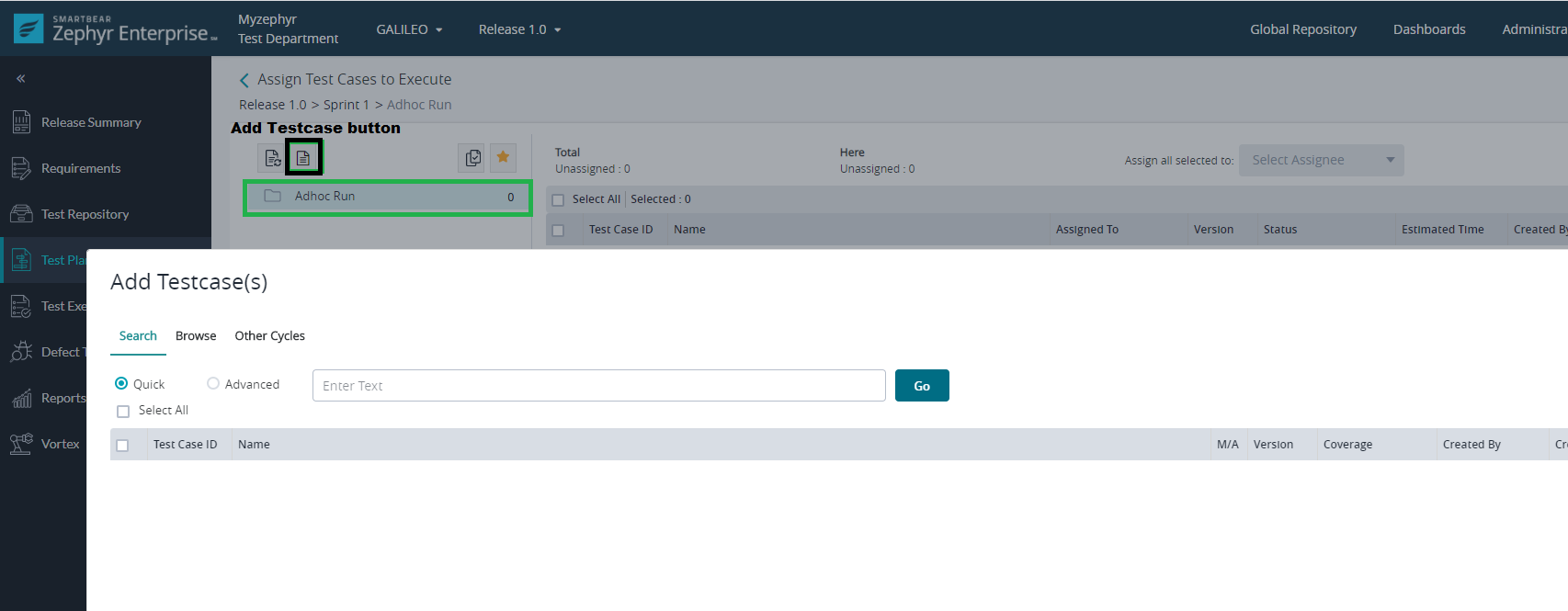
Within the pop-up window, you will have three options on selecting the test cases to be added into your phase; Search (basic & advanced ZQL), Browse (from the test repository), and Other Cycles (with execution status filters). Select the test cases you want to add in and save in order to plan them out for execution during this phase. When these test cases have been planned for execution during this phase, you can assign them to a user, either one at a time or in bulk, by using one of the available drop-down options.