Importing Postman Collections
You can add your existing Postman collections to Swagger Studio using the standard API importing features.
Swagger Studio supports the import of Postman 2.1 collections.
Import as a new or existing API
By importing your Postman collection to Swagger Studio, you can automatically save it as a new OpenAPI 3.0 definition.
On the Swagger Studio landing page, select the Import API tile.
Alternatively, click Create New in the left sidebar and select Import and Document API.
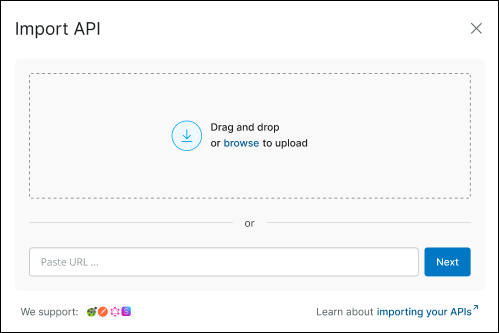
In the Import API dialog, select the file containing the Postman collection you want to import. You can do that by either dragging and dropping it into the upload area or clicking browse to choose it from your local device. Alternatively, enter a source URL in the input field and click Next to proceed.
The system validates the selected Postman collection as a correct
JSONfile.In the subsequent dialog, fill out the fields:
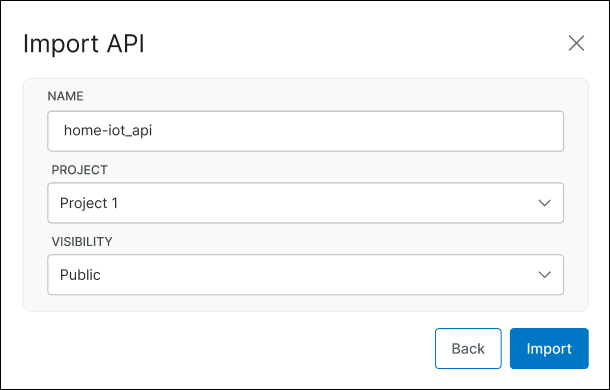
Name – The API name is its unique ID and is part of its path on Swagger Studio, as in https://app.swaggerhub.com/api/{owner}/petstore/1.0. Requirements:
3 to 60 character long
Allowed characters:
A..Z a..z 0..9 - _ .Must start and end with a letter or digit
Note that API names are case-sensitive, so petstore and PetStore are two different APIs.
Tip
By default, Swagger Studio autocompletes the Name field based on the
info.namevalue that is included in the collection you are importing. If that value does not exist, the name of the imported API is set to your-api.Project – If an organization is selected as the Owner, you can optionally select a project to add this API to. The list contains existing projects available to you.
Visibility – Choose whether to make the API public or private. Public APIs are visible to anyone, even to people without a Swagger Studio account. Private APIs can be accessed only by owners and by the people added as designers or consumers. You can change the API visibility later if needed.
Click Import.
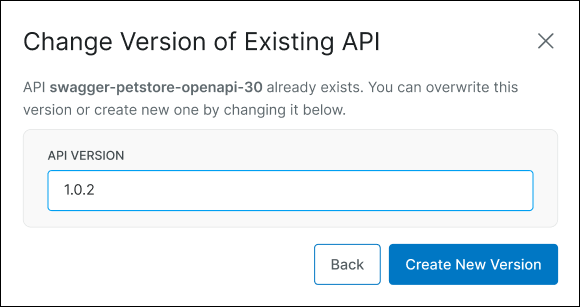
(Optional.) If the name you selected for the imported Postman collection is already in use, you can either overwrite the existing API or save the imported collection as a new API version.
The system validates the provided details and imports the file. You are navigated to the Swagger Studio editor where you can edit the imported API definition.
Import to Draft Editor
By importing your Postman collection to Swagger Studio Draft Editor, you can automatically convert it to a new OpenAPI 3.0 definition and continue working on it as a draft.
After opening the Draft Editor, click the Import option.

Select the preferred import format: from a file or URL.
Paste the link or choose the file containing the Postman collection you want to import.