Importing GraphQL API Definitions
You can upload your existing GraphQL API definitions to Swagger Studio by implementing the standard API importing features. The imported queries are then displayable and searchable in your organization's API catalog.
Using Registry API or the Swagger Studio interface, you can not only add new GraphQL definitions, but also overwrite or export the existing ones.
Import a GraphQL definition
All GraphQL queries must be imported as .graphql or .gql files. Note that the .json format is not supported for this specification. Both owners and designers can import GraphQL APIs to their organization.
To import a GraphQL definition using the Swagger Studio interface, perform the following steps:
On the Swagger Studio landing page, select the Import API tile.
Alternatively, click Create New in the left sidebar and select Import and Document API.
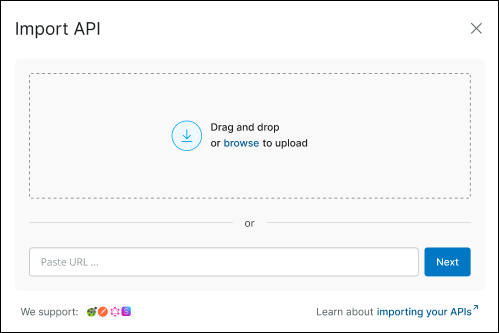
In the Import API dialog, select the file containing the GraphQL collection you want to import. You can do that by either dragging and dropping it into the upload area or clicking browse to choose it from your local device. Alternatively, enter a source URL in the input field and click Next to proceed.
The system validates the selected collection as a correct
.graphqlor.gqlfile.In the subsequent dialog, fill out the fields:
Name – The API name is its unique ID and is part of its path on Swagger Studio, as in https://app.swaggerhub.com/api/{owner}/petstore/1.0. Requirements:
3 to 60 character long
Allowed characters:
A..Z a..z 0..9 - _ .Must start and end with a letter or digit
Note that API names are case-sensitive, so petstore and PetStore are two different APIs.
Tip
By default, Swagger Studio autocompletes the Name field based on the
info.namevalue that is included in the collection you are importing. If that value does not exist, the name of the imported API is set to your-api.
Click Import.
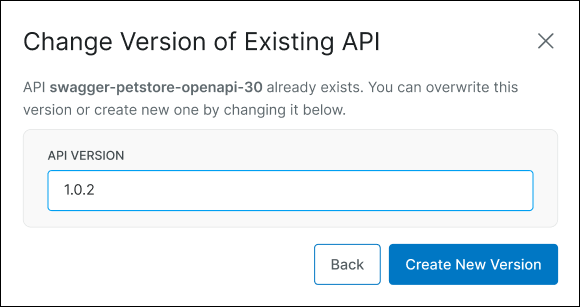
(Optional.) If the name you selected for the imported GraphQL collection is already in use, you can either overwrite the existing definition or save the imported one as a new version.
The system validates the provided details and imports the file. You are navigated to the preview of the imported GraphQL definition.
Browse GraphQL definitions
The imported GraphQL files are listed in your organization's My APIs page. In the main catalog, you can view the following attributes of these definitions:
Name
Resource type
Specification type
To easily navigate to your GraphQL APIs, enter their attributes in the search field.
Similar to other API specifications, you can also add GraphQL definitions to your organization's projects.
Display or export a GraphQL definition
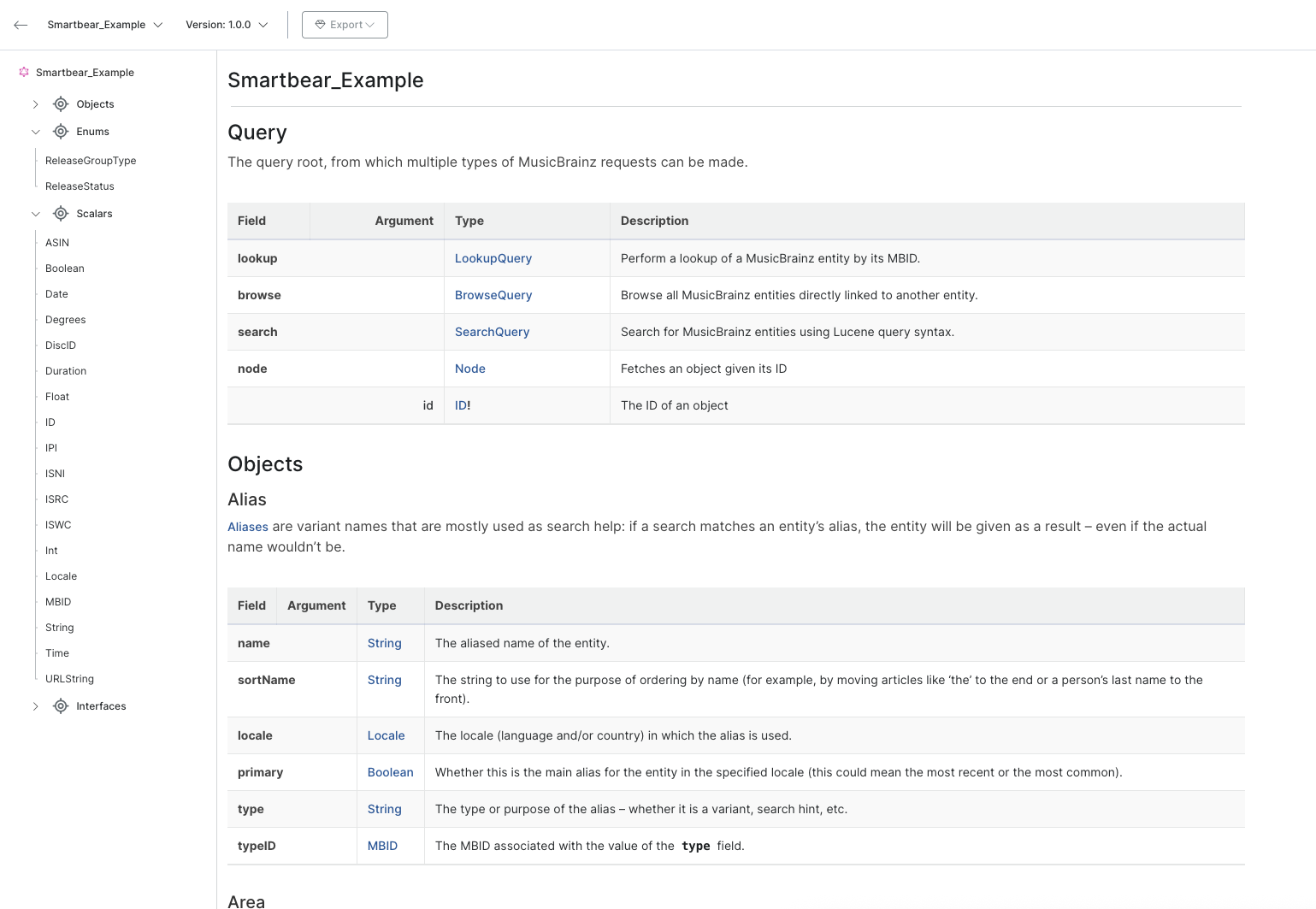
After importing a GraphQL definition or navigating to it from your organization's catalog, the API is displayed in detail. Note that Swagger Studio does not support this API format's edition.
You can download your GraphQL definition as a file matching the format of the original import. To initiate the download, select the Export option available on the toolbar.