Importing Markdown Files to Swagger Portal
Note
Swagger does not support Stoplight-flavored Markdown.
Manual Swagger Portal hydration
Create a Portal product to manage your APIs and markdown files. See Provider View for detailed instructions.
For guidance on managing product appearance, URLs, and API linking, see Products Setting.
(Optional.) Configure a Portal. Refer to Portal Configuration Page for detailed instructions.
Create pages and add Markdown content directly, using traditional copy and paste methods. Refer to Manage Documentation for details.
Import your APIs into Swagger Studio and link them to your product. Follow the instructions available in Manage APIs.
AI-powered Swagger Portal hydration
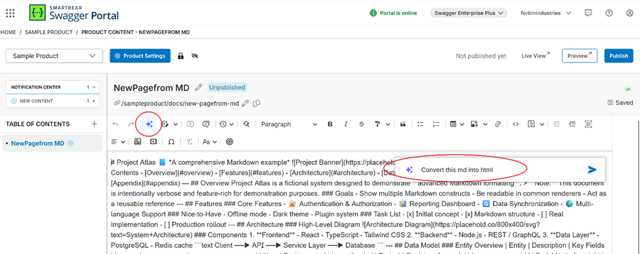
Hydrating your Swagger Portal using AI-based features requires you to convert Markdown content to HTML.
You can implement the Swagger Portal AI-based options either in the first step - when creating a new page, or later in the process.
Hydrate Swagger Portal using standard page creation
On the homepage, select Manage Content next to the product.
Click the plus icon (+) at the Table of Contents, and select Add Page.
Enter the page name in the Name box.
Select Create Page.
Click the AI icon.
Paste the Markdown content into the prompt area.
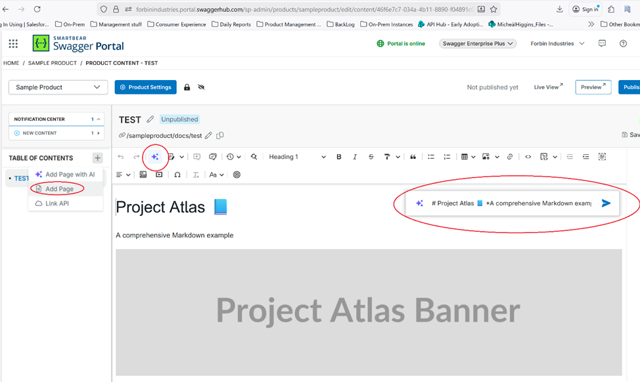
A new page is created.
Hydrate Swagger Portal using AI-based page creation
On the homepage, select Manage Content next to the product.
Click the plus icon (+) at the Table of Contents and select Add Page with AI.
In the AI Prompt box, paste the Markdown content as a prompt to create a model.
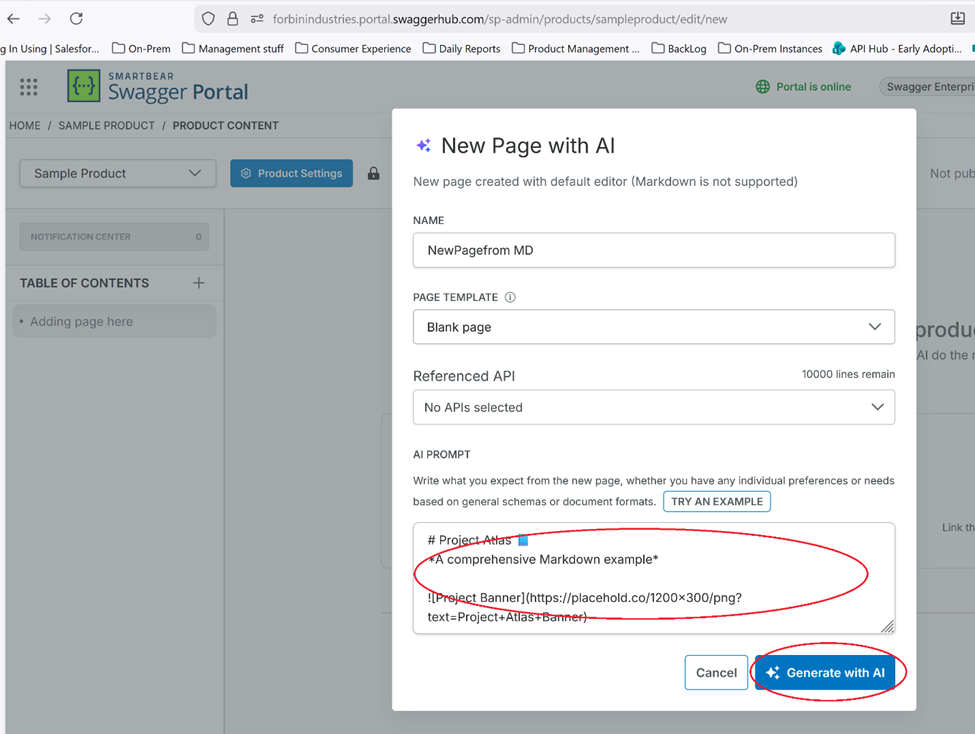
Click Generate with AI.
A page is generated based on the prompt you provided.
Click the AI icon.
In the prompt area, enter a request to convert the Markdown content to HTML.
Docs-as-code process
Swagger Portal was built API first - you can find details about the Swagger Portal API here.
Use and adapt a sample GitHub repository to suit your own docs-as-code approach.
Refer to the video below for details on docs-as-code automation:
SCM-based hydration
For information on hydrating your Swagger Portal instance through direct interaction with Swagger Portal API, refer to Manage Products and Content.