How to create sub-task in Test Case Execution
Problem
How to create sub-task in Testcase Execution.
Fix
Once you execute a Testcase and want to link a sub-task to it click on the ‘D’ button next to the execution status.
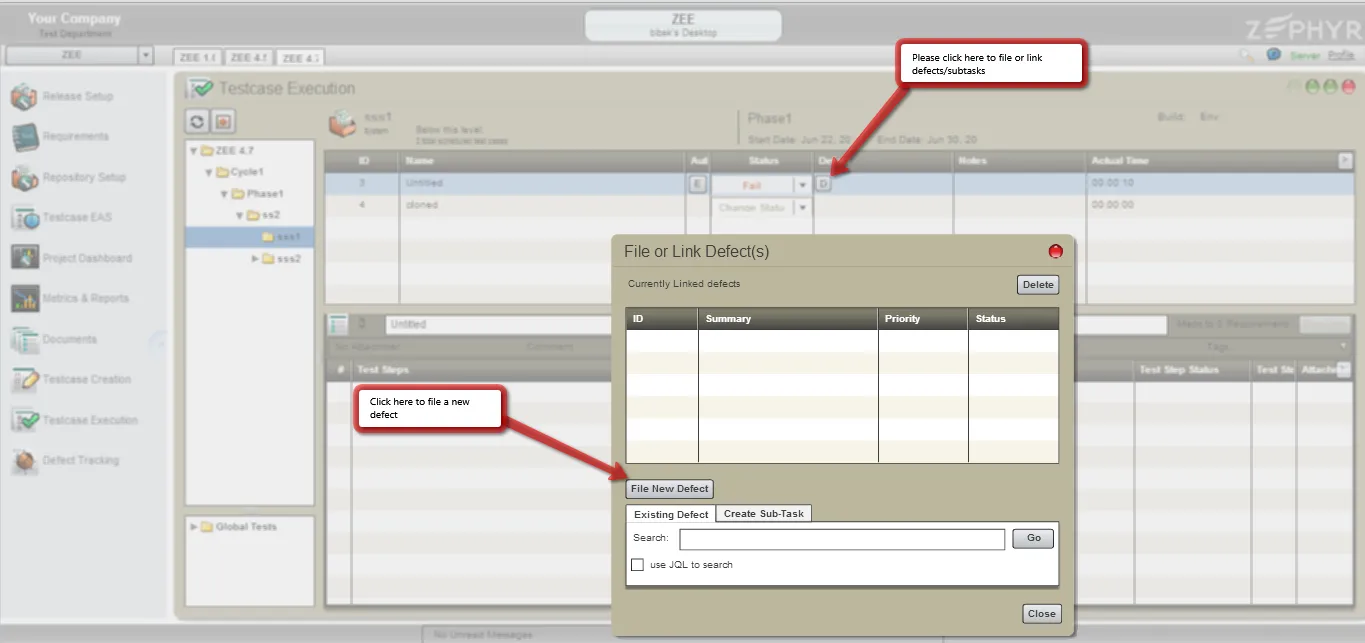
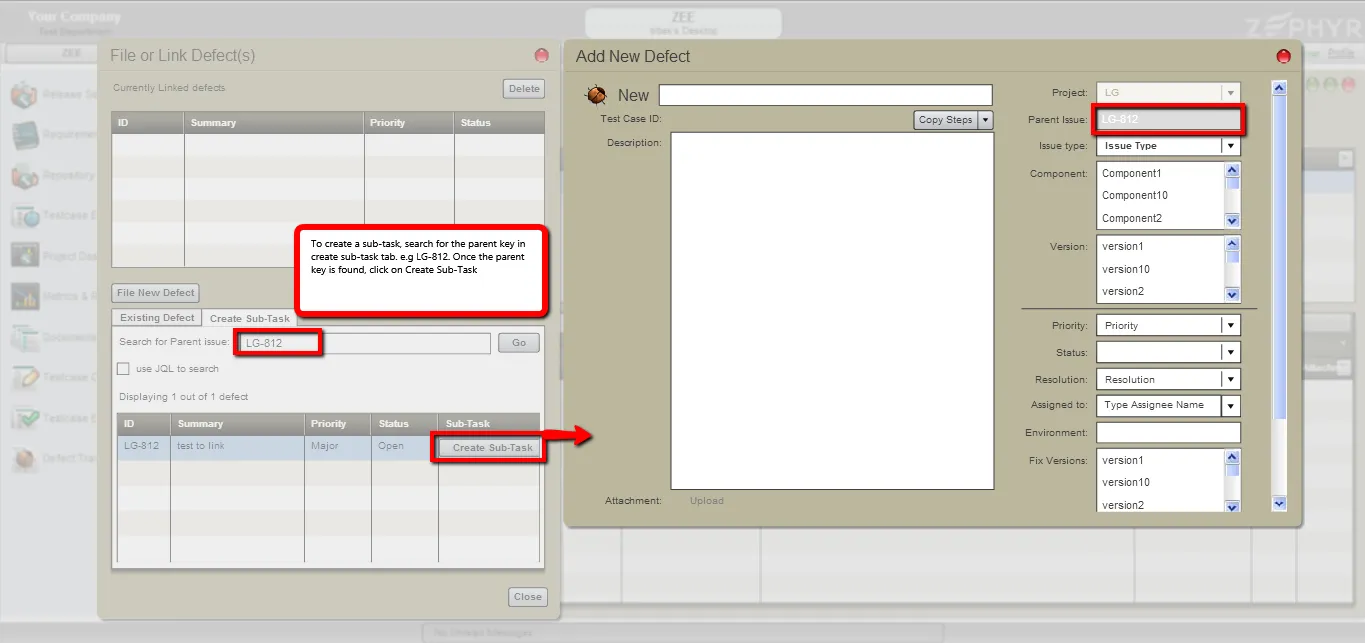
-Please click on Create Sub-Task tab and search for the parent key.Please note that the parent key is the issue ID of the JIRA issue.
-Once you find the parent ID, click on create Sub-Task and fill up the required fields after selecting the Issue type as Sub-task
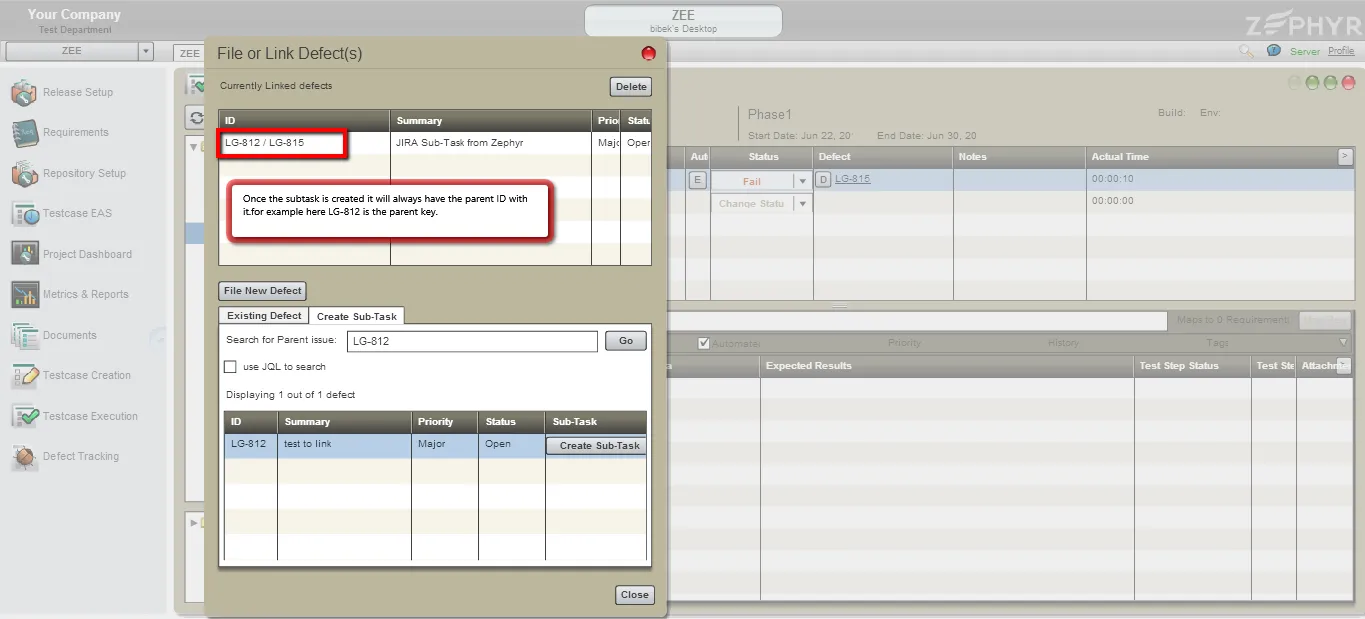
-Once the Sub-Task is created it will always inherit the parent ID with it.
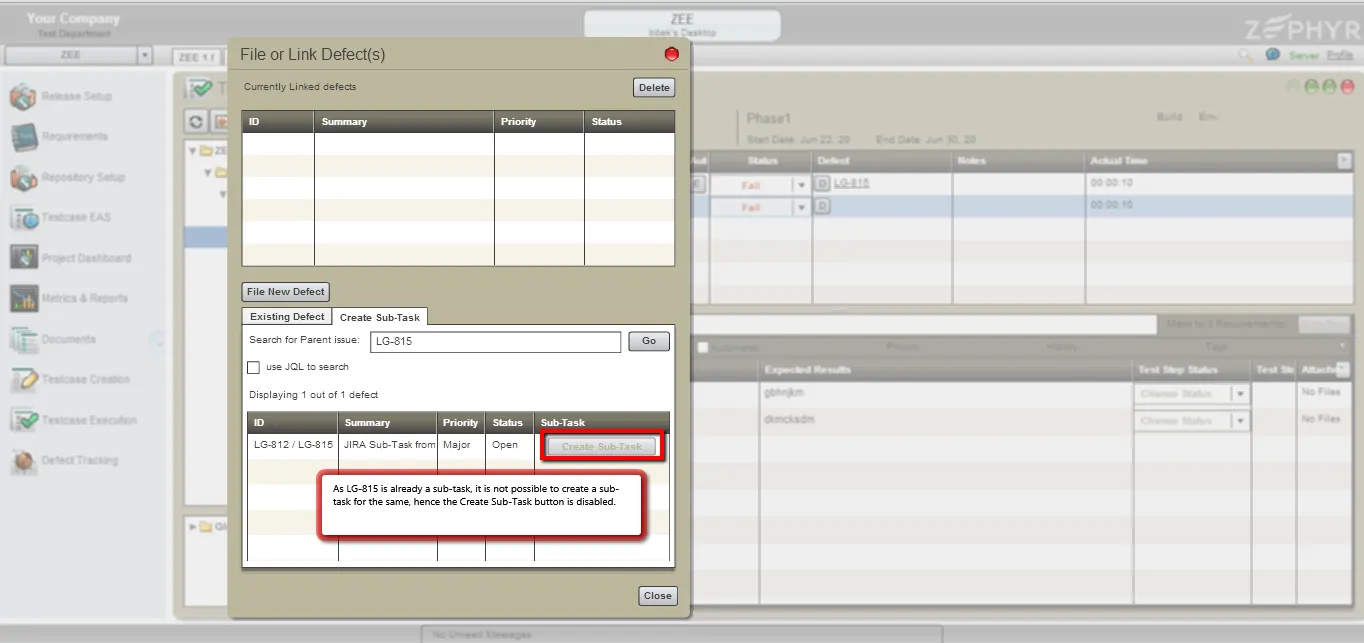
-Please note that it is not possible to create a Sub-Task for a Sub-Task.