
How to make all the existing testcases to be visible to newly created users, without going to each folder of each project in order to assign them?
Steps
-
Login as manager.
-
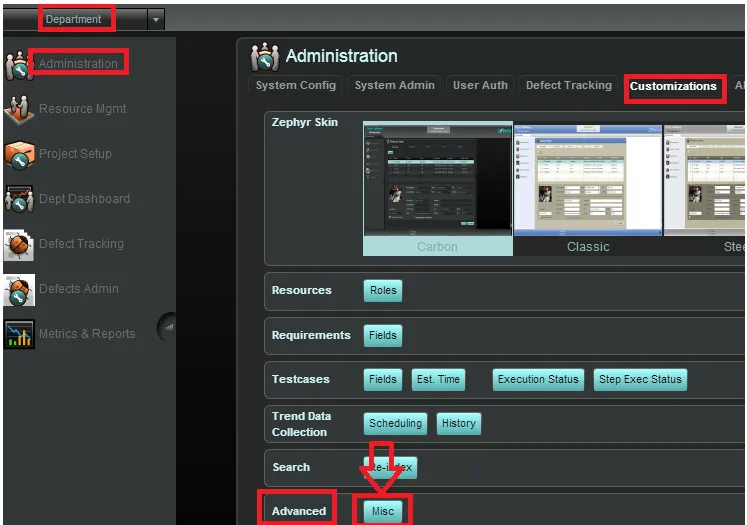
Navigate to <Department>-><Administration>-><Customizations>. Click on <Misc> in-front of the <Advanced> option.
-
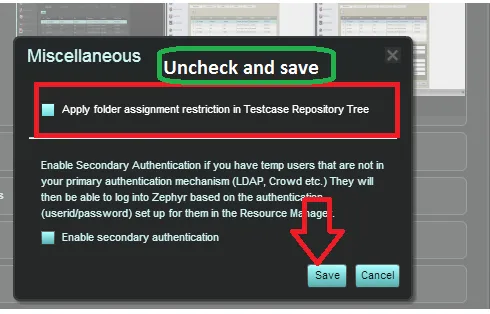
In the Miscellaneous page , uncheck the ‘Apply folder assignment restriction in Testcase Repository’ option.
-
Now just assign the projects to newly created users so that they can view all the folders and testcases present in the Test Case Creation module of the assigned projects.