How to view testcase versions in ZEE
Problem
How to view testcase versions in ZEE 4.7
Explanation
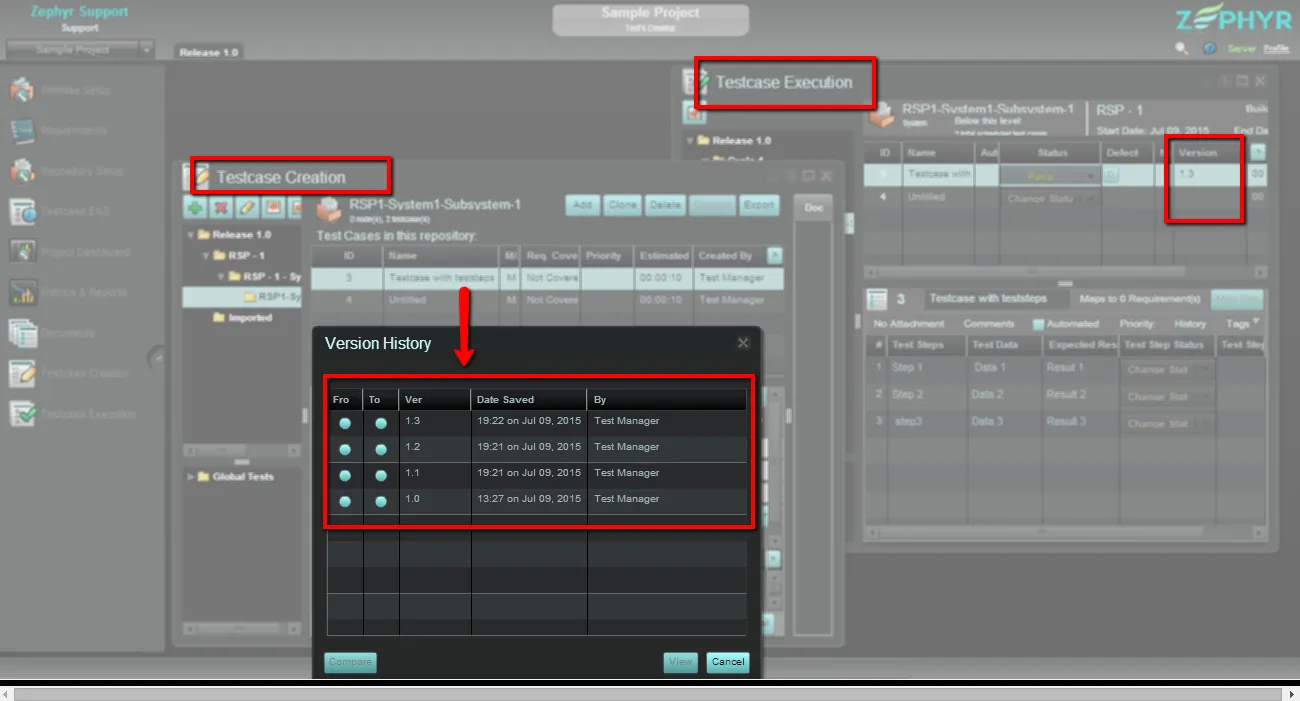
Now we can view Testcase version from both Testcase Creation (TCC) and Testcase execution (TCE) modules.
Usage
By seeing the version of the Testcase executed from the Testcase Execution Module, a tester can confirm that the execution was executed after the last update. They can revert the changes from Testcase Creation to the earliest if required.
From Testcase Creation
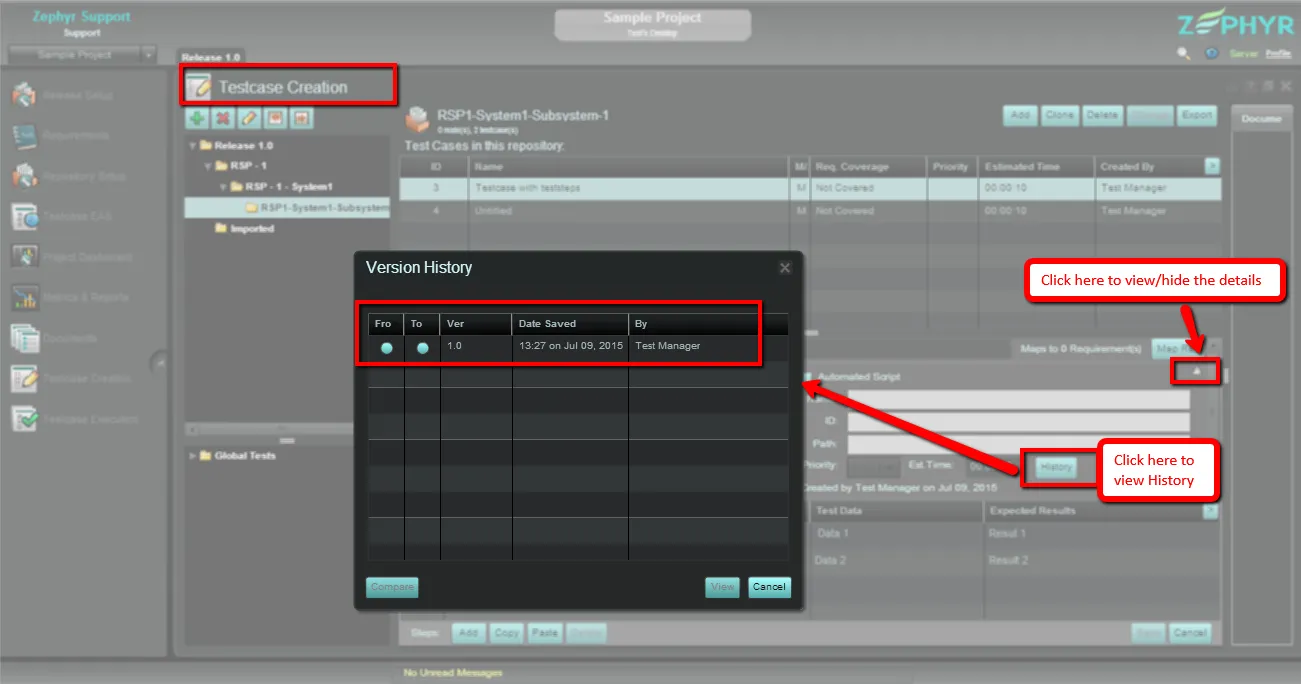
Navigate to Project Desktop ->Testcase Creation and select the testcase for which you want to view the testcase versions
Expand the test details by clicking the arrow button and click on the History button to view the versions of that testcase as in the picture
From Testcase Execution
A new Version field was introduced in Testcase Creation Module to check the version of the executed Testcase.
Navigate to Project Desktop -> Testcase execution and select the execution for which you want to see the testcase version. Here it will show the current version of the executed testcase. This field is also available in exported reports.