
How to use JQL in Zephyr defect tracking.
Problem
How to use JQL in Zephyr to search for defects in JIRA.
Fix
- login to Zephyr.
- Click on the Defect Tracking module.
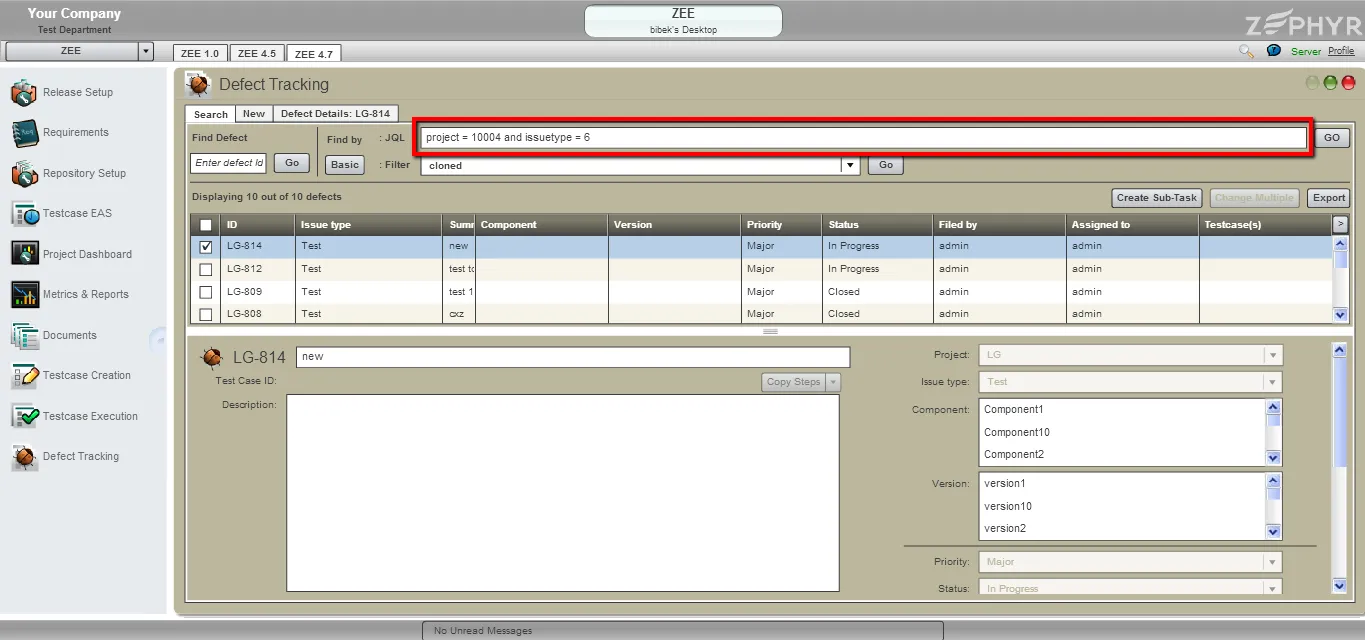
- On the Defect Tracking page, Click on search tab and click on Advanced.
- On the search field, please provide a valid JQL to filter all the qualified issues.
NOTE: This feature is only available for JIRA set as defect tracking.