
Working with Folders
As you increase the number of test cases, cycles, and/or plans in your project, the organization of your content becomes increasingly important. Grouping testing artefacts into folders and sub-folders helps tremendously.
You can use folders to group tests for specific functions, requirements, or different test types, such as performance tests, integration tests, or system-level tests.
Create and Organise Folders/Subfolders
While in the Tests, Plans, or Cycles view, click Create Folder while your cursor is in the Folders panel. Type a name for your new folder, then click the check to save.
To create a subfolder, hover over and click the folder’s ellipsis icon.
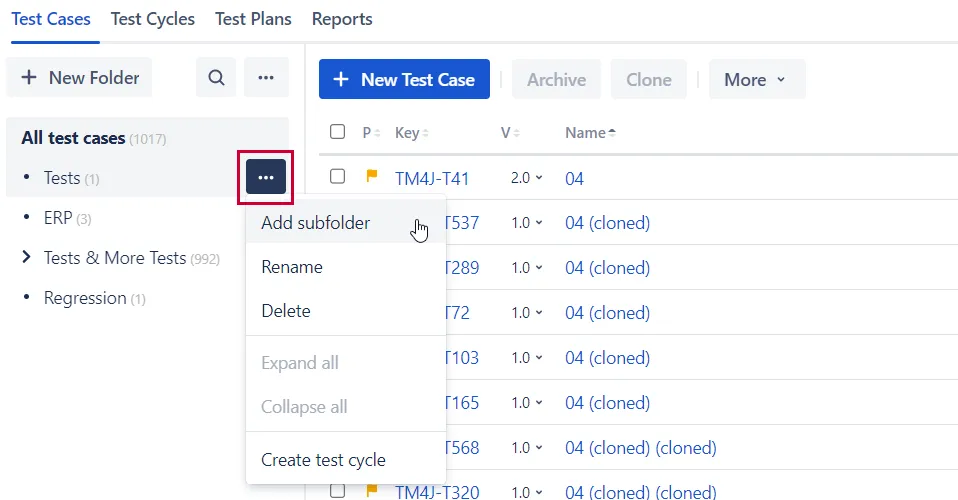
Click Add Subfolder.
Reorder Folders
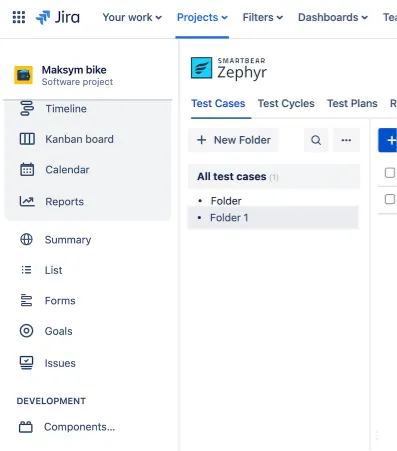
Drag-and-drop folders to reorder the list (top to bottom changes) or to restructure and create parent-child relationships.
To make a folder parent or child, click-and-hold the move icon at the left of the folder name, then drag-and-drop the folder left or right.
Collapse/Expand
If you have multiple folders and subfolders, you may find that collapsing/expanding at certain times helps you stay organized.
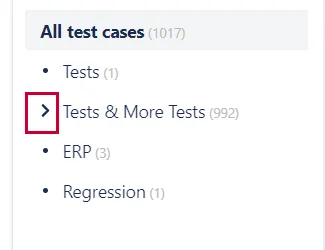
A carat indicated that a folder has a subfolder(s) within it. Click the carat to expand and collapse the folders.
You can also hover over a set of folders and click the ellipsis icon  to access the expanse and collapse folder options.
Moving Test Artifacts to a Folder
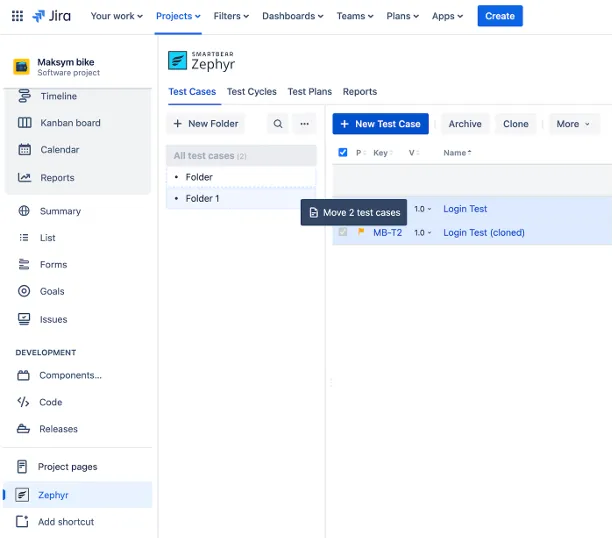
You can move test cases, plans, or cycles into a folder by selecting the test items you’d like to move, then dragging them into the folder of your choice.
Edit or Delete a Folder
You can edit or delete a test folder by clicking the ellipsis icon.
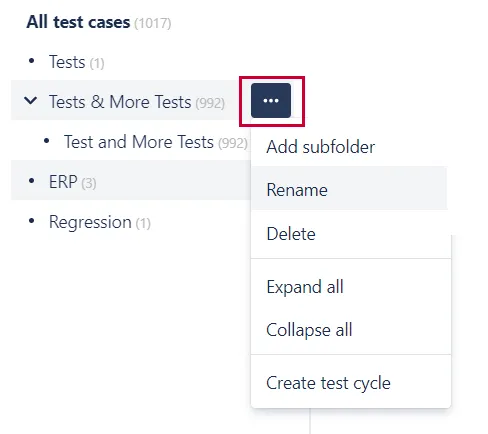
Select your preferred action from the dropdown list.
Please note, the following content is for the new experience of Zephyr Cloud. For documentation on the legacy experience of Zephyr Squad Cloud, please visit thelegacy Zephyr Squad Cloud docs. If you are unsure of your version, check the guide orcontact our support team.