
How To Enable/Disable Automation Features
Only the Admin can enable/disable automation features in Zephyr.
-
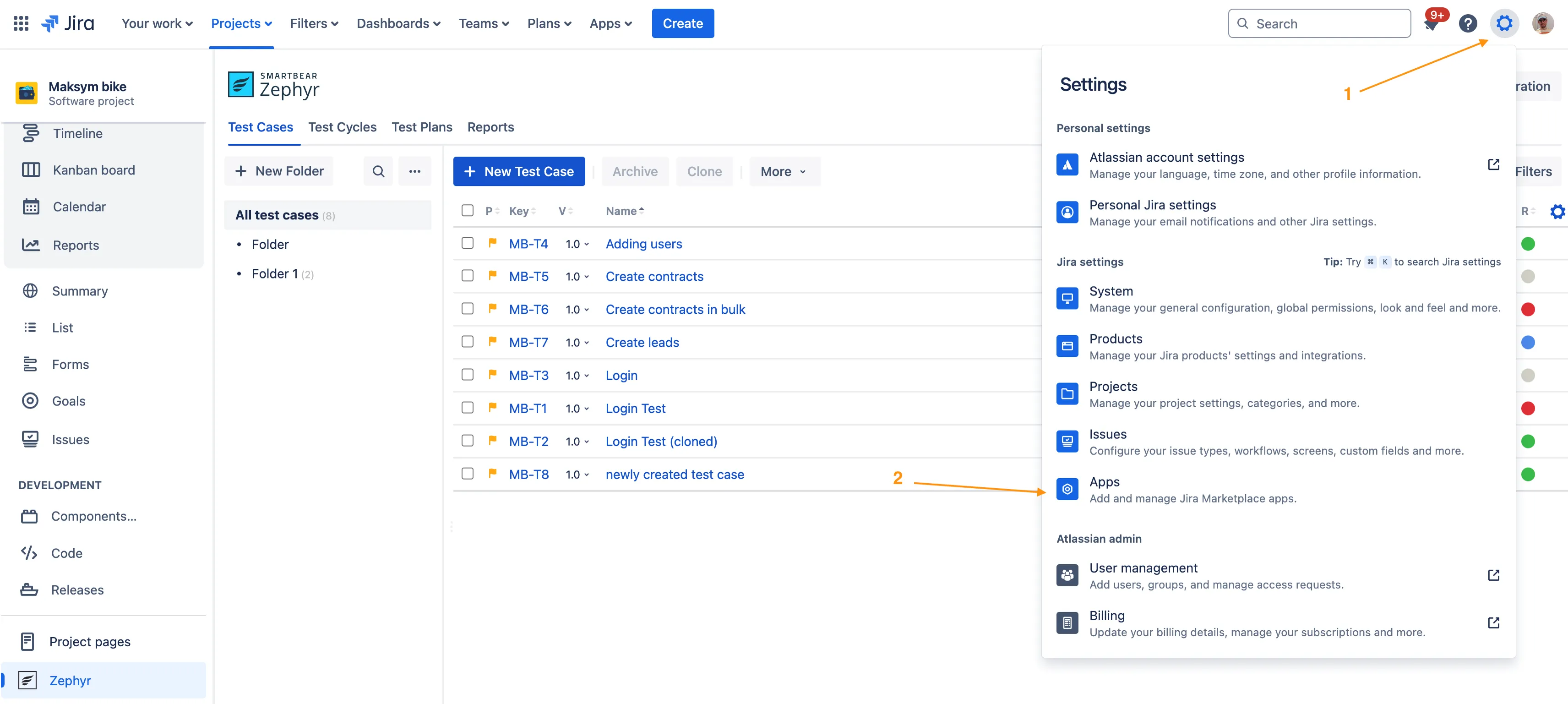
Go to Jira Settings > Apps.
-
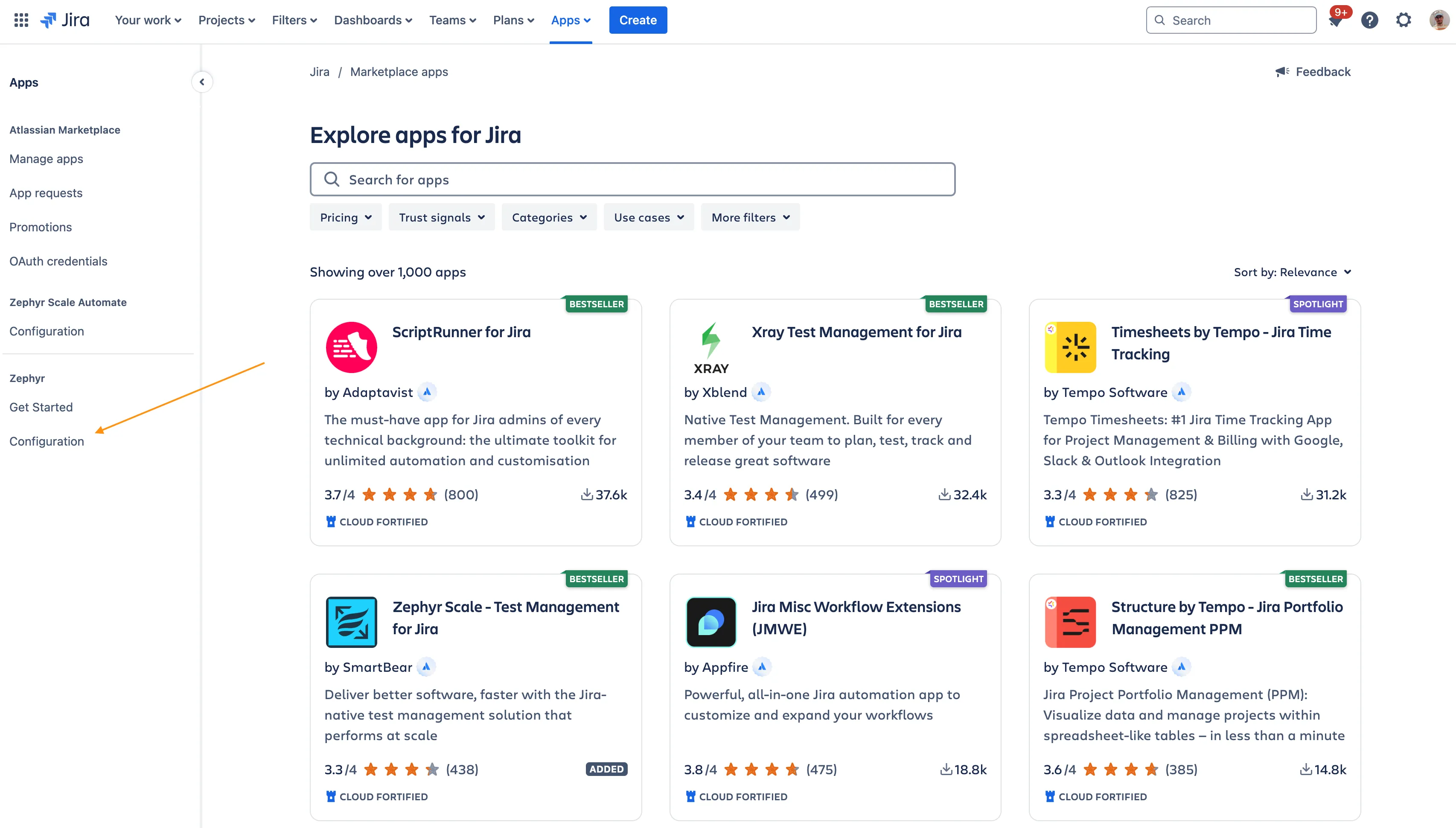
On the left-hand side menu go to Zephyr section and select Configuration.
-
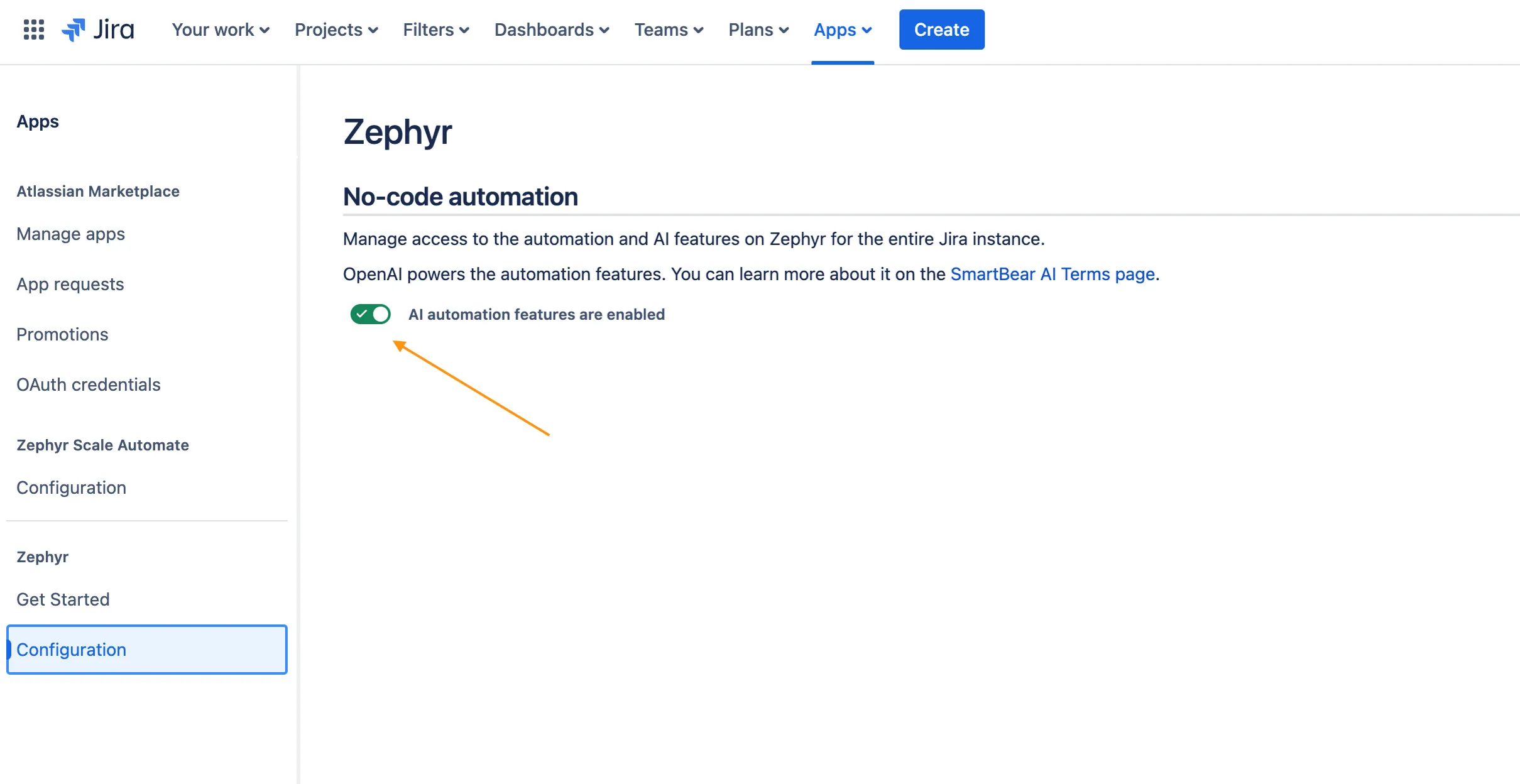
Enable/Disable automation feature in Zephyr using the toggle.
-
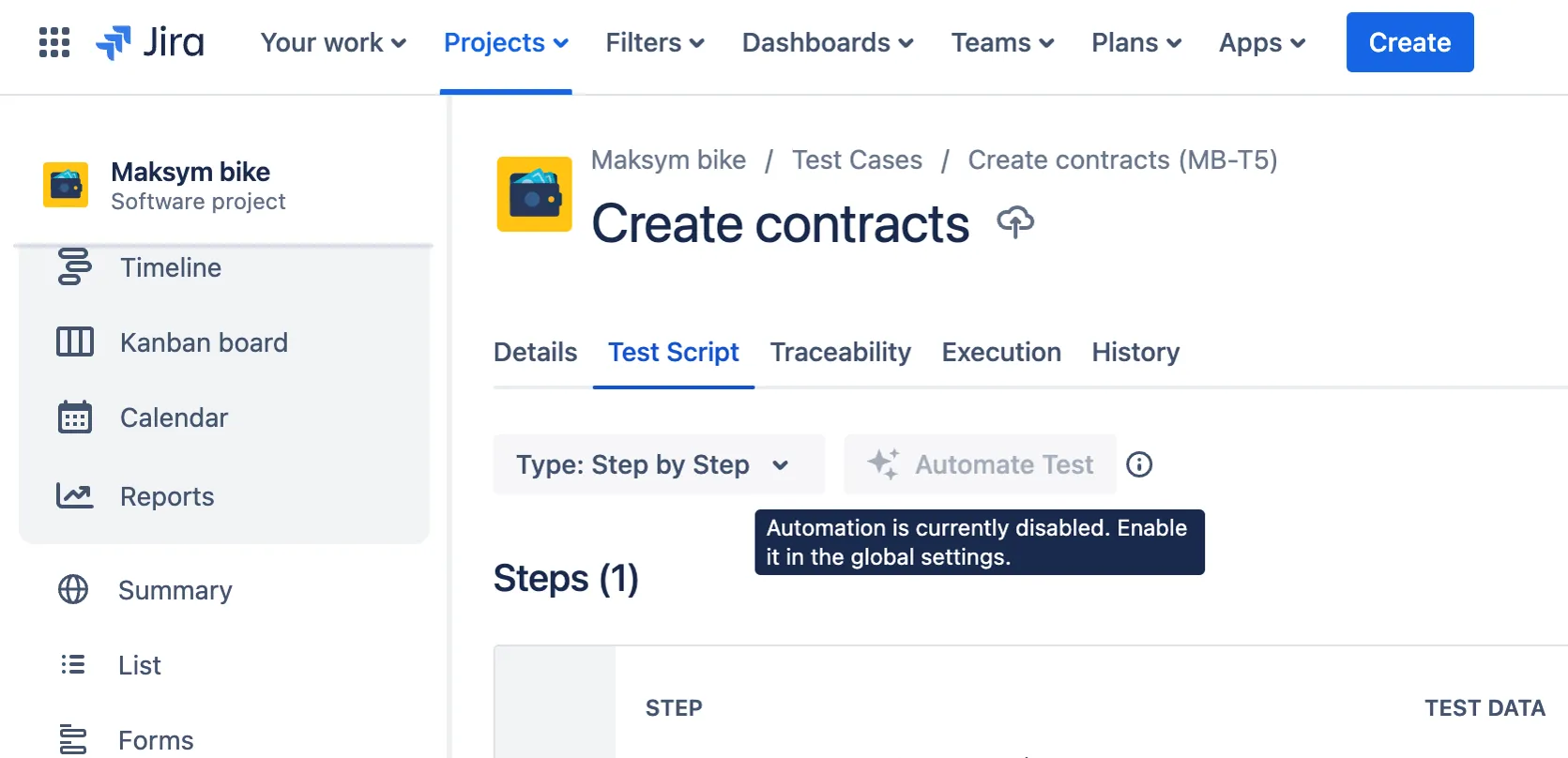
Once you disable the automation features, the triggering buttons will be disabled for the entire instance.
Please note, the following content is for the new experience of Zephyr Cloud. For documentation on the legacy experience of Zephyr Squad Cloud, please visit thelegacy Zephyr Squad Cloud docs. If you are unsure of your version, check the guide orcontact our support team.