Creating Tests from the Sources
You can easily generate new tests or link tests to the existing ones by doing the following:
Log in to BearQ.
Click Sources.
Select any of the connected sources. For example, Jira.
Click Add Test.
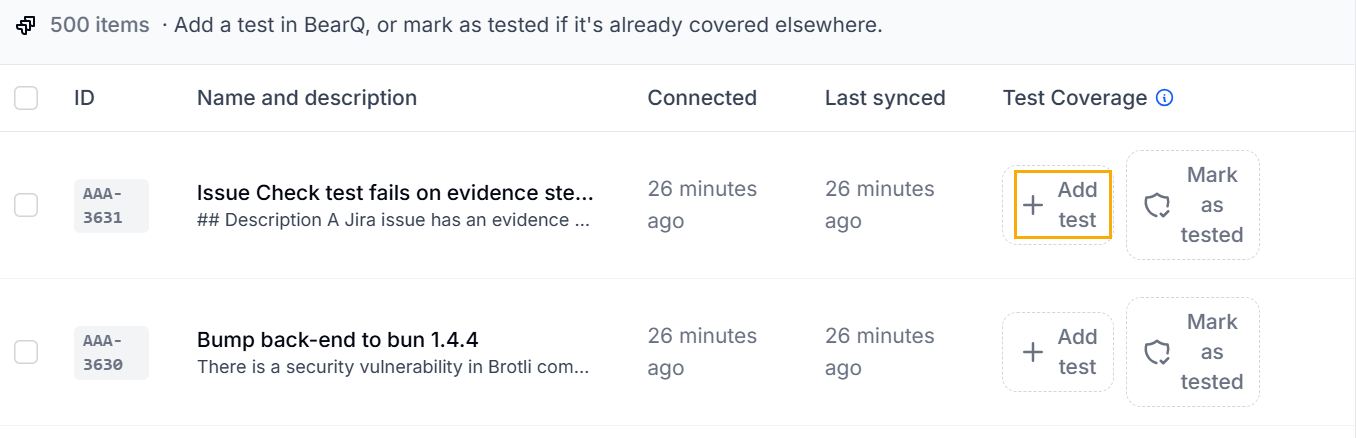
You can either generate a new test for the test case or link an existing one to it.
Generate new test: Click Generate a test if you want to create a new test. Enter the description of what you want the test to do, and click Generate test.
Link Test: Click Link test. Select Add test and choose the tests created in BearQ that you want to link to the test case.
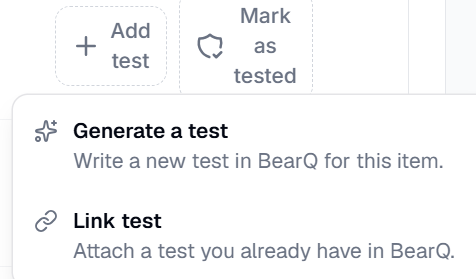
You can see that the test has been created or linked to the existing test case.

If you do not want the test to be further tested, you can make it as Mark as Tested.
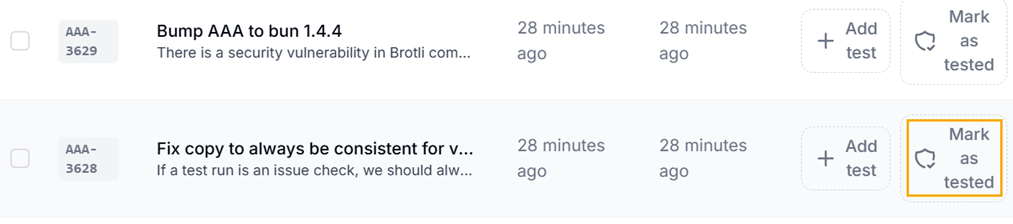
Similarly, you can do the same for Zephyr, Reflect, and Swagger sources.