
Unable to import using the importer utility.Unexpected response code: 404
Problem
Unable to upload test cases using importer utility .36 version.The same configuration was working earlier. Now it gives the below error.
Unable to add testcase ending at rowNumber - 16. Error:Unexpected response code: 404
<!DOCTYPE html> <html> <head> <title>Action not found</title> <link rel="shortcut icon"
} p#detail { margin: 0; padding: 15px 45px; background: #F6A960; border-top: 4px solid #D29052; color: #733512 text-shadow: 1px 1px 1px rgba(255,255,255,.3); font-size: 14px; border-bottom: 1px solid #BA7F5B; } </style> </head> <body> <h1>Action not found</h1>
<p id="detail"> For request 'POST /connect/rest/teststep/46542?projectId=14500' </p>
</body> </html>
Fix
Please download the latest .38 jar file from bitbucket:
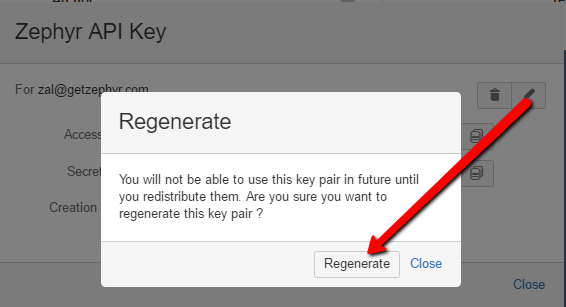
Once you have downloaded the file, please delete and regenerate the API keys.
Tests dropdown>API keys.
Use the newly created API keys.

NOTE: If the suggestion doesn’t work, please feel free to submit a support case.