Triggering and Publishing Results to Zephyr Squad
-
Click Test Plan 1 from the breadcrumb or from the Bamboo home page. Enable the plan from actions menu.

-
Run the plan by clicking Run plan button from actions menu.

-
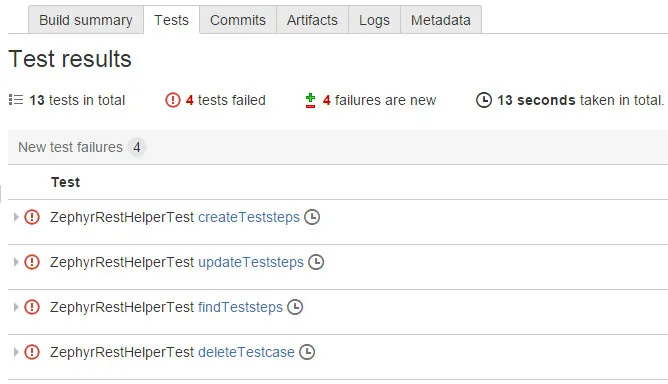
Test results are displayed once Bamboo is done running the plan.
-
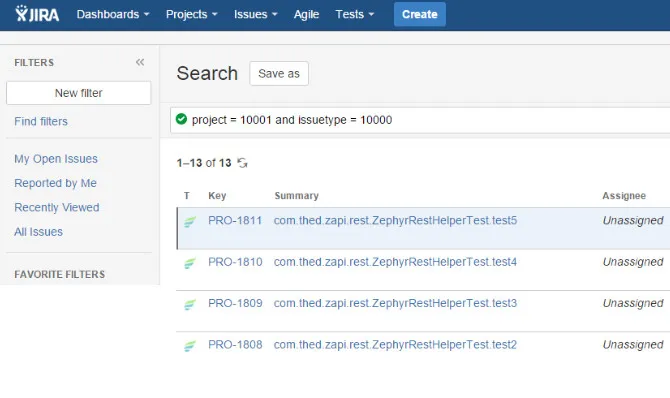
In Zephyr Squad Bamboo creates test cases in the selected Jira project.
-
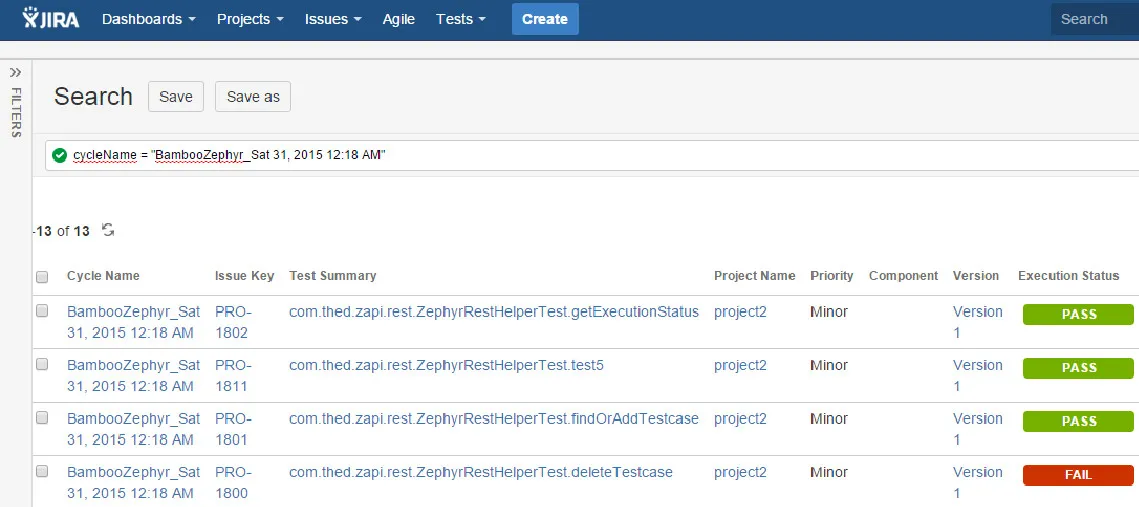
Finally, Bamboo assigns these test cases to the selected cycle and executes all the tests.
-
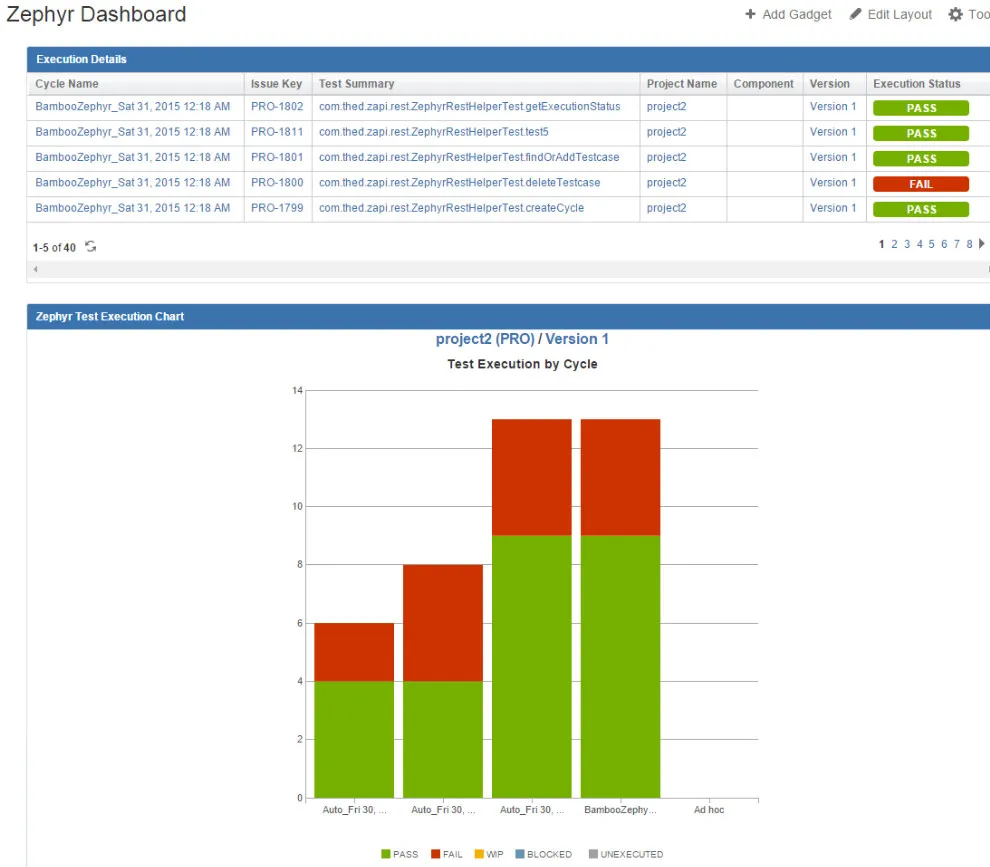
Metrics and reports will reflect the results published.