Configuring a Bamboo Build Plan
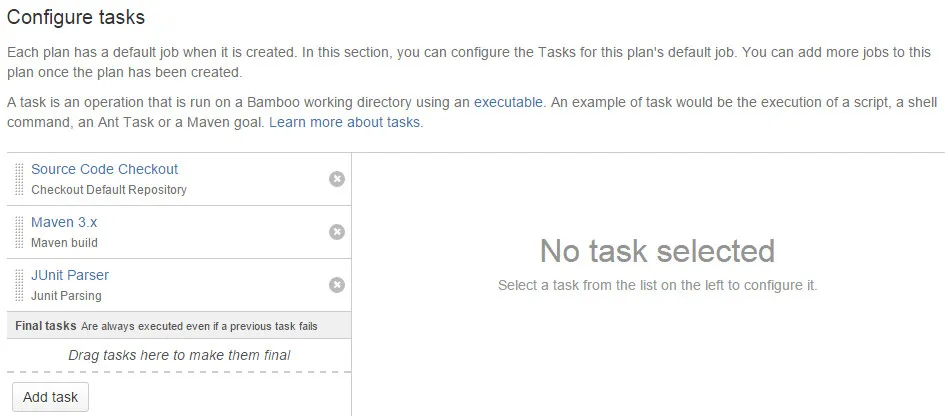
A Plan in Bamboo defines a sequence of tasks for Bamboo to perform. When a plan is triggered, Bamboo executes the defined tasks sequentially. It also provides options to define final tasks. The steps below show an example of configuring a plan. Your build plan may look different from this example.
-
Create a new Bamboo plan by clicking the Create a new plan sub-menu from Create menu.

-
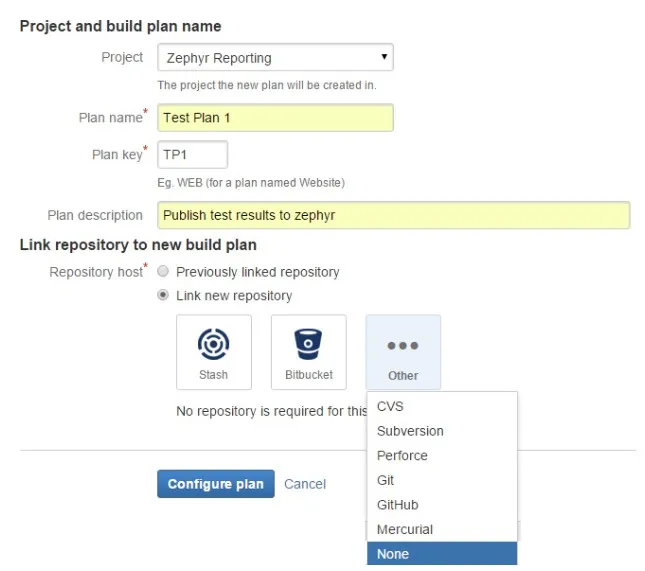
Select New Project and configure the new project. Set the source code repository as “none”. Click Configure plan.
-
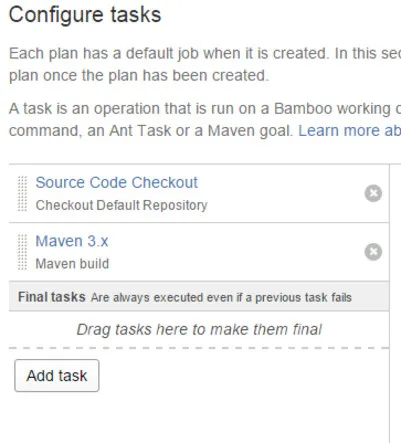
Setup repository for the newly created test plan. This example adds “Source Code Checkout” task that uses the repository you created earlier. Finally, we will add a Builder task type. In this example we have added “Maven 3.x”. Click Add task to add more tasks to the plan if needed.
-
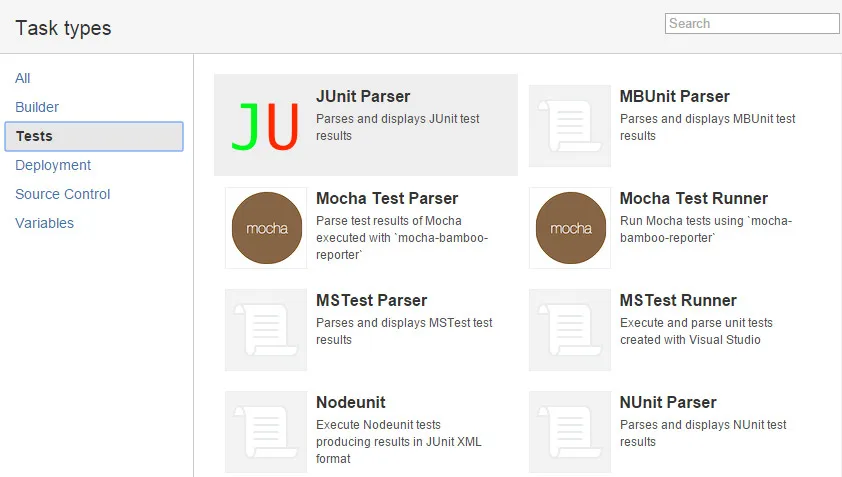
Add test result parser task. In this example, “Junit Parser” from “Tests” task type has been added but any test result parser will work.
-
Give the task a name and click Save to commit the task configuration. Your build plan is now ready to be used with the Zephyr Squad Test Management Bamboo plugin.