Configuring Zephyr Add-on as a Build Task
-
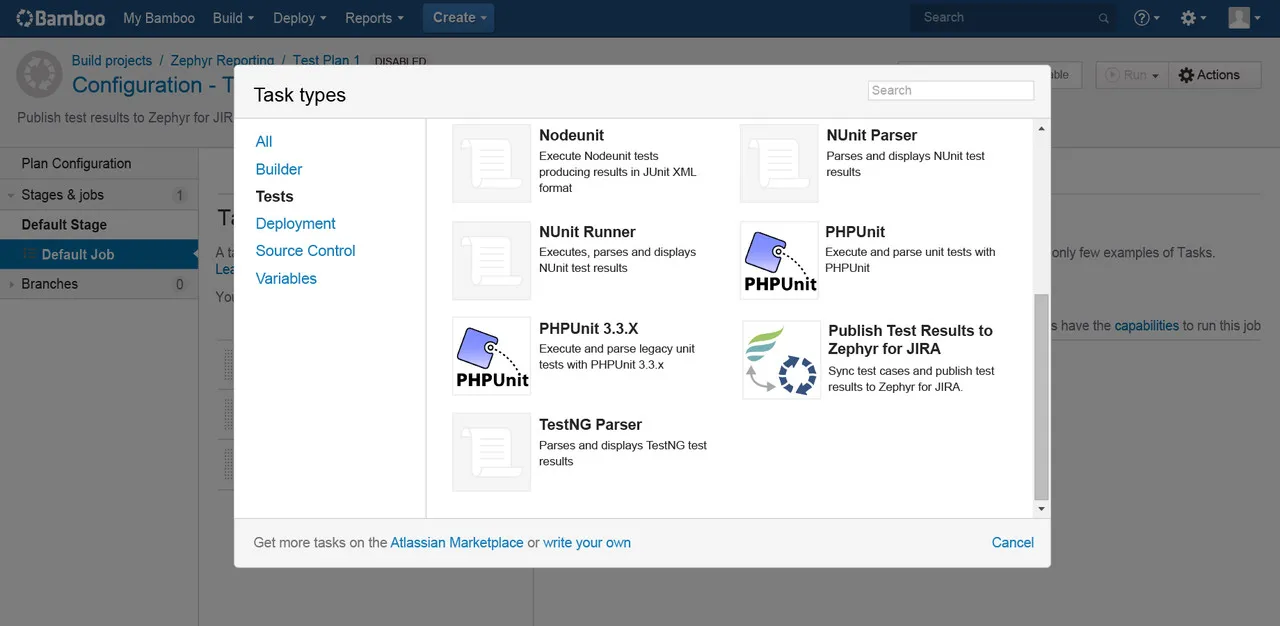
Click Add task to add more tasks to the plan and select task PublishTest Results to Zephyr Squad from “Tests” task type.
-
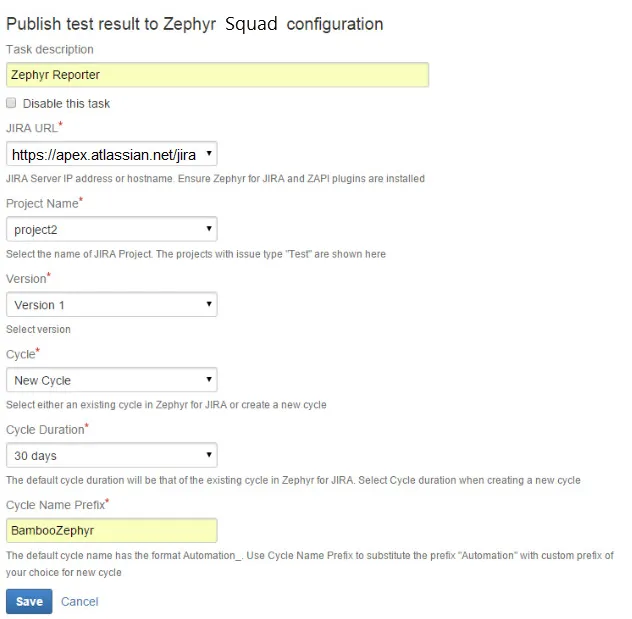
Configure Zephyr build task.
-
Provide a task name.
-
Select the Jira URL from the dropdown. (Servers configured in the Bamboo administration are available here to select). This automatically pulls in projects, versions and cycles.
-
Select the Project Name from the dropdown. This re-populates the versions.
-
Select the Version from the dropdown. Selecting a version fetches all its cycles.
-
Select either an existing Cycle from the dropdown or create a new cycle.
-
For existing Cycle the default Cycle Duration will be that of existing cycle in Zephyr and Cycle Name Prefix will be of the format “Automation_<Date><Time>” stamp.
-
For new cycle you have option to select Cycle Duration from the dropdown and to edit default cycle prefix name “Automation”. In the absence of a cycle prefix name “Automation” is used for new cycles.
-
Click Save.
-
-
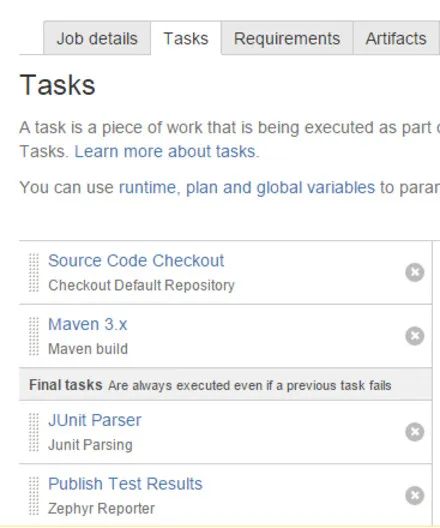
The parser task ie. “Junit Parsing” and “Zephyr Reporter” task needs be made final tasks to ensure these tasks are executed irrespective of job failure due to test failures