Data storage limitation Error : Capture for Jira hit a data storage limitation.
Issue
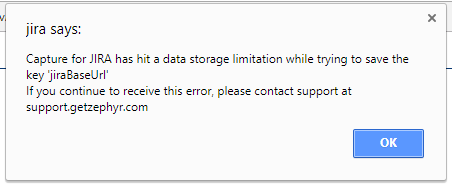
Zephyr Capture for JIRA shows an error pop up saying Data storage limitation Error as shown in screenshot below.
Cause
This issue has occurred because the local storage of the browser ran out of storage due to the previous keys from Atlassian.
Fix/Resolution Steps
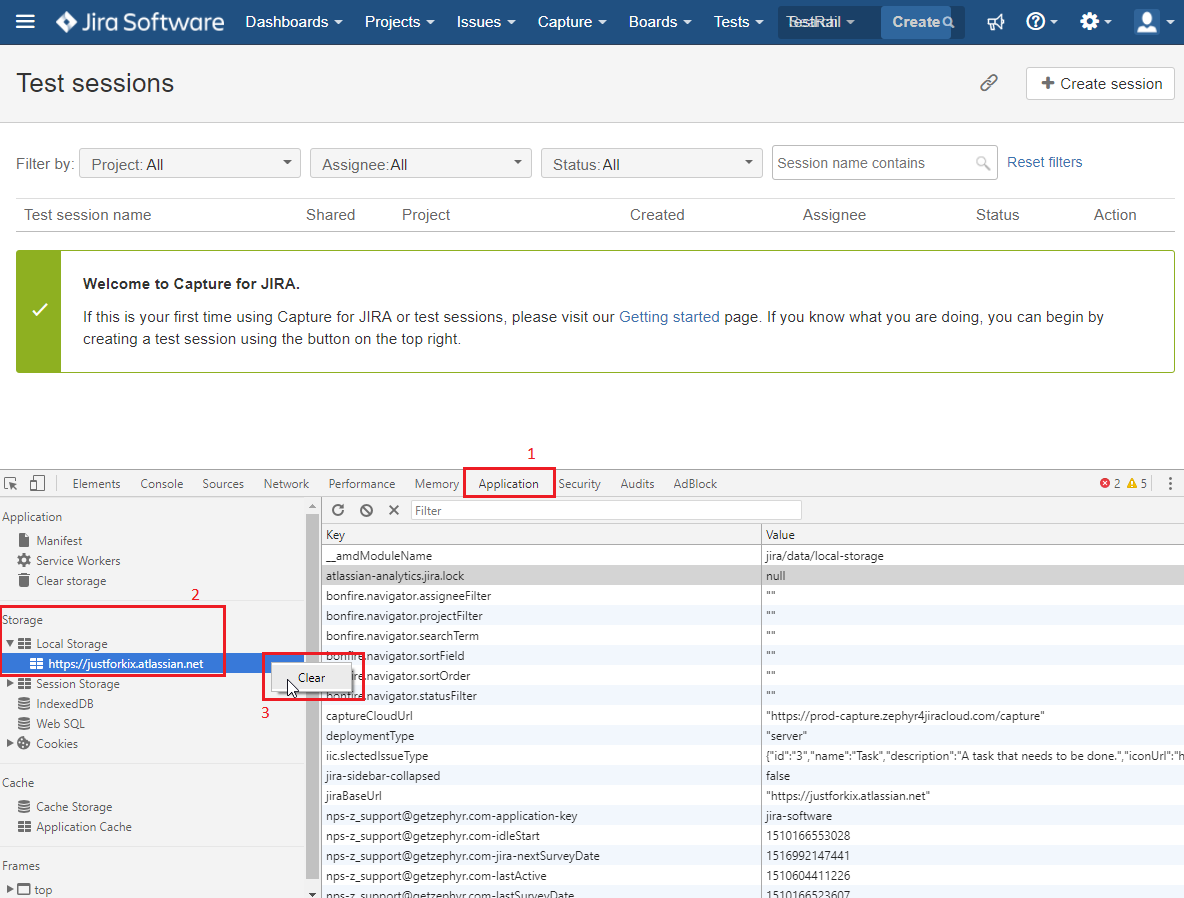
1. Open the browser (example : Chrome) and Navigate to Developer Tools.
2. Click on “Application” tab
3. Expand “Local Storage” from storage section on left hand side.
4. Right click on your JIRA URL from there and select “clear”.
5. Refresh the page and you will not see that pop-up again.