
Exporting Markdown Files from Stoplight
Markdown files are stored in an SCM system and are ready to be imported into Swagger Studio.
Export a project
You can export an entire project from the Design Editor (edit mode). The generated file is a snapshot of project contents. Downloading projects resolves $refs in API and JSON schema files. This type of export displays references to component library models in the APIs.
To export a project, perform the following steps:
-
Select the project to download on the workspace sidebar.
-
Click Edit.
-
Select Download project Zip in the menu.
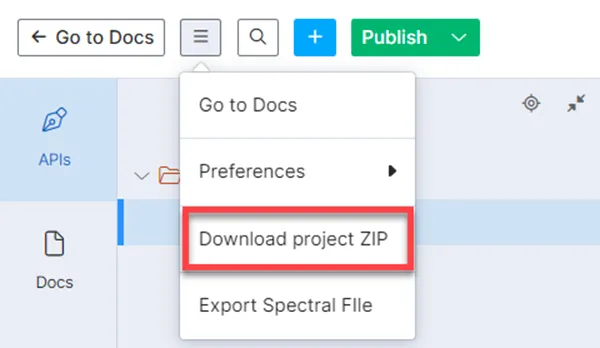
The project downloads as a ZIP file.
Export Markdown files from Stoplight Studio
Perform the following steps to export Markdown files from Stoplight Studio:
-
Log in to your workspace.
-
Select a project and click Edit.
-
Open the Files or Docs tab.
-
Right-click the MD file and select Export.
-
Depending on your preferred outcome, click Copy to clipboard or Save to file.
For more information on exporting projects or files, refer to the Stoplight documentation.