
Applying Scripts in Bamboo
This task describes how to apply scripts in Bamboo for the Zephyr integration.
-
Navigate to your Bamboo project.
-
Select the plan you want to configure.
-
In the upper-right corner, click Actions > Configurations.
-
On the Tasks tab, click Add Task.
-
Search for and select the Script task type.
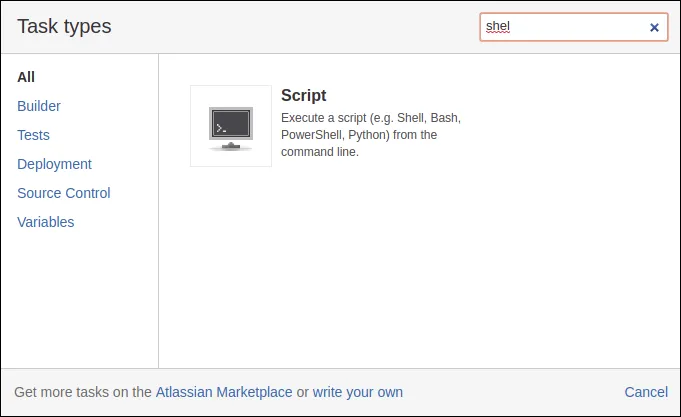
Click the image to enlarge it.
-
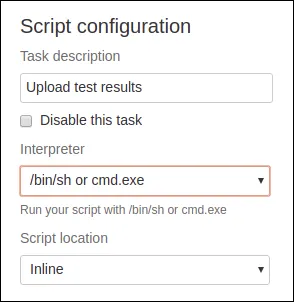
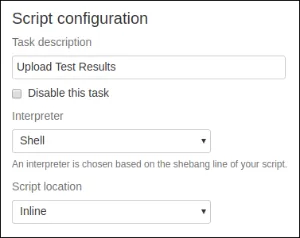
Update the field values in the Script Configuration section, as shown.
Task descriptions will vary.
For Windows:
For Linux:
-
Paste the script into the Script Body.
-
Drag the script task into the desired position.
To transfer your test-execution results from Bamboo back to Zephyr, you need to drag the script into the Final Tasks section.
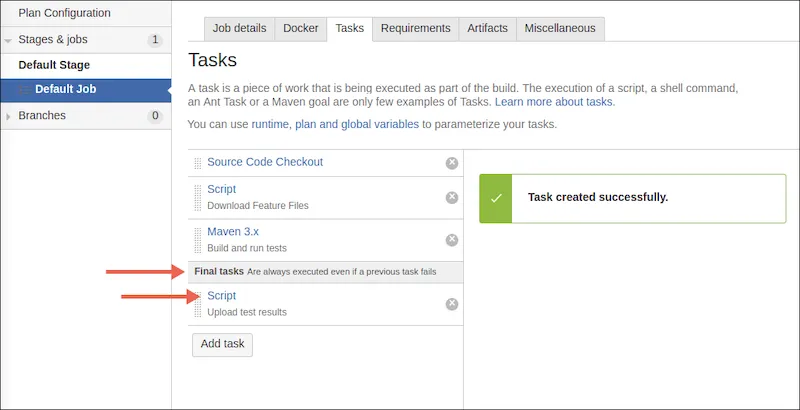
Click the image to enlarge it.