Import Postman Collection
Quickly migrate your existing Postman collections into Swagger Functional Test and start running API tests without rebuilding them from scratch.
Follow these steps to import your collection:
Open your project in Functional Testing.
In the top‑right corner, click .
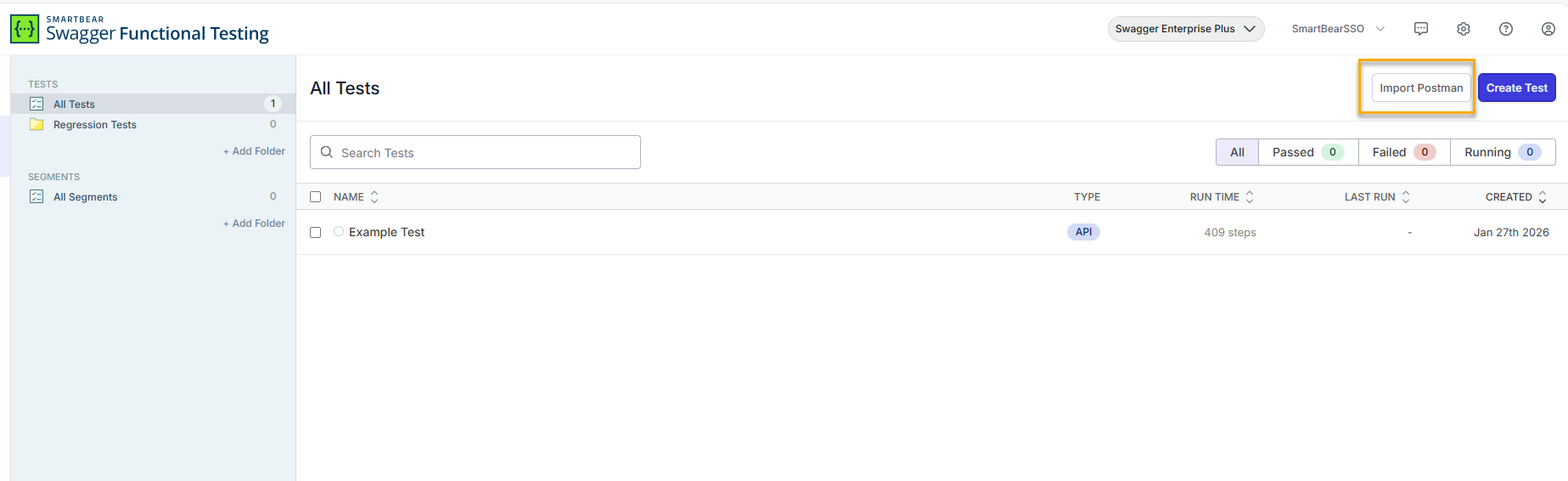
In the Import Postman modal, add your Postman collection file:
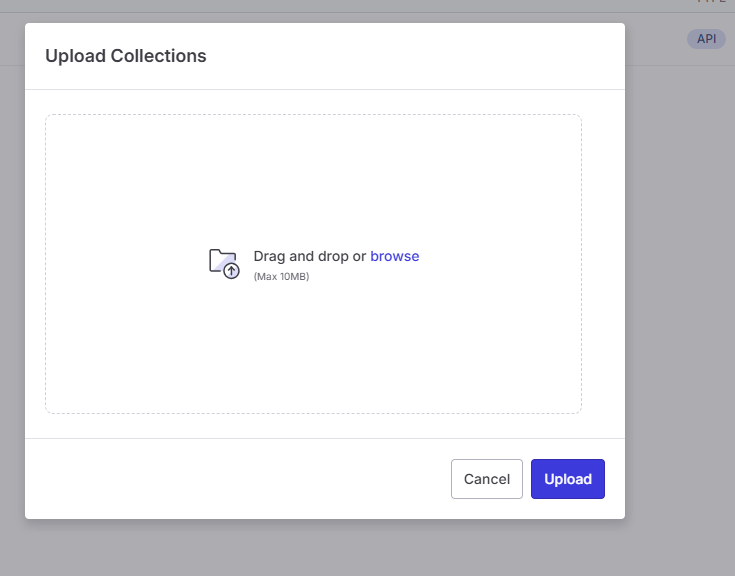
Drag and drop your Postman collection files into the modal, or
Click and select the files from your system.
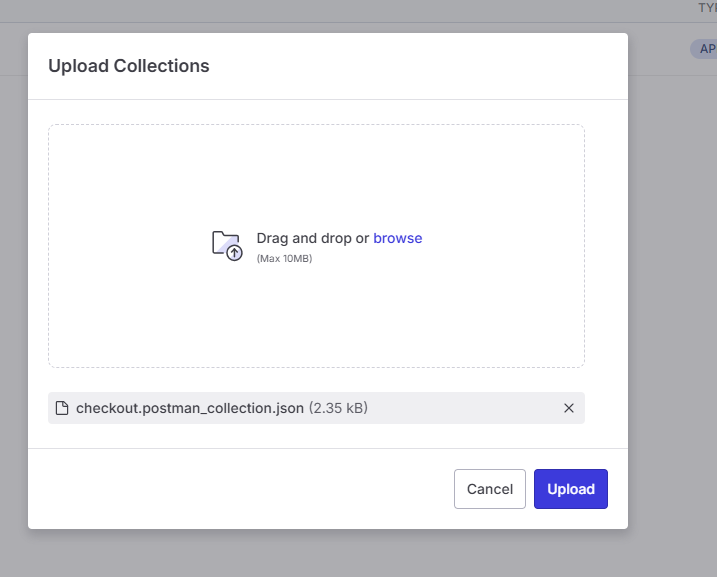
View the added files in the list. Click to start the import.
Note
If a file is unsupported or invalid, an error message appears in the modal. Fix the issue and try again if needed.
Click Import.
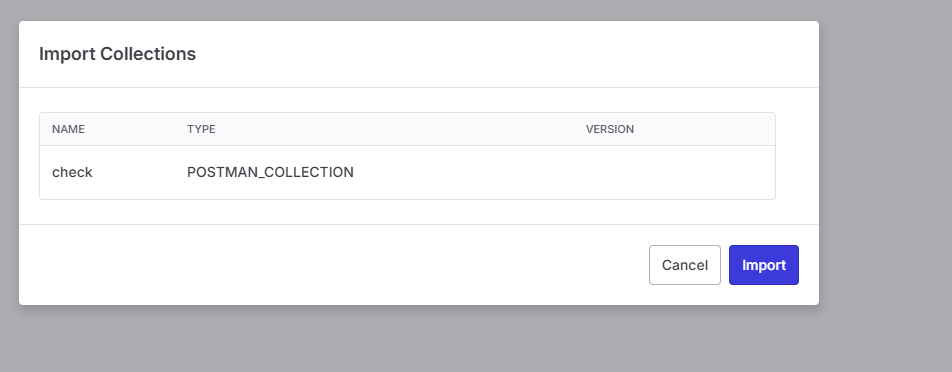
Handle Duplicate Collections
If the system detects a collection with the same name, you can choose one of the following options:
Skip and continue
Import as a new collection (an incremental number is added automatically)
After Import
Once the import is complete:
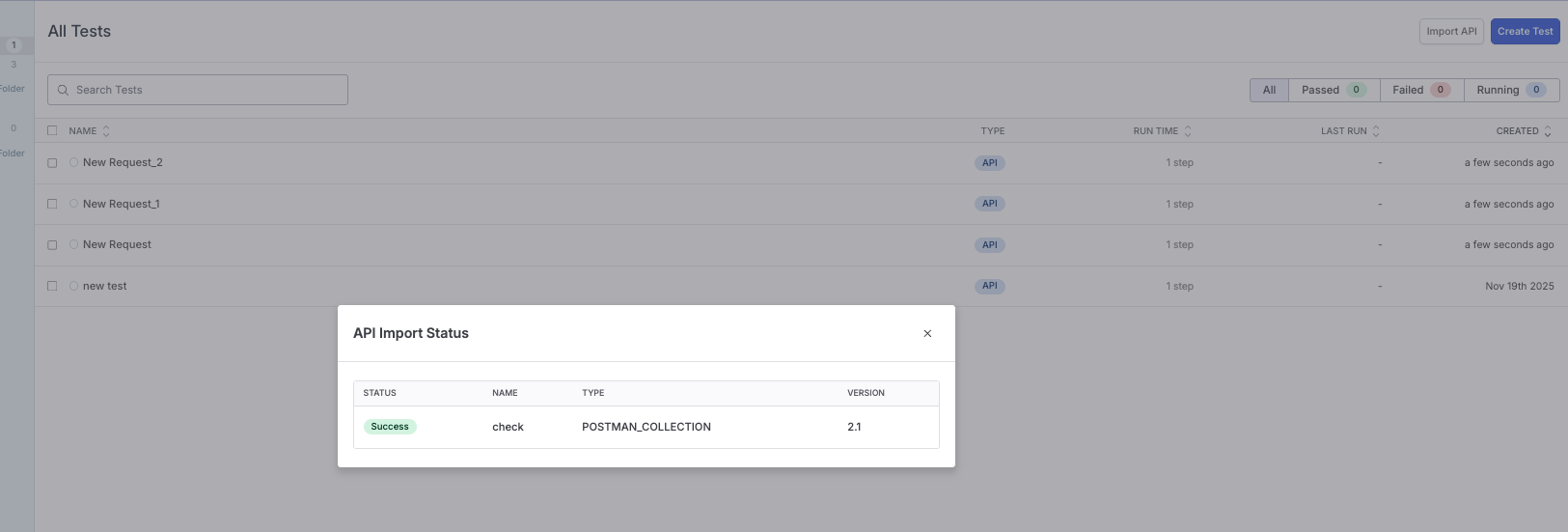
An Import Status modal displays a summary of the process.
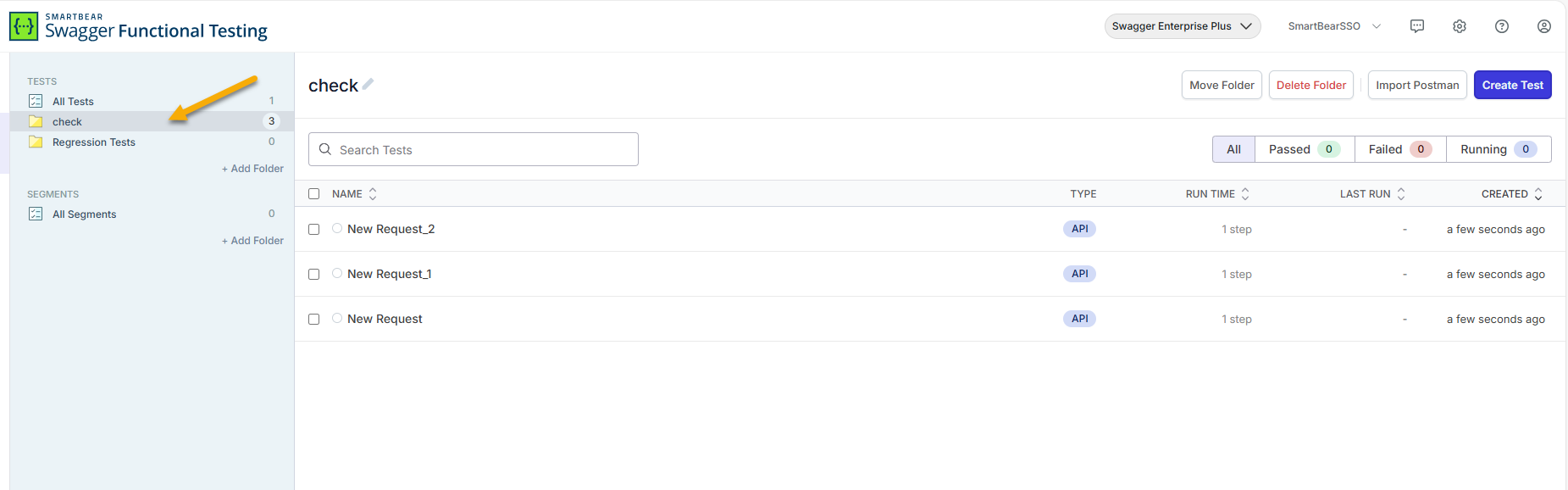
A new folder containing the imported tests is created in your project.
You are automatically redirected to the first imported folder.
Your Postman collections are now available and ready to use.
What is Supported
Before you import a Postman collection, review the scope and limitations below. If your collection uses unsupported items (for example scripts, environments, or non-raw bodies), they will be skipped and you may need to recreate parts manually after import.
The following Postman elements are supported during import.
Postman Collection Format Support
Only Postman collection format v2.1 is supported.
Collection Structure
Collection name
Folders and subfolders
Requests within folders
Your original structure is preserved.
Requests
The following request properties are imported:
Request name
URL
HTTP methods:
GET
POST
PUT
PATCH
DELETE
Headers
Query parameters
body type: raw only
Authentication
The following authentication methods are supported:
API Key
Basic Auth
Bearer Token
Authentication settings are applied to imported requests.
Variables
Variables defined at the request level in Postman are converted into parameters within individual tests.
Collection-level variables are migrated as global variables, allowing reuse across your project.
If a collection-level variable has the same name as an existing account parameter, it is skipped during import to prevent duplication.
Duplicate collection-level variables within the same collection are ignored.
Current Limitations
The following elements are currently not supported and are skipped during import.
Variables
Folder or subfolder variables
Environment variables from separate files
Global variables from separate files
Scripts
Pre-request scripts
Test scripts
External Node.js packages
Request Limitations
Body types other than raw
HTTP methods other than GET, POST, PUT, PATCH, DELETE
File Limitations
Older Postman collection formats (for example, version 1)
Other file types (.txt, .csv)
Files larger than 10 MB
Unsupported elements do not block the import process. They are automatically skipped.