
Run Maintenance Scripts in Swagger Studio On-Premise
While working on your support requests, SmartBear Support may send you maintenance scripts to apply custom configurations or to perform maintenance tasks on your Swagger Studio On-Premise instance that cannot be done via the Admin Center.
To run a maintenance script:
-
Log in to the Admin Center.
-
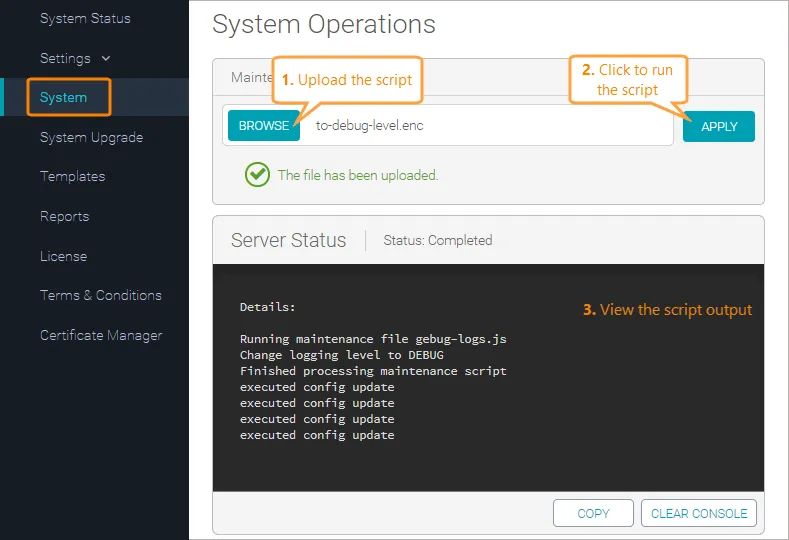
Switch to the System tab.
-
Click Browse and upload the script file (.enc).
-
Click Apply to run the script.
-
The script output will appear in the Server Status section.
Some maintenance scripts restart the system upon completion. You will see a popup message that the system is being restarted. The restart may take a few minutes. Please wait for the message to disappear before you continue using Swagger Studio.