Can the default status of a test case can be changed from 'unresolved' to something else without breaking the workflow?
Yes , you can change the default status from unresolved by following the below instructions
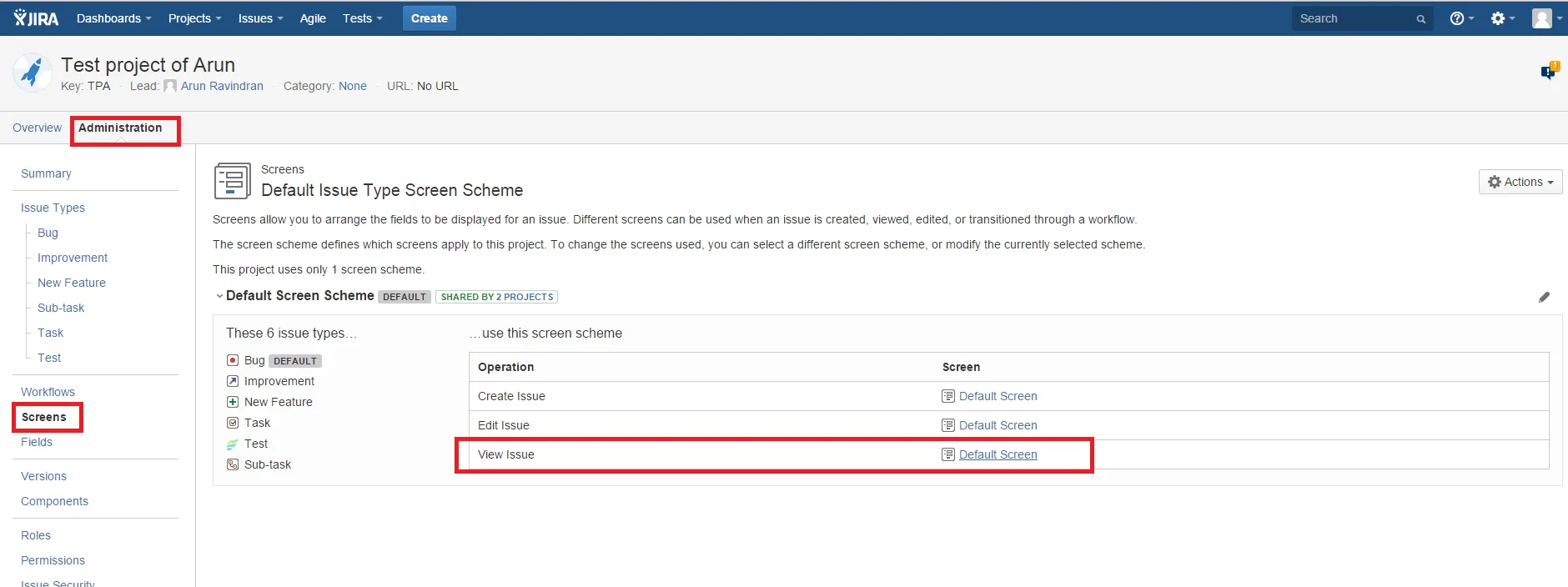
- Please navigate to Projects->Select Project-> Screens
- Once you select screens there would be a list of screens displayed as in the screen shot “ScreenSettings” attached here.
- Click on the “Default Screen” option across “View Screen” as shown in the above mentioned screen shot.
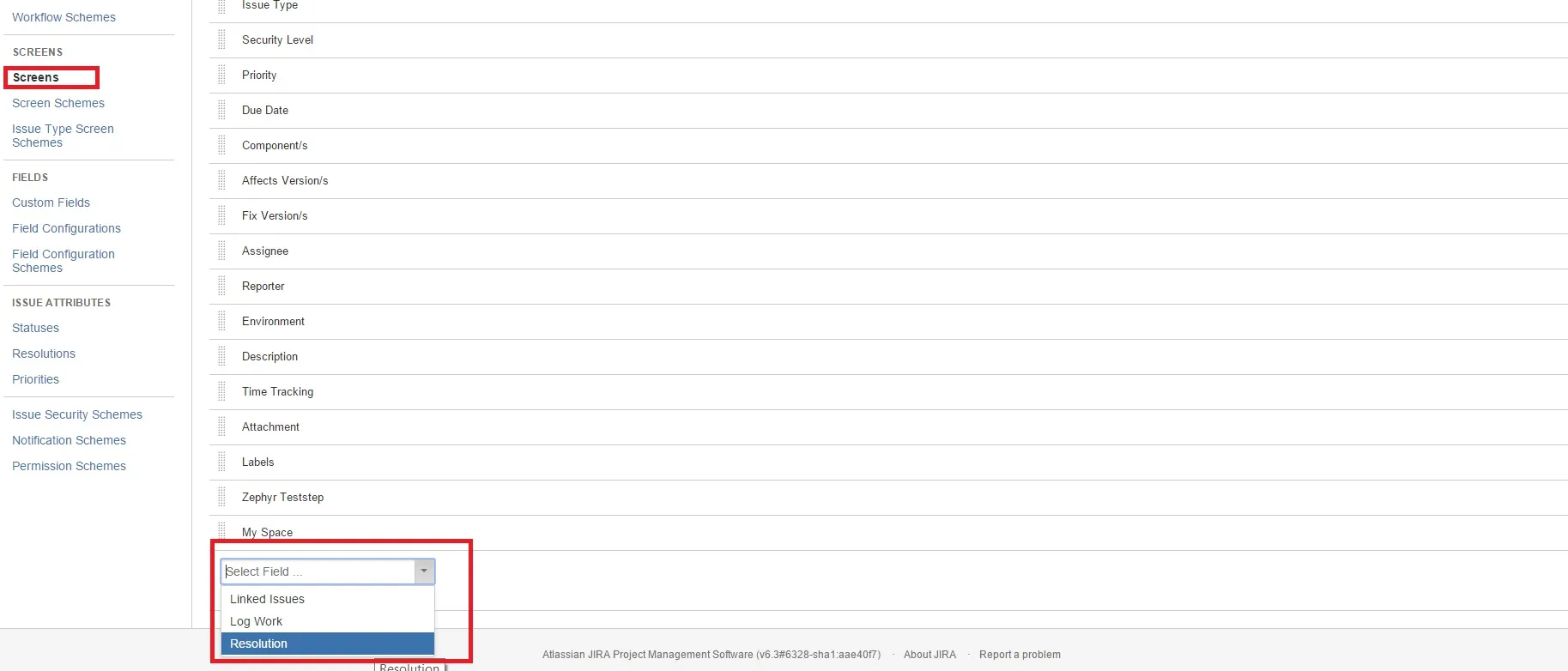
- You land on the “Configure Screen” option .Please scroll down and add a field called “Resolution” as in the screenshot “ConfigureScreen” attached here.
- Go back to Test case and click on tests . While viewing tests you can now click on the resolution unresolved option.A drop down would pop up with available list of options to change status.