
Adding Jira Servers
Add Jira servers in Bamboo global settings
After installation, configure Bamboo global settings to establish connection with Jira server(s). Follow the below steps
-
Launch Bamboo and access it via a web browser.
-
Click Overview from the Bamboo administration menu as illustrated in the below screenshot.

-
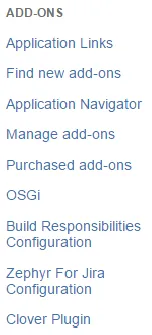
Locate and click Zephyr Squad Configuration from the left side panel under Add-ons section.
-
Click Add New Jira Server button.

-
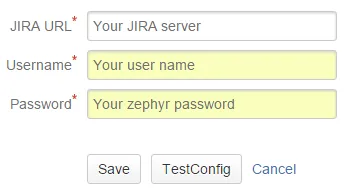
Enter Jira server URL and user credentials. Note that the user name and password must be that of a user with appropriate permissions to project(s). Click Test Configuration to validate connection to Jira Server.
-
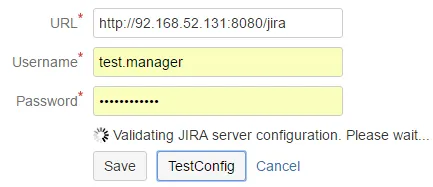
The URL and credentials validation process will take a moment.
-
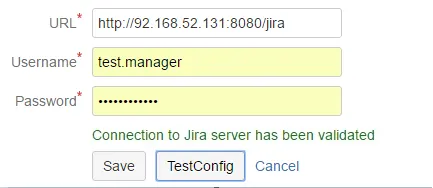
When validation is successful, click Save to commit the configuration.
-
Jira Server configuration is now saved.
