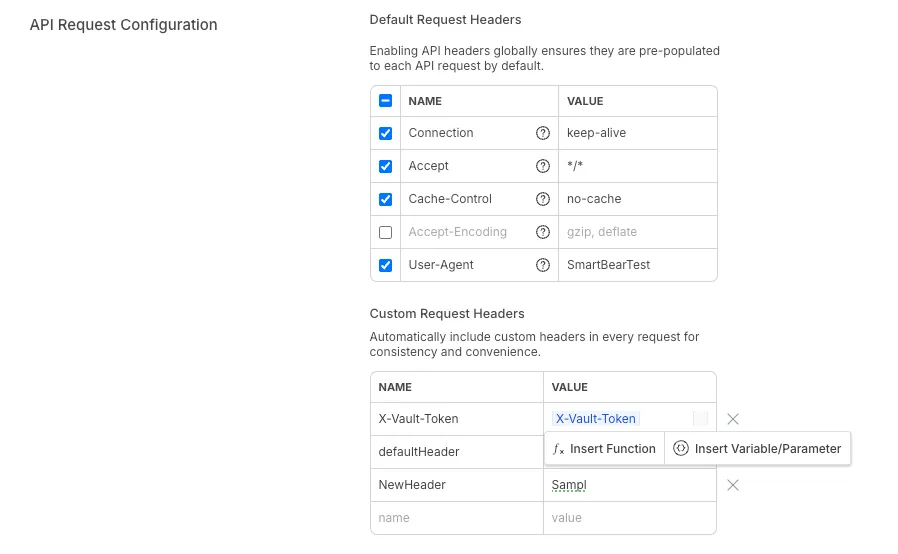
Default Headers
To help users run successful API calls with less setup time, now includes default headers automatically for each API request. This guide explains how the feature works, how to customize it, and who can make changes.
Enable Default Headers
You can enable or disable the automatic addition of default headers through a new Account Configuration option:
Account Information → API Request Configuration → Default API Headers
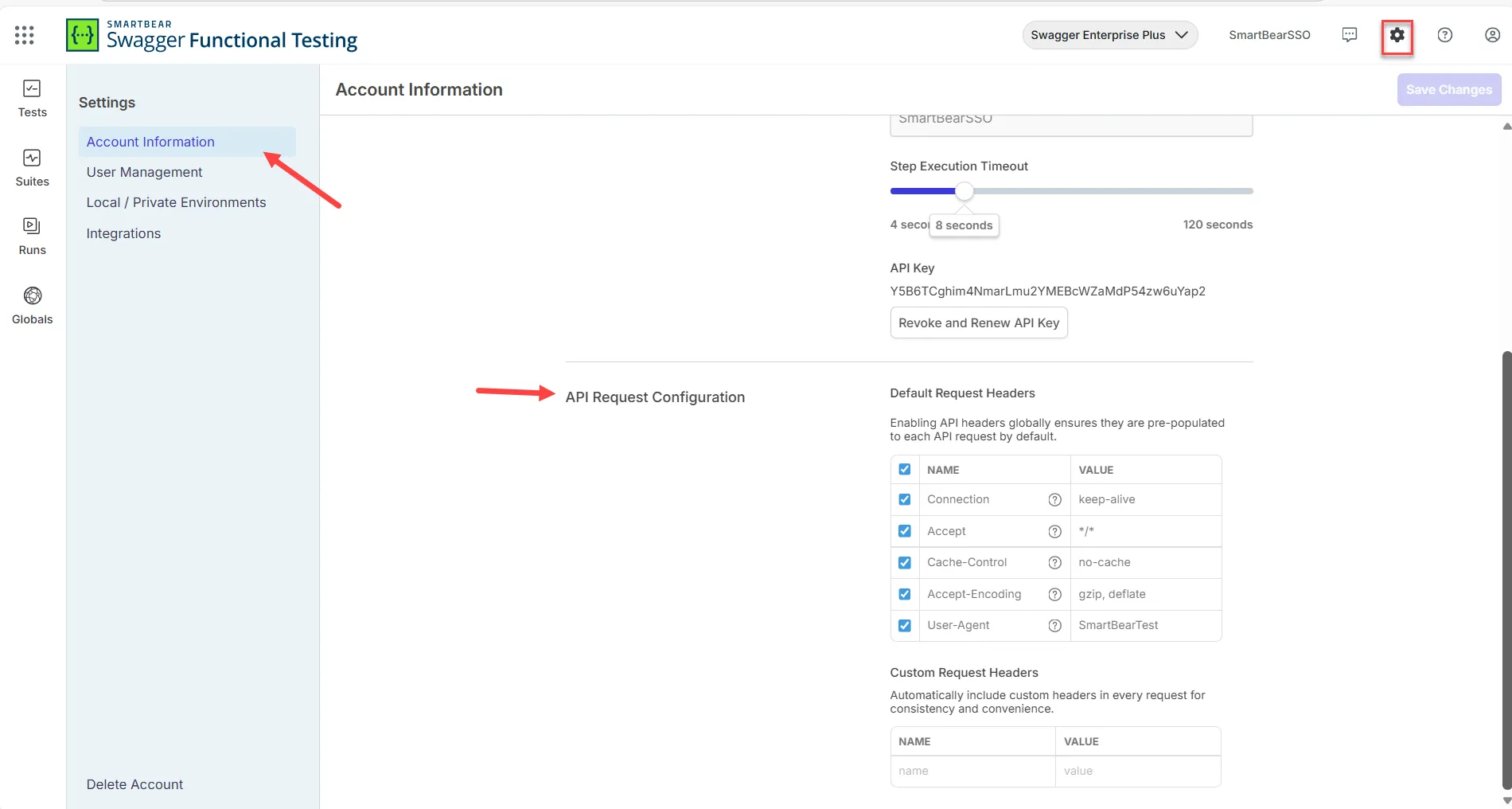
-
When enabled (default): All new API calls include the headers above.
-
When disabled: You’ll start with a blank headers table and must add headers manually.
Default Headers (Auto-Added)
For every new API request, the following headers are added by default:
| Header Name | Value |
|---|---|
| Cache-Control | no-cache |
| Accept | */* |
| User-Agent | {reflect} |
| Accept-Encoding | gzip, deflate |
| Content type | {Auto} |
These appear directly in the Headers table for any new API call. You don’t need to add them manually.
Custom Default Headers
When configuring a request, the headers are listed in a table. Each row includes Key (Name) and Value.
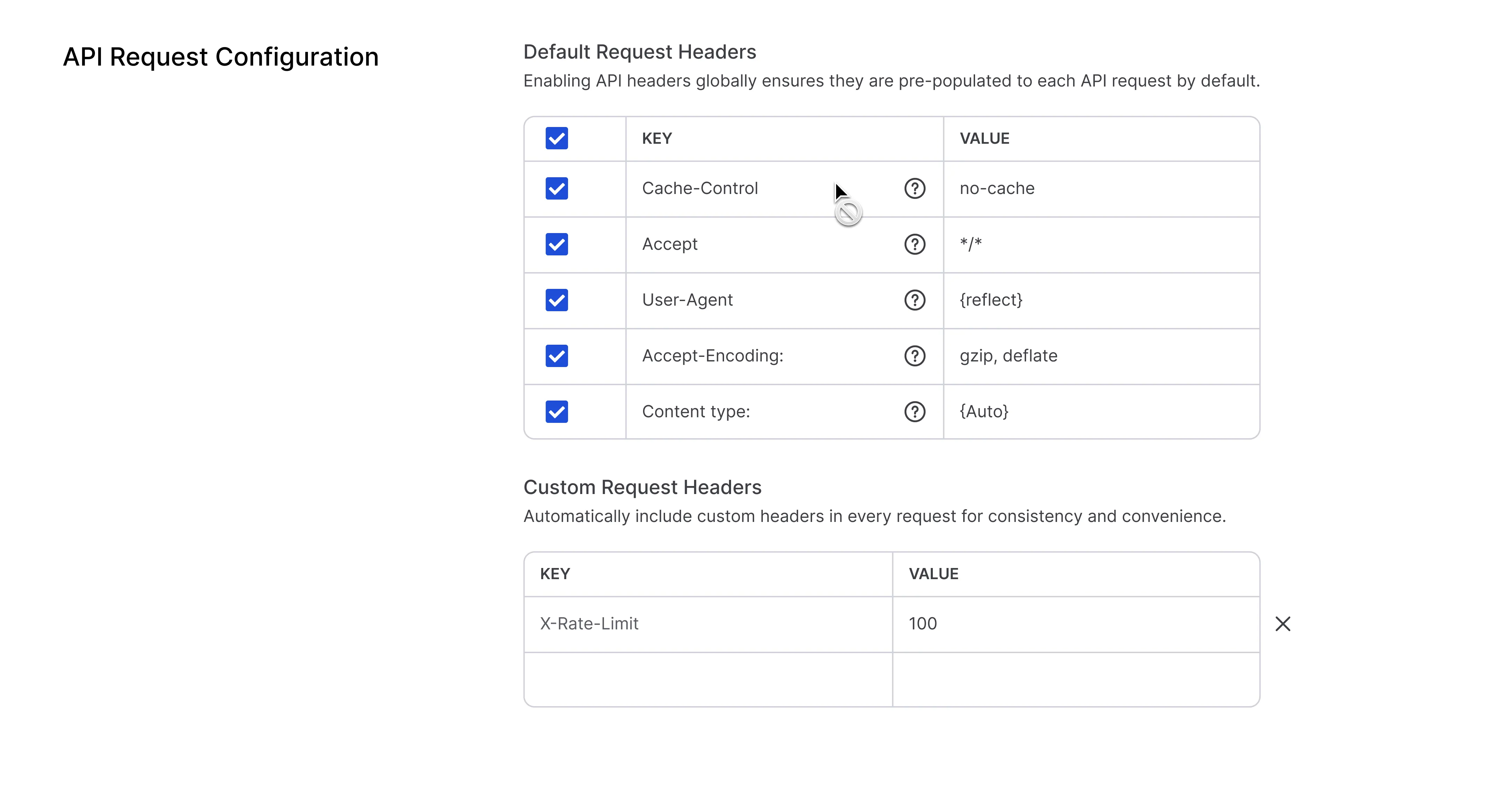
Click the header’s value to edit it directly in the table (inline editing).