Log In to Exploratory Testing
Starting with Exploratory Testing App v1.5.9, you can log in with your Atlassian account using OAuth instead of API tokens. OAuth provides secure, delegated access without sharing credentials.
Earlier versions of the Exploratory Testing App use API tokens.
Select your Exploratory Testing App version for login instructions.
Exploratory Testing App Version 1.5.9 and Later
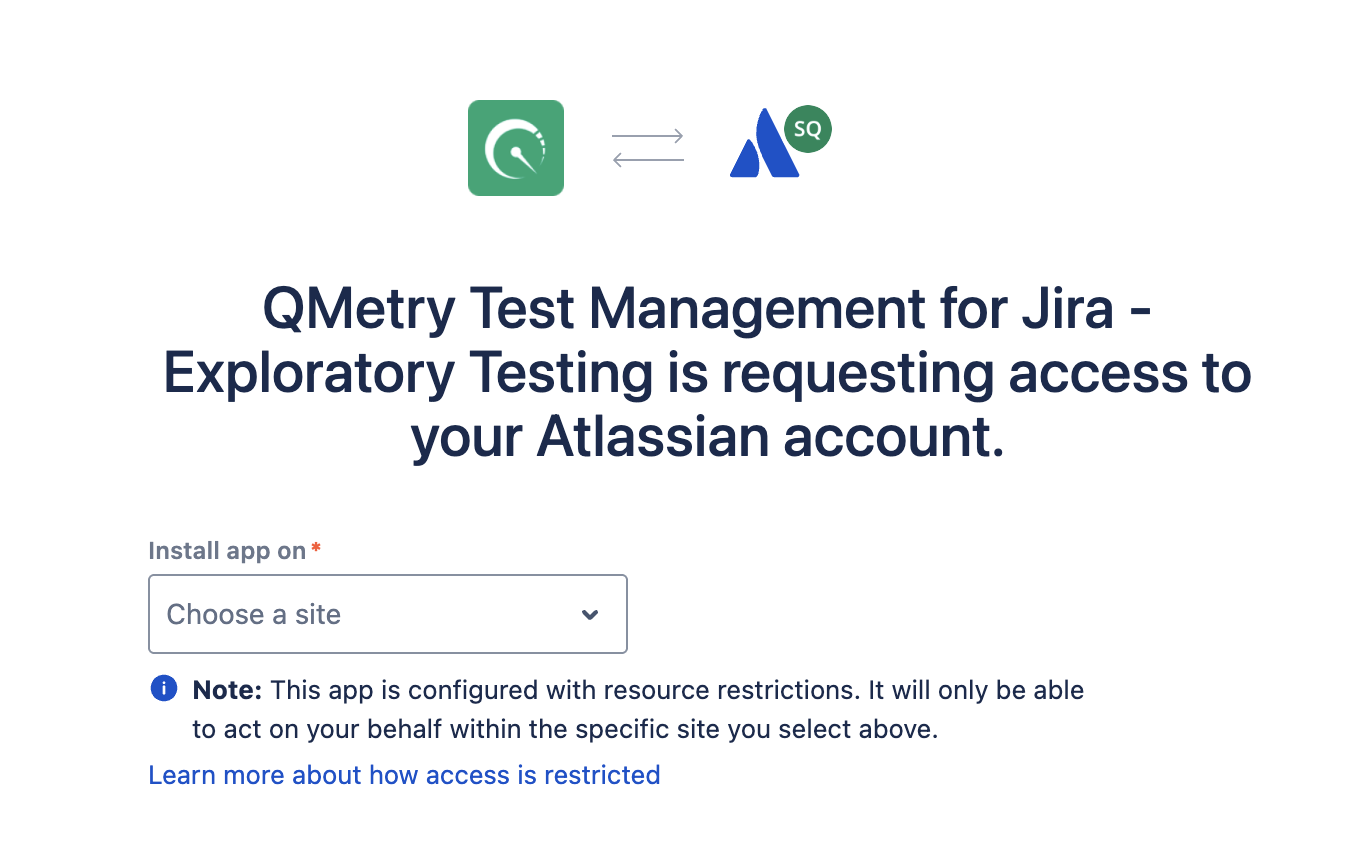
To log in with your Atlassian account using OAuth, do the following:
Select a site to install the Exploratory Testing app.
Read the required permissions, and then click Accept to grant the permissions to the app.
QTM4J Exploratory OAuth App requires the following permissions.
In Jira, the app requires the following permissions:
View: View Issues, Users, Issue attachments, system and custom Avatars.
Update: Create and update Issues, Issue attachments, Issue comments, Issue comment properties, Issue properties.
For users, the app requires the following permissions:
View the profile details for the user who is currently signed in.
Exploratory Testing Version 1.5.8 and Earlier
In Exploratory Testing v1.5.8 and earlier, you can log in to your Cloud Jira account using an API token. Before you log in, create an API token for your Atlassian account.
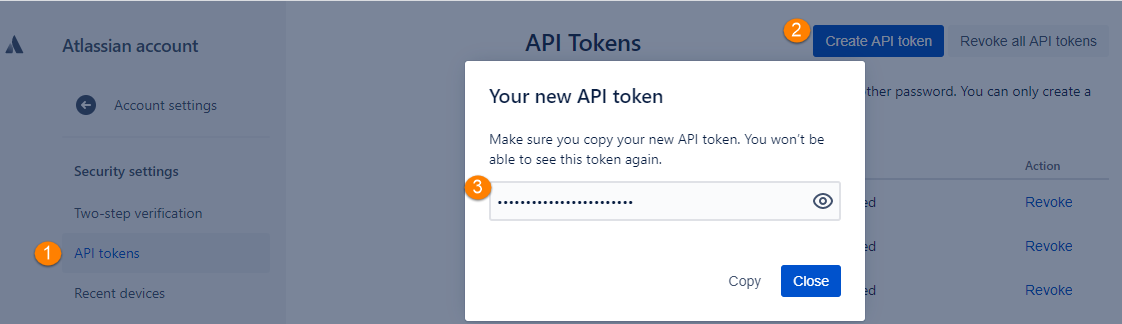
To create an API token for your Atlassian account, do the following:
Under the API tokens section, click Create API token to generate the API token.
Copy the API token.
Note
For security reasons, you cannot view the token after you close the Your new API token dialog box. If necessary, create a new token.
Store the token securely, like a password.