
You can use the response Attachments panel to access attachments of the current response message. The panel lists all the attachments available in the response with their name, content-type, size and other parameters. Double-click an attachment to open it in a browser.
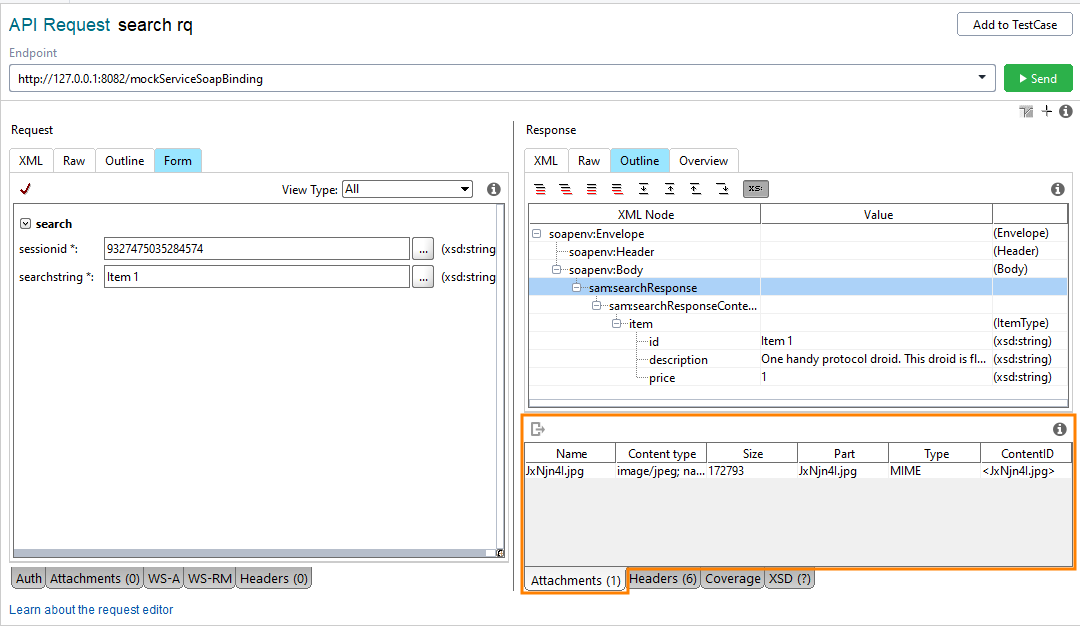
Click the image to enlarge it.
The panel lists the attachments in a tabular form:
| Column | Description |
|---|---|
|
Name |
The filename of the attachment, relative to resource root. |
|
Content-Type |
The attachment MIME content-type. |
|
Size |
The size of the attached file in bytes. |
|
Part |
The part of the response this attachment is associated with. |
|
Type |
The response attachment type. |
|
ContentID |
The attachment ContentID. Overrides the one specified in the service definition.
|
|
Cached |
Indicates whether the attachment is cached in the project file. |
Exporting Response Attachments
To export an attached file, select the attachment you need and click  on the toolbar. Then specify the location where the file should be saved.