Using the EncryptPersonsInfo Tool
To Retrieve the Database User Password:
Open the EncryptPersonsInfo Tool.
In the Login field, enter the database username.
Click the Decrypt button to display the saved password
To Retrieve the Master Password:
- Click the Decrypt MasterPassword button.
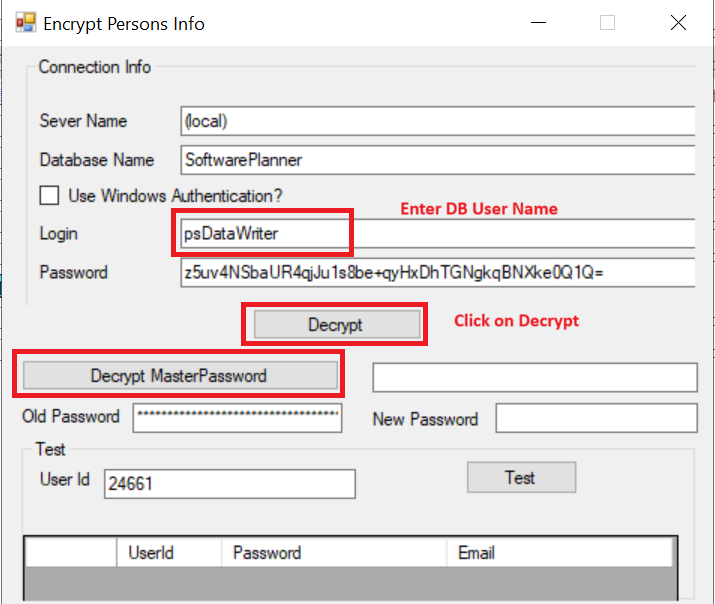
Click the image to enlarge it.